Manual · Printek
Mt Series Programmer's Manual
Manual44 pagesPDF 673 KB
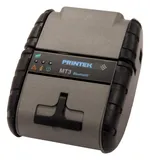
Programmer's manual for the Printek Mt series (Mt2, Mt3, Mt3-II) portable printers: control characters, fonts, graphics and bar code commands.
Covers · 1 model
The models it covers
Summary
What is in it
The programmer's manual for the Printek Mt series portable printers (Mt2, Mt3 and Mt3-II) for software developers. It explains control, ASCII and extended print characters, resident typefaces and line spacing, downloading fonts to flash, graphic and logo commands, bar code printing (Code 39, Code 128, UCC/EAN-128, Interleaved 2 of 5, UPC/EAN/JAN, Codabar), black mark sensing, printer controls and status commands, the magnetic card reader, serial communications and configuration, with a command quick reference.
Its parts
- Printer Characters
- Flash Based Font Download
- Graphic Commands
- Bar Codes
- Black Mark Sensing
- Printer Controls
- Printer Status Commands
- Magnetic Card Reader
- Serial Communications
- Printer Configuration
- Command Quick Reference
From the manual
Key facts from this manual
Each line names its page in the PDF.
Programmer's manual (Printek Part Number 5993 Rev B) for the Printek Mt2, Mt3 and Mt3-II series thermal printers. It documents the escape commands for fonts, graphics, bar codes, black mark forms, contrast, power and status queries. It also covers the optional magnetic card reader, serial communications and the configuration switches of each series.
- Printer type
- Battery-powered thermal printer driven by ESC command strings p. 25
- Mt3 interfaces
- Mt3: RS232/Bluetooth or IrDA, chosen by a switch inside the printer p. 35
- Serial defaults
- 19200 baud, 8 data bits, no parity, one stop bit p. 32
- Mt3 baud rates
- Mt3: 38,400, 19,200, 9,600 or 2,400, set by internal switches p. 35
- Serial connector
- 6 pin RJ type connector at the back; signals COM, TXD, RXD, CTS, RTS p. 32, 33
- Handshaking
- Serial Busy (RTS/CTS) or XON/XOFF p. 32
- Magnetic card reader
- Optional three-track reader for ANSI/ISO 7810, 7811 cards p. 29
- Bar codes
- Code 39, Code 128, UCC/EAN-128, Interleaved 2 of 5, UPC/EAN/JAN, Codabar p. 17
- Bar width
- Minimum bar width (x-dimension) of 0.250mm p. 17
- Print contrast
- Ten levels, ESC P 0 to 9; 5 is the default, 9 prints fastest p. 25
- Peak power
- Five modes: Low, Medium, High, Very, Auto (default) p. 25
- Auto power down
- 20 seconds by default; set with ESC M n1 n2 0 CR, reset with ESC C p. 26
- Model ID
- Mt3: answers 103 to the hardware model query (ESC P )) p. 27
- Default font
- Courier Mode 2 at power up; six resident Courier modes, ESC k 0 to 5 p. 8
What this manual walks you through
- Control characters, character sets, fonts, emphasis and line spacing p. 5, 6, 7, 8, 9
- Printing bar codes with the ESC z and ESC Z commands p. 17, 18, 19, 20, 21
- Printing on preprinted forms with black mark sensing p. 23
- Setting print contrast and peak-power mode p. 25
- Auto power down timer and online or buffer mode p. 26
- Reading battery voltage, status, firmware version and model p. 27
- Reading magnetic cards, track formats and read errors p. 29, 30, 31
- Serial handshaking and RS232C connections p. 32, 33
- Configuration switches of the Mt2, Mt3 and Mt3-II p. 34, 35, 36
Good to know
- Mt3 switch changes take effect only after the printer power is reset. p. 35
- If peak power use exceeds the battery's capacity, the brownout circuit resets the printer controller. p. 25
- Only one extended character set can be used per print line. p. 5
- Code 39 bar codes accept capital letters only. p. 17
- For UPC and EAN codes the printer ignores the check digit it receives and calculates its own. p. 20
Questions this manual answers
What are the default serial settings of the Printek Mt3?
The printer starts at 19200 baud, 8 data bits, no parity and one stop bit. p. 32
How do I change the baud rate on a Printek Mt3?
Use the configuration switches inside the printer (38,400, 19,200, 9,600 or 2,400), then reset the printer power. p. 35
Which bar codes can the Printek Mt3 print?
Code 39, Code 128 and UCC/EAN-128, Interleaved 2 of 5, UPC/EAN/JAN and Codabar. p. 17
Does the Printek Mt3 have a magnetic card reader?
A three-track magnetic card reader is an option on all Mt series printers. p. 29
How do I keep the Printek Mt3 from powering down after 20 seconds?
Set the timer with ESC M n1 n2 0 CR, set it to zero, or hold the RTS input active to disable auto power down. p. 26
Contents
Chapters and sections
Each line opens the PDF at its page.
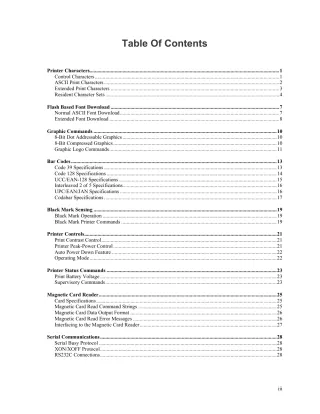
- Printer Characters5
- Control Characters5
- ASCII Print Characters6
- Extended Print Characters7
- Resident Character Sets8
- Flash Based Font Download11
- Graphic Commands14
- Bar Codes17
- Black Mark Sensing23
- Printer Controls25
- Printer Status Commands27
- Magnetic Card Reader29
- Serial Communications32
- Printer Configuration34
- Command Quick Reference37
- Glossary of Terms41
The whole text · 5 parts
Read the manual here as text
Its text as extracted from the PDF, unedited, in parts; each page opens the PDF at that page.
The file