Manual · POS-X
EVO Laser Barcode Scanner User's Guide
Manual38 pagesPDF 449 KB
User's guide for the POS-X EVO Laser handheld barcode scanner: indicators, troubleshooting, specifications and configuration barcodes.
Covers · 1 model
The models it covers
Summary
What is in it
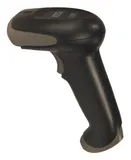
POS-X's user's guide for the EVO Laser handheld barcode scanner. It shows the scanner's parts, cleaning, labels and how to install and remove the cable, explains the beeps, LEDs and failure modes, gives depth of field by bar width, a troubleshooting guide and design specifications, then covers configuration by barcode: factory defaults, code types and decode rules, supplements, scan modes, prefixes and suffixes, UPC/EAN formatting, keyboard emulation and code byte tables.
Its parts
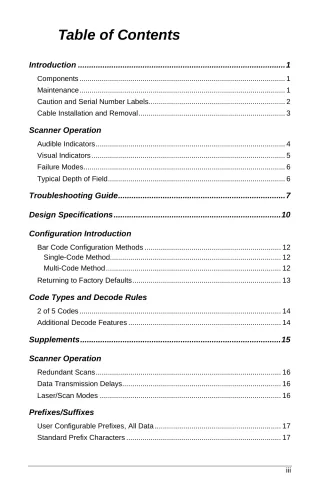
- Introduction
- Scanner Operation
- Troubleshooting Guide
- Design Specifications
- Configuration Introduction
- Code Types and Decode Rules
- Supplements
- Scanner Operation
- Prefixes/Suffixes
- Code Formatting
- Keyboard
- Code Bytes Usage
- Limited Warranty
From the manual
Key facts from this manual
Each line names its page in the PDF.
POS-X's User's Guide (2012) for the EVO Laser barcode scanner. It explains the parts, cable installation and removal, beeps and LEDs, failure modes, troubleshooting and specifications. It also gives the bar codes for configuring decoding, prefixes and suffixes, UPC/EAN formatting and keyboard wedge mode.
- Device
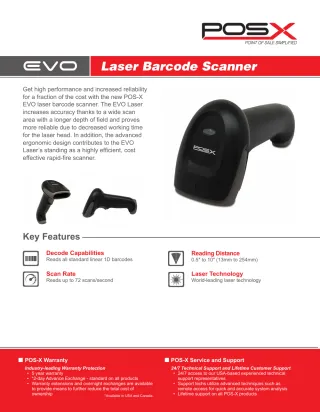
- Single-line laser barcode scanner for standard 1D and GS1 DataBar symbologies p. 14
- Interfaces
- USB and keyboard wedge, through a 10-pin RJ45 female socket on the scanner p. 5, 14
- Power
- 5VDC ± 0.25V; 140 mA standby, 195 mA decoding on USB, 175 mA decoding on keyboard wedge p. 15
- Depth of field
- 5.2 mil: 3" to 5"; 7.5 mil: 2" to 8"; 10.4 mil: 1" to 9"; 13 mil: 0.5" to 10" from the scanner face p. 10
- Scan speed
- 72 ± 2 scan lines per second, single scan line p. 14
- Size and weight
- Length 110 mm (4.3"), width 70 mm (2.8"), height 153 mm (6.0"); 120 g (4.23 oz) p. 14
- Light source
- Visible laser diode at 650 nm, less than 1.0 mW average p. 14
- Minimum bar width
- 0.1016 mm (4 mil) p. 14
- Indicators
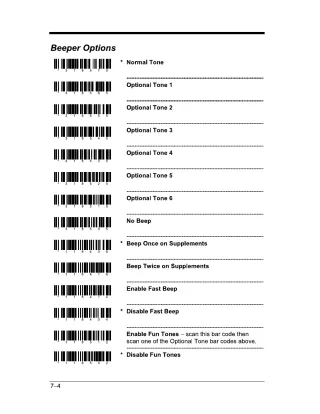
- Red LED = good read; green = laser on, ready to scan; 7 tones or no beep p. 14
- Temperature
- Operating 0°C to 40°C (32°F to 104°F); storage -40°C to 60°C (-40°F to 140°F) p. 15
- Default symbologies
- UPC/EAN, Code 39, interleaved 2 of 5, Code 93, Code 128 and Codabar enabled by default p. 12
- Scan modes
- Automatic scanning, continuous blinky scan, or manual trigger p. 20
- Data length
- Up to 80 data characters, varying with symbology and density p. 14
- Settings memory
- Configuration is stored in nonvolatile memory (NOVRAM) and kept with power off p. 16
What this manual walks you through
- Installing the cable and releasing it with a paper clip p. 7
- Reading the beeps and the red and green LEDs p. 8, 9
- Recognizing failure modes at power up p. 10
- Troubleshooting power, decoding, USB serial emulation and keyboard wedge problems p. 11, 12, 13
- Configuring with the Single-Code and Multi-Code methods p. 16
- Returning the scanner to factory defaults p. 17
- Setting minimum length, length locks, supplements and redundant scans p. 18, 19, 20
- Adding prefix and suffix characters with code bytes p. 21, 22, 27
- Formatting UPC/EAN data p. 23, 24
- Switching to keyboard wedge mode p. 25
Good to know
- Clean the window only with a mild glass cleaner that has no ammonia, sprayed onto a lint-free cloth. p. 5
- Turn off the host system before removing the cable from the scanner. p. 7
- Circuits connected to the scanner must meet SELV requirements of EN/IEC 60950-1, and the power source should be a limited power source. p. 6
- To abort a configuration change, power off the scanner before scanning the Enter/Exit code. p. 16
Questions this manual answers
How do I reset the POS-X EVO Laser to factory defaults?
Scan the Recall Defaults bar code in the guide; it erases all previous settings. p. 17
How do I remove the cable from the EVO Laser scanner?
Turn off the host, push a bent paper clip into the small pinhole near the end of the handle until the lock clicks, then pull gently on the strain relief. p. 7
What do three beeps at power up mean on the EVO Laser?
The nonvolatile memory that holds the configuration has failed, and the unit must go to an Authorized Service Center for repair. p. 10
What interfaces does the POS-X EVO Laser support?
USB and keyboard wedge. p. 14
Why does the EVO Laser lock up after the first scan with the red LED on?
It is set for host handshaking but is not getting the signal; check that the host cable and host support the handshaking. p. 12
Contents
Chapters and sections
Each line opens the PDF at its page.
The whole text · 4 parts
Read the manual here as text
Its text as extracted from the PDF, unedited, in parts; each page opens the PDF at that page.
The file