Manual · Philips
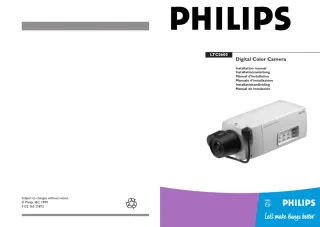
LTC0600 Digital Color Camera Installation manual
Manual11 pagesPDF 264 KB
Installation manual for the Philips LTC0600 digital color surveillance camera: lens mounting, power, connections and setup.
Covers · 1 model
The models it covers
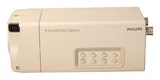
Summary
What is in it
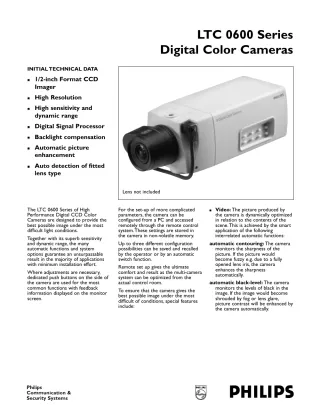
The installation manual for the Philips LTC 0600 series digital color camera for surveillance and observation systems, covering the mains voltage models LTC0600/50 (PAL) and /60 (NTSC) and the low voltage models /10 (PAL) and /20 (NTSC). It explains safety, features, mounting manual, video iris and DC iris lenses, back focus adjustment, power, video, sync and RS-232 connections, mounting the camera, the side-panel buttons and on-screen setup (modes, video level, backlight compensation, white balance, linelock) and full specifications.
Its parts
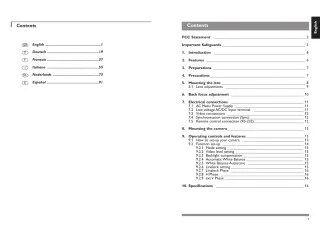
- Introduction
- Features
- Preparations
- Precautions
- Mounting the lens
- Back focus adjustment
- Electrical connections
- Mounting the camera
- Operating controls and features
- Specifications
From the manual · read page by page
Key facts from this manual
Each line names its page in the PDF.
English installation manual for the Philips LTC 0600 series digital color camera, covering the LTC0600/10, /20, /50 and /60 versions. It explains fitting and adjusting the lens, back focus, power, video, sync and RS-232 connections, mounting, and setting up the camera with its side buttons, and ends with specifications.
- Device
- Digital color camera with a 1/2-inch interline transfer CCD, 480 TVL p. 5
- Sensitivity
- Down to 0.3 lux (0.03 foot-candle) with f1.2 lenses p. 5
- Lenses
- Manual, DC or video iris; C or CS mount, detected automatically; no C/CS adapter needed p. 5, 6
- Low voltage power
- LTC0600/10 and LTC0600/20: 12-28 V AC or 11-36 V DC on screw terminals, polarity independent p. 7
- Mains power
- LTC0600/50 and LTC0600/60: 100-240 V AC; /50 with Euro plug, /60 with polarized US plug p. 7
- Power dissipation
- Less than 8 W p. 7
- Synchronization
- Internal crystal, AC line lock, external video or external sync signal on BNC p. 8
- RS-232 port
- 9-pole Sub D, 1200, 2400 or 4800 baud; Tx pin 2, Rx pin 3, ground pin 5 p. 10
- Software
- Optional LTC 0650/00 configuration software for Windows, sold separately p. 5, 8
- Controls
- 8 side buttons with on-screen display feedback p. 8
- Operating modes
- Mode 1 backlight compensation, Mode 2 traffic, Mode 3 night; ships in Mode 1 p. 9
- In the box
- Camera, manual, dust cap, lens connector, low voltage connector (/10 and /20 only) p. 5
- Lens weight limit
- 0.5 kg top mounting, 1.5 kg bottom mounting p. 11
What this manual walks you through
- Mounting a lens and wiring the iris connector p. 6
- Setting up manual, DC iris and video iris lenses p. 6
- Adjusting back focus between C and CS mount p. 7
- Connecting mains or low voltage AC/DC power p. 7
- Video, sync and RS-232 connections p. 8
- Wiring a hard switch to select Mode 3 p. 8
- Using the side buttons to set mode, video level, BLC, white balance and line lock p. 8, 9
- Adjusting line lock, H and external V phase p. 10
Good to know
- Never point the camera at the sun or other very bright objects, even when it is off. p. 5
- Video or DC iris lenses are recommended outdoors to prevent bleaching of the CCD. p. 6
- Heavy lenses need extra support from a housing or base plate. p. 6
- Lens adjustment needs more than 200 lux of scene light. p. 6
- If lens detection fails after hot plugging the lens connector, remove and restore camera power. p. 6
Questions this manual answers
Does the Philips LTC 0600 need a C-mount adapter?
No. It takes C or CS mount lenses, and the back focus screw moves the sensor between the two positions. p. 6, 7
What voltage does the LTC0600/10 take?
The low voltage models /10 and /20 take 12-28 V AC or 11-36 V DC on screw terminals. p. 7
What software configures the LTC 0600 camera?
The optional LTC 0650/00 Windows configuration tool, connected through the RS-232 port. p. 8
Why does the LTC 0600 not detect my auto iris lens?
Detection happens at power-up; if it fails after hot plugging the connector, disconnect and reconnect the camera power. p. 6
What are the LTC 0600 operating modes?
Mode 1 backlight compensation, Mode 2 traffic and Mode 3 night, plus a fixed factory default mode. p. 9
The whole text · 2 parts
Read the manual here as text
Its text as extracted from the PDF, unedited, in parts; each page opens the PDF at that page.
The file