Manual · Pertech
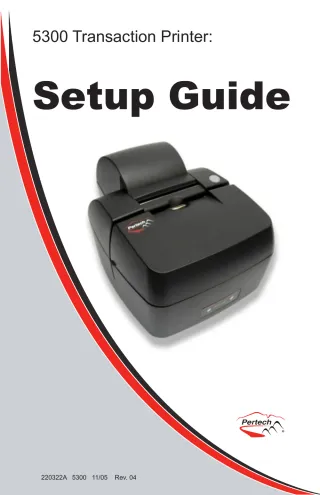
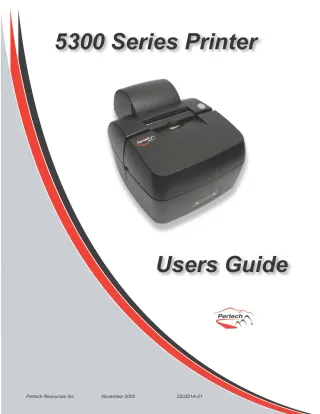
5300 Series Printer Users Guide
Manual40 pagesPDF 2.7 MB
Users guide for the Pertech 5300 Series receipt and validation printers, including the 5371 impact receipt/validation model.
Covers · 1 model
The models it covers
Summary
What is in it
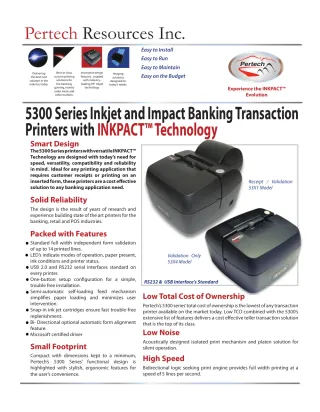
Users guide for the Pertech 5300 Series printers: the 5351 and 5354 ink jet and the 5371 and 5374 impact receipt and validation models. It covers choosing a location, paper and supplies, the controls, paper loading, cartridge replacement, validation print fields and the document guide, RS232, USB and cash drawer connections, the power supply, the Windows XP/2000 driver and logo download utility, configuration and diagnostic tests, compatibility modes, LED indicators, troubleshooting and specifications.
Its parts
- Preface
- About The Printer
- Operating the Printer
- Validation and Document Guides
- Cables and Connections
- Drivers & Utilities
- Configuration & Diagnostic Print Tests
- Trouble Shooting Printer Problems
- Specifications
From the manual
Key facts from this manual
Each line names its page in the PDF.
A users guide (220321A, November 2005) for the Pertech 5300 Series receipt and validation printers: models 5351, 5354, 5371 and 5374. It covers loading paper and cartridges, connecting the serial, USB, cash drawer and power cables, reading the LED status and fault codes, troubleshooting and the specifications.
- Printer type
- 5371: impact receipt printer with independent validation printing p. 6
- Interfaces
- RS-232 serial (DB9M connector, null modem cable) and USB 2.0, plus a cash drawer port and 3-pin mini DIN power p. 13
- Power
- Impact models (5371, 5374): 60 Watt 24V power brick p. 6, 36
- Ribbon cartridges
- Impact: 100629011 black, 100629012 purple p. 10
- Roll paper
- 3.0 inches wide (+/- .03), 3.5 inch maximum diameter, 5/8 inch minimum core; impact 537X takes 1 or 2 plies p. 9
- Cash drawer
- One tele-jack port runs two cash drawers; two drawers need a Y cable adapter p. 13, 14
- Inserted forms
- One original plus 2 copies (receipt paper included if used); minimum 5.5 by 2.75 inches; .012 inch total thickness p. 9
- Validation print field
- 2.5 inches wide; height adjustable from .17 to 1.75 inches p. 11
- Cables
- RS232 serial cable 106356010 (DB9F to DB9F); USB cable 106356011 p. 13, 14
- Paper part numbers
- Impact 5371: 103292062 one ply, 103292061 two ply p. 8
- LED fault codes
- Dot Dot Dash mechanical; Dot Dash Dot RAM; Dot Dash Dash program or firmware; Dash Dot Dot home sensor p. 33
- Cable distance
- 20 feet maximum from printer to host and power supply (RS-232 serial) p. 7
What this manual walks you through
- Loading roll paper and clearing a paper jam p. 9
- Installing or replacing the ink jet or impact ribbon cartridge p. 10
- Setting the validation print field and installing the document guide p. 11, 12
- Connecting the RS-232, USB, cash drawer and power cables p. 13, 14, 15
- Reading the two LED status indicators p. 32
- Reading LED fault codes in diagnostic mode p. 33
- Troubleshooting printing and port problems under Windows p. 34
- Cleaning paper dust from the printer p. 35
Good to know
- Turn off the printer and the host before connecting cables, and connect the power supply last. p. 13, 15
- Remove the ink cartridge before shipping or moving the printer. p. 10
- Do not spray cleaner on the print head or inside the printer. p. 35
- When replacing an A470 model printer, the cash drawer cable must be changed. p. 14
- A printer in fault mode stays there until power is cycled or it gets an immediate reset command. p. 33
Questions this manual answers
What ribbon does the Pertech 5371 use?
The 5371 is an impact model; replacement impact cartridges are 100629011 (black) and 100629012 (purple). p. 6, 10
What paper roll fits the Pertech 5371?
Roll paper 3.0 inches wide with a maximum 3.5 inch diameter; impact 537X printers take one or two plies. Impact 5371 paper is 103292062 (one ply) or 103292061 (two ply). p. 8, 9
Which cable connects the Pertech 5300 printer to a PC serial port?
A null modem serial cable to the printer's DB9M connector; the manual lists serial cable 106356010 (DB9F to DB9F). p. 13
What does a blinking red LED mean on a Pertech 5300 printer?
A blinking red left LED means paper out. p. 32
How do I read the fault code on a Pertech 5300 printer?
Press the paper feed button; the LED then flashes a 3 bit dot and dash code, for example Dash Dot Dot for a home sensor error. p. 33
Contents
Chapters and sections
Each line opens the PDF at its page.
The whole text · 8 parts
Read the manual here as text
Its text as extracted from the PDF, unedited, in parts; each page opens the PDF at that page.
The file