Spec sheet · Monarch
Monarch 9460 Sierra SPort-2 and Paxar 9460IP Spec Sheet
Spec sheet2 pagesPDF 137 KB
Both pages are below, each with its text.
Covers · 2 models
The models it covers
From the sheet · read page by page
Key facts from this sheet
Each line names its page in the PDF.
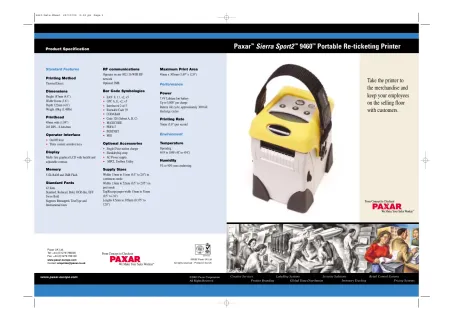
Two-page data sheet (2002) for the Paxar Sierra Sport2 9460 portable re-ticketing printer, including its IP addressable 802.11b option. It gives the print method, printhead, memory, display, battery, supply sizes, bar codes, environment and optional accessories.
- Printer type
- Portable re-ticketing printer, thermal direct p. 1
- Printhead
- 48mm wide (1.89"), 203 DPI (8 dots/mm) p. 1
- Battery
- 7.4V Lithium Ion; up to 5,000" per charge; about 300 full discharge cycles p. 1
- Memory
- 512k RAM and 2MB Flash p. 1
- Display
- Multi-line graphical LCD, backlit, adjustable contrast p. 1
- Printing rate
- 76mm (3.0") per second p. 1
- RF communications
- Any 802.11b WIFI RF network; the IP addressable version has its own unique IP address p. 1, 2
- Max print area
- 48mm x 305mm (1.89" x 12.0") p. 1
- Supply sizes
- Widths 13mm to 51mm (0.5" to 2.0") continuous, 13mm to 52mm (0.5" to 2.05") peel; lengths 9.5mm to 305mm (0.375" to 12.0") p. 1
- Operator interface
- On/Off feed and three context sensitive keys p. 1
- Operating temperature
- 40 F to 104F (4C to 40 C); humidity 5% to 90% non condensing p. 1
- Weight and size
- Width 91mm (3.6"), depth 122mm (4.8"); weight .66kg (1.48lbs) p. 1
- Bar codes
- EAN 8, 13, +2, +5; UPC A, E, +2, +5; Interleaved 2 of 5; Extended Code 39; CODABAR; Code 128; MAXICODE; PDF417; POSTNET; MSI p. 1
- Optional accessories
- Single/four station charger, shoulder/hip strap, AC power supply, MPCL Toolbox Utility p. 1
What this sheet walks you through
- Supply sizes for continuous, peel and tag modes p. 1
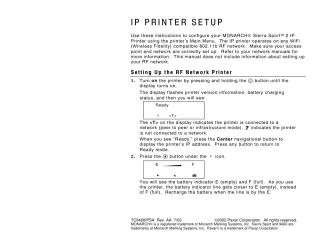
- Using the IP addressable option on a store radio network p. 2
- Carrying and powering the printer p. 2
Good to know
- The battery lasts approximately 300 full discharge cycles. p. 1
- Only Paxar supplies are recommended for use with the printer. p. 2
Questions this sheet answers
What battery does the Paxar Sierra Sport2 9460 use?
A 7.4V Lithium Ion battery, good for up to 5,000 inches of printing per charge. p. 1
What label widths fit the Sierra Sport2 9460?
13mm to 51mm (0.5 to 2.0 in) in continuous mode and 13mm to 52mm (0.5 to 2.05 in) in peel mode. p. 1
Does the 9460 printer work on Wi-Fi?
It operates on any 802.11b WIFI RF network; the IP addressable version has its own IP address so the host can send data to it. p. 1, 2
What accessories are available for the Sierra Sport2 9460?
A single or four station charger, a shoulder/hip strap, an AC power supply and the MPCL Toolbox Utility. p. 1
The file
Size and text
Every page · 2
Read it here
Each page as it is printed, and its words beside it, so a phone can search and copy them.
Page1of 2
Open in the PDF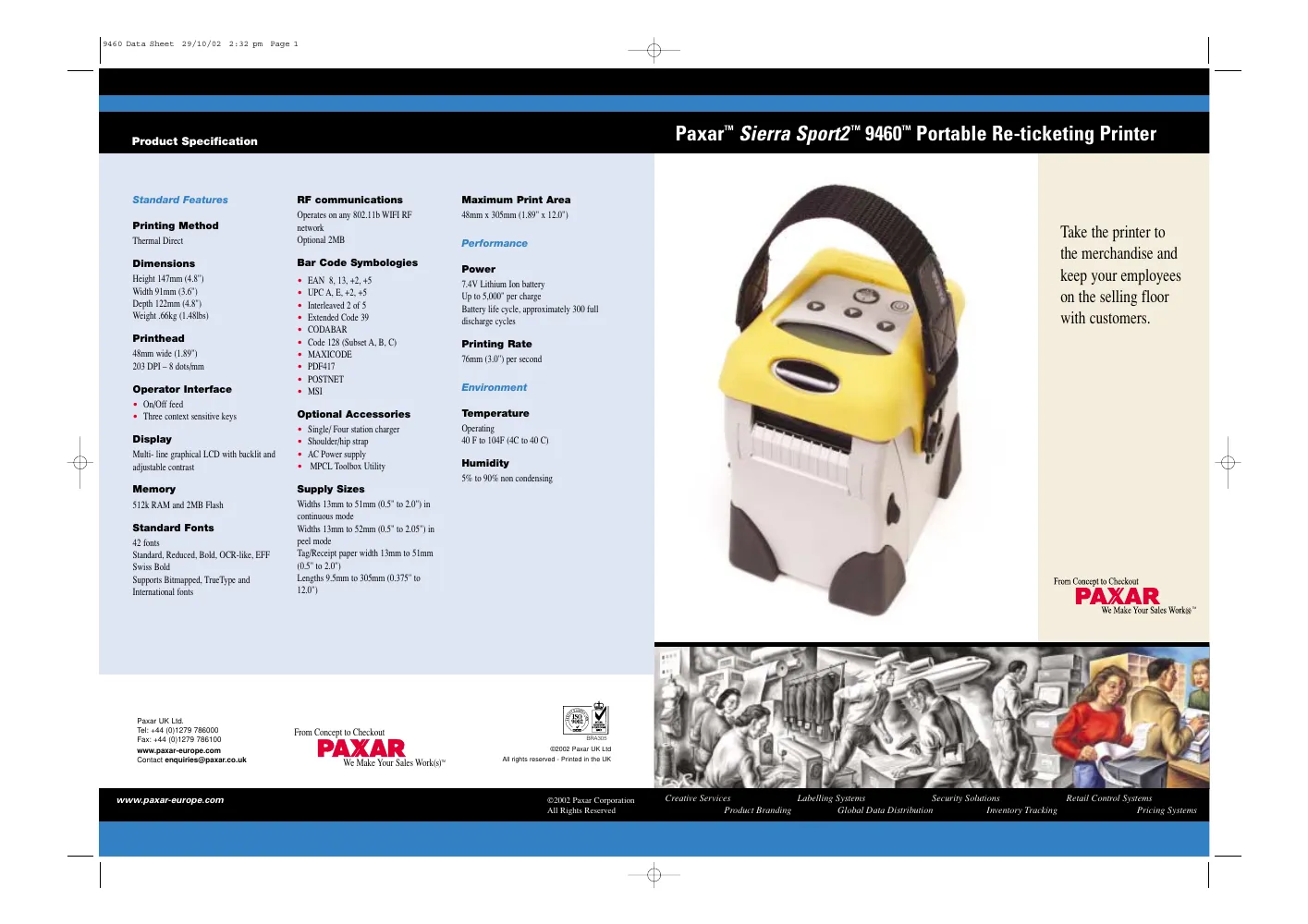
The text of page 1, from the PDF itself
9460 Data Sheet 29/10/02 2:32 pm Page 1
Paxar Sierra Sport2 9460 Portable Re-ticketing Printer TM
Product Specification
Standard Features Printing Method Thermal Direct Dimensions Height 147mm (4.8") Width 91mm (3.6") Depth 122mm (4.8") Weight .66kg (1.48lbs) Printhead 48mm wide (1.89") 203 DPI – 8 dots/mm Operator Interface
- On/Off feed
- Three context sensitive keys Display Multi- line graphical LCD with backlit and adjustable contrast Memory 512k RAM and 2MB Flash Standard Fonts 42 fonts Standard, Reduced, Bold, OCR-like, EFF Swiss Bold Supports Bitmapped, TrueType and International fonts
RF communications Operates on any 802.11b WIFI RF network Optional 2MB
Maximum Print Area 48mm x 305mm (1.89" x 12.0") Performance
Bar Code Symbologies
Power 7.4V Lithium Ion battery Up to 5,000" per charge Battery life cycle, approximately 300 full discharge cycles
- EAN 8, 13, +2, +5
- UPC A, E, +2, +5
- Interleaved 2 of 5
- Extended Code 39
- CODABAR
- Code 128 (Subset A, B, C)
- MAXICODE
- PDF417
- POSTNET
- MSI
Take the printer to the merchandise and keep your employees on the selling floor with customers.
Printing Rate 76mm (3.0") per second Environment Temperature Operating 40 F to 104F (4C to 40 C)
Optional Accessories
- Single/ Four station charger
- Shoulder/hip strap
- AC Power supply
- MPCL Toolbox Utility
Humidity 5% to 90% non condensing
Supply Sizes Widths 13mm to 51mm (0.5" to 2.0") in continuous mode Widths 13mm to 52mm (0.5" to 2.05") in peel mode Tag/Receipt paper width 13mm to 51mm (0.5" to 2.0") Lengths 9.5mm to 305mm (0.375" to 12.0") TM
Paxar UK Ltd. Tel: +44 (0)1279 786000 Fax: +44 (0)1279 786100 www.paxar-europe.com Contact enquiries@paxar.co.uk
www.paxar-europe.com
From Concept to Checkout
BRA305
©2002 Paxar UK Ltd
We Make Your Sales Work(s)
All rights reserved - Printed in the UK
©2002 Paxar Corporation All Rights Reserved
Creative Services Labelling Systems Security Solutions Retail Control Systems Product Branding Global Data Distribution Inventory Tracking Pricing Systems
Page2of 2
Open in the PDF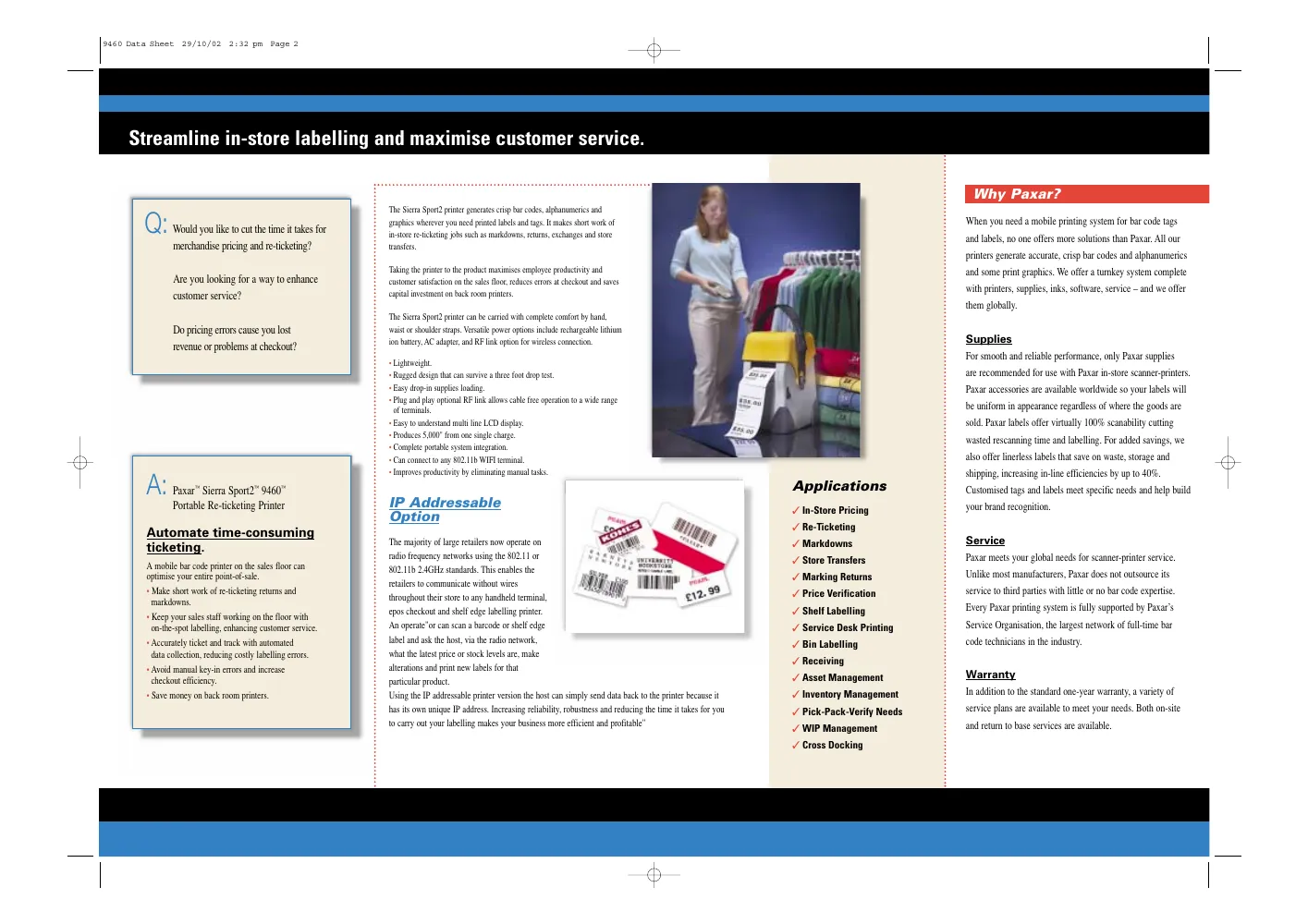
The text of page 2, from the PDF itself
9460 Data Sheet 29/10/02 2:32 pm Page 2
Streamline in-store labelling and maximise customer service. Why Paxar?
merchandise pricing and re-ticketing?
The Sierra Sport2 printer generates crisp bar codes, alphanumerics and graphics wherever you need printed labels and tags. It makes short work of in-store re-ticketing jobs such as markdowns, returns, exchanges and store transfers.
Are you looking for a way to enhance customer service?
Taking the printer to the product maximises employee productivity and customer satisfaction on the sales floor, reduces errors at checkout and saves capital investment on back room printers.
Q: Would you like to cut the time it takes for
Do pricing errors cause you lost revenue or problems at checkout?
A: Paxar Sierra Sport2 9460 ™
When you need a mobile printing system for bar code tags and labels, no one offers more solutions than Paxar. All our printers generate accurate, crisp bar codes and alphanumerics and some print graphics. We offer a turnkey system complete with printers, supplies, inks, software, service – and we offer them globally.
The Sierra Sport2 printer can be carried with complete comfort by hand, waist or shoulder straps. Versatile power options include rechargeable lithium ion battery, AC adapter, and RF link option for wireless connection.
- Lightweight.
- Rugged design that can survive a three foot drop test.
- Easy drop-in supplies loading.
- Plug and play optional RF link allows cable free operation to a wide range of terminals.
- Easy to understand multi line LCD display.
- Produces 5,000" from one single charge.
- Complete portable system integration.
- Can connect to any 802.11b WIFI terminal.
- Improves productivity by eliminating manual tasks.
Applications
Portable Re-ticketing Printer
Automate time-consuming ticketing. A mobile bar code printer on the sales floor can optimise your entire point-of-sale.
- Make short work of re-ticketing returns and markdowns.
- Keep your sales staff working on the floor with on-the-spot labelling, enhancing customer service.
- Accurately ticket and track with automated data collection, reducing costly labelling errors.
- Avoid manual key-in errors and increase checkout efficiency.
- Save money on back room printers.
IP Addressable Option The majority of large retailers now operate on radio frequency networks using the 802.11 or 802.11b 2.4GHz standards. This enables the retailers to communicate without wires throughout their store to any handheld terminal, epos checkout and shelf edge labelling printer. An operate"or can scan a barcode or shelf edge label and ask the host, via the radio network, what the latest price or stock levels are, make alterations and print new labels for that particular product. Using the IP addressable printer version the host can simply send data back to the printer because it has its own unique IP address. Increasing reliability, robustness and reducing the time it takes for you to carry out your labelling makes your business more efficient and profitable"
- In-Store Pricing
Supplies For smooth and reliable performance, only Paxar supplies are recommended for use with Paxar in-store scanner-printers. Paxar accessories are available worldwide so your labels will be uniform in appearance regardless of where the goods are sold. Paxar labels offer virtually 100% scanability cutting wasted rescanning time and labelling. For added savings, we also offer linerless labels that save on waste, storage and shipping, increasing in-line efficiencies by up to 40%. Customised tags and labels meet specific needs and help build your brand recognition.
- Re-Ticketing
- Markdowns
- Store Transfers
- Marking Returns
- Price Verification
Service Paxar meets your global needs for scanner-printer service. Unlike most manufacturers, Paxar does not outsource its service to third parties with little or no bar code expertise.
- Service Desk Printing
Every Paxar printing system is fully supported by Paxar’s Service Organisation, the largest network of full-time bar
- Bin Labelling
code technicians in the industry.
- Shelf Labelling
- Receiving
- Asset Management
Warranty
- Inventory Management
- Pick-Pack-Verify Needs
In addition to the standard one-year warranty, a variety of service plans are available to meet your needs. Both on-site
- WIP Management
and return to base services are available.
- Cross Docking