Manual · Palm
Handbook for Palm m500 Series Handhelds
Manual286 pagesPDF 2.8 MB
User handbook for Palm m500 series handhelds: setup, Graffiti data entry, built-in applications, HotSync operations and preferences.
Names · 2 models
The models it names
Filed with · 3 models
Also filed with these models on the old site
Summary
What is in it
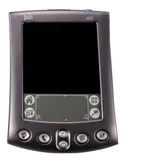
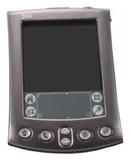
The owner's handbook for the Palm m500 series handhelds. It locates the controls, explains connecting the HotSync cradle, charging and installing Palm Desktop software, then covers Graffiti writing, managing applications and security, SD and MMC expansion cards, the basic applications (Date Book, Address Book, To Do List, Note Pad, Memo Pad, Calculator, Expense, Clock), e-mail and beaming, advanced HotSync operations and preferences. Appendices cover maintenance, resets and frequently asked questions.
Its parts
- About This Book
- Introduction to Your Handheld
- Entering Data in Your Handheld
- Managing Your Applications
- Using Expansion Features
- Using Your Basic Applications
- Communicating Using Your Handheld
- Advanced HotSync Operations
- Setting Preferences for Your Handheld
From the manual
Key facts from this manual
Each line names its page in the PDF.
Palm's full handbook for the Palm m500 series handhelds. It covers setup and the HotSync cradle, Graffiti and keyboard entry, managing applications, expansion cards, the built-in applications, care of the unit, resets and troubleshooting.
- Device
- Palm OS handheld: Date Book, Address Book, To Do List, Note Pad, e-mail, expenses and alarms p. 13
- Battery
- Lithium-ion polymer, recharged each time the handheld sits in the cradle p. 21
- Charging
- Two hours in the cradle for the first charge, then a few minutes each day p. 21
- Expansion slot
- Secure Digital (SD) or MultiMedia Card (MMC) cards, for more memory, applications or backup p. 18
- Universal connector
- Links to the cradle for charging and HotSync; also connects peripherals such as a modem p. 19
- HotSync cradle
- USB cradle powered through an AC adapter; a serial cradle is sold separately for computers without USB p. 14, 20, 21
- HotSync Cable
- Optional cable for HotSync without the cradle, with a USB or serial connector p. 14
- IR port
- Beams data to other Palm OS handhelds and performs IR HotSync operations p. 15
- Alarms
- Sound, blinking LED or vibration p. 13
- Windows needs
- Pentium-class PC, Windows 98/Me/2000, 16 MB RAM, 30 MB disk, CD-ROM drive, USB or serial port p. 14
- Macintosh needs
- Power PC Mac, Mac OS 8.6 to 9 for USB (OS 7.5.3 or later for serial), 25 MB disk, 6 MB free RAM p. 14
- Buttons
- Power/backlight button with LED, upper and lower scroll buttons, Date Book, Address Book, To Do List and Note Pad buttons p. 15, 16
- Contrast
- Onscreen contrast control on some m500 series handhelds p. 17
- Stylus
- Metal and plastic stylus in the right side channel, with a reset tip inside p. 18, 239
What this manual walks you through
- Checking the computer system requirements for Palm Desktop software p. 14
- Locating the front and back panel controls p. 15, 16, 17, 18, 19
- Connecting the HotSync cradle and charging the battery p. 20, 21
- Upgrading from another Palm OS handheld p. 19, 20
- Using the backlight and the onscreen contrast control p. 16, 17
- Caring for the handheld and prolonging battery life p. 237, 238
- Performing a soft reset and a hard reset p. 239, 240
- Restoring data from a Windows computer or a Macintosh after a hard reset p. 240, 241, 242
- Fixing Palm Desktop installation problems and a blank screen p. 244, 245
- Finding the software version and free memory p. 258
Good to know
- The handheld is not waterproof; keep it out of rain and moisture. p. 237
- Never use a real pen, pencil or other sharp object on the screen. p. 237
- There are no serviceable parts inside; do not open the unit. p. 238
- Left uncharged for an extended time, a drained handheld can lose all stored data. p. 238
- A hard reset erases all records and entries but keeps the current date and time. p. 240
Questions this manual answers
What battery does the Palm m500 use?
A built-in Lithium-ion polymer battery that recharges whenever the handheld sits in its cradle. p. 21
How long does a Palm m500 keep its data after the battery runs down?
About a week; recharge it right away if it will not turn on. p. 238
Can I HotSync a Palm m500 without the cradle?
Yes, with the optional HotSync Cable (USB or serial), or by an IR HotSync operation through the IR port. p. 14, 15
What Windows versions work with the Palm m500 USB cradle?
Windows 98, Me or 2000; Windows 95 and NT need a serial cradle, sold separately. p. 14
How do I see how much free memory my Palm m500 has?
Tap the Applications icon, the Menu icon, App, then Info, and tap Size to see free memory in kilobytes. p. 258
Contents
Chapters and sections
Each line opens the PDF at its page.
The whole text · 29 parts
Read the manual here as text
Its text as extracted from the PDF, unedited, in parts; each page opens the PDF at that page.
- Pages 1 to 101-10
- Pages 11 to 2011-20
- Pages 21 to 3021-30
- Pages 31 to 4031-40
- Pages 41 to 5041-50
- Pages 51 to 6051-60
- Pages 61 to 7061-70
- Pages 71 to 8071-80
- Pages 81 to 9081-90
- Pages 91 to 10091-100
- Pages 101 to 110101-110
- Pages 111 to 120111-120
- Pages 121 to 130121-130
- Pages 131 to 140131-140
- Pages 141 to 150141-150
- Pages 151 to 160151-160
- Pages 161 to 170161-170
- Pages 171 to 180171-180
- Pages 181 to 190181-190
- Pages 191 to 200191-200
- Pages 201 to 210201-210
- Pages 211 to 220211-220
- Pages 221 to 230221-230
- Pages 231 to 240231-240
- Pages 241 to 250241-250
- Pages 251 to 260251-260
- Pages 261 to 270261-270
- Pages 271 to 280271-280
- Pages 281 to 286281-286
The file