Manual · Opticon
OPN 2001 Specifications Manual
Manual24 pagesPDF 543 KB
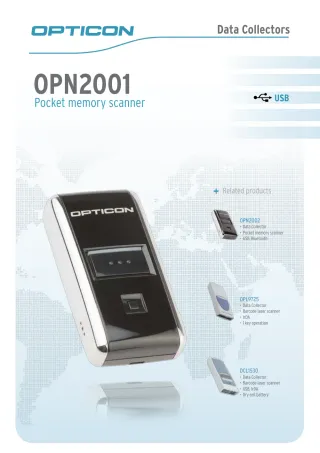
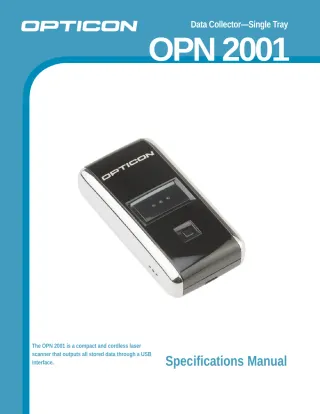
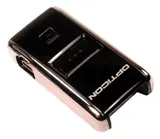
Specifications manual for the Opticon OPN 2001 compact cordless laser data collector with USB output.
Covers · 1 model
The models it covers
Summary
What is in it
Opticon's specifications manual for the OPN 2001, a compact cordless laser scanner that stores bar codes and outputs them over USB. It lists the supported symbologies, dimensions and weight, operating and storage conditions, memory, processor and clock, electrical ratings and the rechargeable lithium-ion battery, laser and scanning performance (resolution, depth of field, pitch, skew and tilt), the USB interface and cable, packaging, durability tests, reliability, regulatory compliance, safety notes and a mechanical drawing.
Its parts
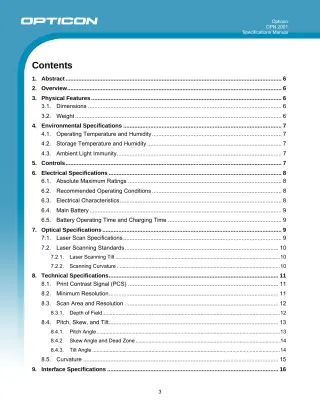
- Abstract
- Overview
- Physical Features
- Environmental Specifications
- Controls
- Electrical Specifications
- Optical Specifications
- Technical Specifications
- Interface Specifications
- Cable and Connector
- Serial Number
- Packaging Specifications
- Durability
- Reliability
- Regulatory Compliance
From the manual · read page by page
Key facts from this manual
Each line names its page in the PDF.
This is the Opticon specifications manual for the OPN 2001 compact data collector, a cordless laser scanner that sends its stored data over USB. It gives the physical, electrical, battery, optical and reading-range specifications, the USB connector, durability tests, regulatory compliance and handling precautions.
- Device
- Compact, cordless laser scanner that stores scans and outputs them through USB p. 6
- Interface
- Full-speed USB, Mini USB B connector; dedicated cable with PC connector provided p. 16
- Battery
- Lithium-ion, 150 mAh, 3.7 V DC; charged in the scanner via USB in 2 ½ hours p. 9
- Operating time
- 1000 scans per charge p. 9
- Memory
- 512 KB Flash ROM (372 KB program storage, >1000 barcodes with time stamp); 64 KB RAM p. 7
- Processor
- ARM7, 32 bits; proprietary O/S; quartz real-time clock p. 7
- Laser
- Red laser diode, 650 ±10 nm, 1.0 mW or less, 100 ±20 scans/s p. 9
- Depth of field
- Code 39 at PCS 0.9: 60–570 mm (1.0 mm), 40–360 mm (0.5 mm), 40–220 mm (0.25 mm), 40–120 mm (0.15 mm), 50–100 mm (0.127 mm) p. 12
- Symbologies
- Includes JAN/UPC/EAN, Codabar/NW-7, Code 39, Code 128, GS1-128, GS1 Databar, Interleaved 2of5, MicroPDF417, PDF417 p. 6
- Keys
- 1 scan button, 1 clear button p. 7
- Size and weight
- W 32.0 x D 62.0 x H 16.0 mm; 28 g max. p. 6
- Operating temperature
- 0 to 40° C, humidity 20 to 85% p. 7
- Drop test
- No malfunction after drops from 0.7 meters onto concrete, three times on each of six sides p. 20
- MTBF
- 10,000 hours p. 21
What this manual walks you through
- Electrical ratings and operating currents p. 8
- Battery operating time and charging p. 9
- Laser scan specifications p. 9, 10
- Depth of field and minimum resolution p. 11, 12, 13
- Pitch, skew and tilt reading angles p. 13, 14, 15
- USB connector pinout p. 16
- Packaging sizes p. 18, 19
- Static, drop, vibration and dust tests p. 20, 21
- Laser safety, EMC and RoHS compliance p. 21, 22
- Handling precautions p. 23
Good to know
- Dirt or scratches on the optical window can reduce scanning performance; keep it clean. p. 11
- Within ±8° of skew there is a dead zone where decoding can fail from specular reflection. p. 14
- Do not plug or unplug the connectors before disconnecting the power. p. 23
- The scanner may not work properly near flickering light such as a computer monitor or television. p. 23
- Battery life may be shorter than specified when the battery pack has degraded. p. 9
Questions this manual answers
How long does the Opticon OPN 2001 take to charge?
2 ½ hours, charging the lithium-ion pack in the scanner via the USB port. A full charge is rated at 1000 scans. p. 9
How far away can the OPN 2001 read a barcode?
For Code 39 at PCS 0.9, from 60 to 570 mm at 1.0 mm resolution and 50 to 100 mm at 0.127 mm, measured from the scanner's edge. p. 12
What connector does the OPN 2001 use?
A Mini USB B connector for full-speed USB; a dedicated cable with a PC connector is provided. p. 16
How many barcodes does the OPN 2001 store?
This manual gives more than 1000 barcodes with time stamp in its 512 KB Flash ROM. p. 7
The whole text · 3 parts
Read the manual here as text
Its text as extracted from the PDF, unedited, in parts; each page opens the PDF at that page.
The file