Manual · Norand
6620 Hand-Held Computer Technical Reference
Manual146 pagesPDF 1.3 MB
Technical reference for the Norand 6620 hand-held pen computer: toolkit, recovery procedures, radios, CMOS setup and drivers.
Covers · 1 model
The models it covers
Summary
What is in it
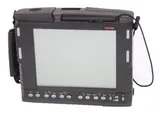
The technical reference for the 6620 Hand-Held Computer, a Windows 95 pen computer published by Intermec. It introduces the hardware (display, flash, PC card slots, pen, scanner, docks and connections) and development setup, then covers the 6620 toolkit, complete system and BIOS recovery procedures, image-to-image copying, GPS drivers, text entry, the Ericsson M2100 wireless modem, infrared support, CMOS setup, drive mappings, the CDPD radio and a minimal Windows 95 load.
Its parts
- Introduction
- Toolkit for the 6620 Computer
- 6620 Recovery Procedures
- GPS Drivers
- Entering Text
- Ericsson M2100 Series Wireless Modem
- Infrared Communications Support 2.0
- CMOS Setup
- CDPD Radio
- Minimal Windows 95 Load
From the manual
Key facts from this manual
Each line names its page in the PDF.
Intermec's technical reference (P/N 977-054-007, Revision B, June 1999) for the PEN*KEY 6620 Hand-Held Computer, written for application programmers and systems engineers. It covers the hardware and docks, the Windows 95 Toolkit, system and BIOS recovery, GPS drivers, text entry, wireless modem and CDPD radio support, infrared support and CMOS setup.
- Device
- Rugged, battery-powered touch computer with input from finger touch, stylus, keyboard or scanner p. 15
- Processor
- AMD 5X86, 133 MHz p. 18
- OS and BIOS
- Windows 95; PhoenixBIOS V4.0 p. 15
- Memory
- 16 MB DRAM standard, expandable to 32 MB or 48 MB p. 17
- Flash
- 256 KB for the BIOS; flash drive of 2, 4 or 8 MB p. 16
- Display
- Backlit touch LCD, 8.4” color VGA or 8.7” monochrome; passive analog resistive touch panel; CCFL backlight with brightness control p. 16
- PC Card slots
- Two external type II slots (the upper one takes one type III, blocking the lower); one internal type II or type III slot p. 17
- Storage
- Optional 2.5” IDE hard drive, or 40 MB or 85 MB SanDisk p. 16, 22
- Batteries
- Lithium ion main pack and smaller lithium ion backup battery; main pack recharges in up to 4.5 hours p. 15
- Scanner
- Optional standard or long-range 5-volt internal laser scanner; supports tethered CCD, wand and laser scanners p. 19
- Serial port
- 9-pin D-sub COM1, RS-232, can power a 5-volt bar code scanner p. 20
- Dock connections
- Single and vehicle docks: DB-25 LPT1 parallel, PS/2 mouse and keyboard mini-DIN, 15-pin AUX (third 3-wire COM port), IrDA pass-through; single dock only: VGA and Ethernet p. 20, 21
- Toolkits
- 215-907-001 Windows Toolkit with manual; 215-903-001 without manual; 230-055-001 Toolkit CD p. 33
- Related manuals
- PEN*KEY Model 6620 User's Guide P/N 961-028-101; SE 1223 Scanner User's Guide P/N 961-032-042 p. 31
What this manual walks you through
- Initializing the internal scanner with two bar codes p. 19
- Changing power management settings p. 18
- Tips for developing applications p. 22, 23
- Reflashing the BIOS from DOS p. 23
- Setting up for PC development and clearing a CMOS error p. 24
- Main Data and Complete System recovery from the Toolkit CD p. 63, 64
- Recovering a corrupted BIOS with the recovery floppy p. 89
- Partitioning the drive with the 6620 Partition Utility p. 89
- GPS drivers, M2100 wireless modem, infrared support, CMOS setup and CDPD radio p. 13, 14
Good to know
- Keep the computer on charge during any setup. p. 24
- Any boot beep pattern other than one or two beeps means the computer must go for service. p. 24
- A backup battery that no longer takes a charge must be replaced by a factory-approved service provider. p. 15
- Losing power during a BIOS update is the most likely cause of a corrupted BIOS. p. 89
- The Partition Utility must run in MS-DOS mode, not under Windows 95. p. 89
Questions this manual answers
What do two beeps at startup mean on a 6620?
A CMOS error. Press F2 for CMOS Setup, choose Default Values in the Exit Menu and click OK. p. 24
How do I reflash the BIOS on a Norand 6620?
Boot to DOS (Shift + F5 during the Windows 95 boot, or from a floppy or ATA drive) and run FLASH /w /fFILENAME.EXE, or use UPDTROM.BAT from the Recovery CD. p. 23
How much memory can a 6620 have?
16 MB DRAM standard, expandable to 32 MB or 48 MB, plus a 2, 4 or 8 MB flash drive. p. 16, 17
What do I need to recover a 6620 system?
A 6620 Toolkit CD-ROM, a 6620 docking station, a PS/2-style keyboard and the Microsoft Certificate of Authenticity, plus a floppy drive or recovery disk, or an ATA card of 40 MB or more. p. 63
How do I set up the 6620 internal scanner?
Scan the Reset To Default Settings bar code, then the Send Packeted Decode Data bar code so the computer receives decodes. p. 19
The whole text · 15 parts
Read the manual here as text
Its text as extracted from the PDF, unedited, in parts; each page opens the PDF at that page.
- Pages 1 to 101-10
- Pages 11 to 2011-20
- Pages 21 to 3021-30
- Pages 31 to 4031-40
- Pages 41 to 5041-50
- Pages 51 to 6051-60
- Pages 61 to 7061-70
- Pages 71 to 8071-80
- Pages 81 to 9081-90
- Pages 91 to 10091-100
- Pages 101 to 110101-110
- Pages 111 to 120111-120
- Pages 121 to 130121-130
- Pages 131 to 140131-140
- Pages 141 to 146141-146
The file