Manual · Norand
PEN*KEY Model 6620 User's Guide
Manual82 pagesPDF 1.2 MB
User's guide for the Norand PEN*KEY 6620 pen-based hand-held computer: options, operation, maintenance and vehicle dock installation.
Covers · 1 model
The models it covers
Summary
What is in it
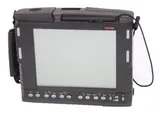
The user's guide for the PEN*KEY 6620, a rugged pen-based hand-held computer running Windows 95. It describes the computer, its connectors, status indicators, controls and specifications, then the options and accessories (memory upgrades, integrated scanners, modem, PC cards, docks, straps). Operation covers PC cards, memory installation, batteries and charging, input and communication ports and restarting. A maintenance section covers batteries and cleaning, and a final section tells the installer how to wire and mount the vehicle dock.
Its parts
- General Information
- Options and Accessories
- Operation
- Maintenance
- Vehicle Installation
From the manual
Key facts from this manual
Each line names its page in the PDF.
Intermec's user's guide (NPN 961-028-101, Revision A, March 15, 1998) for the PEN*KEY Model 6620 pen-based hand-held computer. It describes the computer, its options and accessories, docking, operation, care and how to wire and install a vehicle dock.
- Device
- Pen-based hand-held data collection computer with a large display, running Windows 95 p. 11
- Processor
- AMD, 133 MHz p. 11, 24
- Memory
- 16 MB DRAM standard, expandable to 20 MB or 32 MB total; up to 8 MB flash p. 24, 26
- Display
- 8.4” active matrix color or 8.7” monochrome; analog resistive touch panel; CCFL backlight with brightness control p. 24
- Connectors
- 9-pin D-sub RS-232 serial (can power a 5 volt scanner), 6-pin mini-DIN PS/2 keyboard, RJ-45 for the optional modem, DC power jack, docking connector, dock antenna connector p. 14, 15
- Infrared
- IrDA serial port (4 MB IrDA v1.1, or 115 K baud v1.0) p. 24
- PC Card slots
- Two v.2.0 PCMCIA type II slots usable as a single type III, plus one v.2.0 type III slot p. 24
- Battery
- Lithium ion smart pack; recharges in 4.5 hours or less, in the computer or in a pack charger p. 24, 53
- Size and weight
- 10.1” x 8.5” x 2.1” (L, W, H); 63 oz. with battery and without options p. 24
- Scanner options
- Built-in standard or long-range 5 volt laser scanner; supports tethered CCD, wand and laser scanners p. 26
- Other options
- Internal modem on the RJ-45 jack; factory-installed 2.5-inch hard drive up to 1.4G; built-in radio or cellular devices p. 25, 26
- Power and docks
- External 12 volt AC-DC supply, cigarette lighter adapter, single and four-pack battery chargers; vehicle dock, single dock, multidock for up to four computers with Ethernet p. 15, 28, 29, 30
- Vehicle dock parts
- Battery cable 206-953-009; battery cable with filter 216-964-009; fuse link 216-657-001 p. 65, 66
What this manual walks you through
- Daily inspection and the computer's external features p. 12, 13, 14
- Reading the status indicator LEDs p. 19, 20
- Adjusting display brightness and contrast p. 21
- Opening the battery and PC Card compartment doors p. 23
- Docking and undocking the computer, and the dock LEDs p. 33, 34, 35
- Emergency manual release from a dock p. 31
- Relocating the handstrap and attaching the tethered pen p. 36, 37
- Charging and power configurations p. 53
- Warm and cold restarts when the computer locks up p. 58
- Wiring and installing a vehicle dock p. 65, 66
Good to know
- Pressing the On/Off switch OFF loses all data stored in DRAM. p. 54
- The computer will not work unless the battery door is latched. p. 14
- An IrDA peripheral must be in an unobstructed line of sight and less than one meter from the dock. p. 34
- The vehicle dock should be installed under the supervision of trained, qualified personnel. p. 65
- The vehicle battery should read about 13.0 V dc with the engine off; charging faults can stop the computer charging. p. 65
Questions this manual answers
What processor and operating system does the Norand 6620 use?
An AMD processor at 133 MHz, running Windows 95. p. 11
How much memory does the PEN*KEY 6620 have?
16 MB DRAM standard, expandable to 20 MB or 32 MB total, and up to 8 MB of flash. p. 24, 26
How long does the 6620 battery take to charge?
A depleted pack normally recharges in 4.5 hours or less. p. 53
How do I reset a locked-up 6620?
Try a warm restart with Ctrl + Alt + Del first; there is no reset switch, so a cold restart uses the On/Off switch and loses DRAM data. p. 58
The whole text · 9 parts
Read the manual here as text
Its text as extracted from the PDF, unedited, in parts; each page opens the PDF at that page.
The file