Manual · Monarch
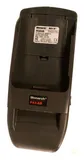
Monarch 6015 Printer
Manual20 pagesPDF 810 KB
Programming guide to the control language of the Monarch 6015 receipt printer: formats, text, graphics, bar codes and printer settings.
Covers · 1 model
The models it covers
Summary
What is in it
Monarch's guide to the control language of the 6015 printer, which prints receipts from application programs written for Palm III series organizers or the Symbol SPT 1500. It explains how to build a data stream of commands, then covers creating formats with text, graphic and bar code fields, character sets, fonts and positioning, configuring operating modes, print contrast, power mode, battery voltage checks and the power-off timer, communicating with the organizer, control characters, and a sample data stream.
Its parts
- Introduction
- Creating Formats
- Configuring the Printer
From the manual · read page by page
Key facts from this manual
Each line names its page in the PDF.
Programmer's manual for the control language of the Monarch 6015 receipt printer, used by applications on Palm III series organizers or the Symbol SPT 1500. It shows how to build a receipt data stream with text, graphics and bar codes, configure the printer, check the battery and versions, and ends with a sample sales receipt.
- Host devices
- Applications for Palm III series organizers or the Symbol SPT 1500 p. 4
- Communication
- 19200 baud, 8 data bits, 2 stop bits, no parity, RTS/CTS hardware protocol p. 16
- Bar codes
- Code 39, Codabar, Interleaved 2 of 5, Code 128 (UCC/EAN-128), UPC/EAN/JAN, with or without human-readable text p. 9
- Fonts
- Large Rotated and Large Normal 24 columns per line, Standard Bold 32, Standard Normal 38, Reduced Bold 42, Reduced Normal 48 p. 7
- Character sets
- ANSI (default) and ASCII, preloaded p. 6
- Graphics
- Bitmap graphics sent one line at a time, 48 hex bytes per line p. 8
- Bar code data length
- Code 39 up to 9; Interleaved 2 of 5 up to 16; Codabar up to 15 plus start and stop; Code 128 up to 13, or 26 with subset C pairs p. 10
- Print contrast
- 0 (highest) to 9 (lowest), default 5 p. 12
- Power modes
- 1, 2, 3 or 6 printhead sections, or dynamic choice (default) p. 13
- Operating modes
- Online (prints as received) or buffer (prints on EOT) p. 12
- Power-off timer
- Default 20 seconds of inactivity; both digits 0 disables it p. 15
- Line spacing
- Default .375 mm for text and .125 mm for graphics p. 11
What this manual walks you through
- Creating a data stream for a receipt p. 4, 5
- Selecting character sets and formatting text p. 6, 7
- Printing graphic lines p. 8
- Creating bar code fields p. 9, 10, 11
- Positioning fields on the receipt p. 11
- Setting the operating mode, print contrast and power mode p. 12, 13
- Checking the battery voltage p. 14
- Setting the power-off timer p. 15
- Checking the firmware and hardware versions p. 16
- Following a sample sales receipt data stream p. 18
Good to know
- Data in the print buffer is lost if the printer goes to sleep in buffer mode. p. 15
- A graphic line needs exactly 48 bytes: fewer is not printed, more causes a fatal exception. p. 8
- The printer ignores commands with syntax errors. p. 5
- The print buffer and battery status request (Ctrl-V) works with NiCD and NiMH batteries only. p. 14
Questions this manual answers
Which organizers work with the Monarch 6015 printer?
Application programs written for the Palm III series of organizers or the Symbol SPT 1500. p. 4
What communication settings does the Monarch 6015 printer use?
19200 baud, 8 data bits, 2 stop bits and no parity, with the organizer using the hardware (RTS/CTS) protocol. p. 16
How many columns per line does the Monarch 6015 print?
From 24 columns with the Large fonts up to 48 columns with the Reduced Normal font. p. 7
How do I change the print contrast on a Monarch 6015?
Send ESC P with a value from 0 (highest contrast) to 9 (lowest); the default is 5. A higher contrast prints more slowly. p. 12
How does an application read the Monarch 6015 firmware version?
It sends ESC P ( and the printer answers with four ASCII characters giving the firmware version. p. 16
The whole text · 2 parts
Read the manual here as text
Its text as extracted from the PDF, unedited, in parts; each page opens the PDF at that page.
The file