Manual · Monarch
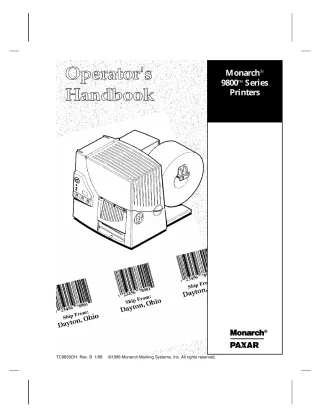
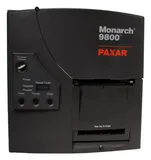
Monarch 9800 Series Printers
Manual92 pagesPDF 1.1 MB
Operator's handbook for the Monarch 9820 and 9830 thermal label printers of the 9800 Series: setup, supplies, ribbon, printing and care.
What this file really is
The old site listed this file as a manual for the Monarch 9840. Linked to the Monarch 9840, it is the operator's handbook for the 9820 and 9830 printers of the 9800 Series and does not mention the 9840.
Filed with · 1 model
Also filed with these models on the old site
Summary
What is in it
The operator's handbook for the Monarch 9800 Series table top thermal printers, the 9820 and the 9830 (which adds a peel bar). It covers unpacking, power and serial or parallel connection, the control panel and status codes, installing the MONARCH quick-set software and Windows driver, loading labels, fan-fold and peel-mode supplies and ribbon, printing and adjusting print position, cleaning, replacing the printhead and fuse, troubleshooting with a full list of error codes, specifications and DIP switch settings.
Its parts
- Getting Started
- Using The Software
- Loading Supplies
- Loading Ribbon
- Printing
- Care & Maintenance
- Troubleshooting
From the manual
Key facts from this manual
Some pages are scans or cannot be read; this says only what the readable text supports. Each line names its page in the PDF.
Operator's handbook for the Monarch 9800 series thermal label printers. It covers the Monarch 9820 and 9830 printers, not the 9840 by name. It shows how to connect the printer, install the quick-set software, load supplies, print, clean, look up error codes and set the DIP switches.
- Printer type
- Prints text, graphics and bar codes on thermal transfer (ribbon) or thermal direct labels p. 7
- Printhead
- Thermal, 4 inches (102 mm) wide, 203 dpi (8.0 dots per mm) p. 85
- Interfaces
- Serial port and parallel port (IEEE-1284 or Centronics mode) p. 10, 11
- Cables
- Serial 9 to 25 pin: Part #118364; serial 25 to 25 pin: Part #118366; parallel: Part #118363 p. 10
- Serial defaults
- 9600 baud, 8 bit data frame, 1 stop bit, no parity, DTR flow control p. 11
- Power
- 115 Vac, 60Hz; 100 Vac, 50/60 Hz; 230 Vac, 50Hz p. 85
- Dimensions
- 12.5 inches (318 mm) high, 12 inches (305 mm) wide, 13 inches (330 mm) deep p. 85
- Weight
- 9820: 25 lb. (11 kg); 9830: 29 lb. (13 kg) p. 85
- Operating temperature
- Thermal transfer 40° to 95° F (4° to 35° C); thermal direct 40° to 104° F (4° to 40° C) p. 85
- Supply sizes
- Widths 1.2 to 4.25 inches; lengths 1 inch to 12.0 inches (9820) or 16.0 inches (9830) p. 85
- Print speed
- 2.5, 4.0 or 6.0 IPS; serial bar codes at 2.5 IPS p. 86
- Ribbon
- 1.3, 1.6, 2.16, 3.15 or 4.13 inches wide; 23,600 inches (600 meters) long; High Energy ribbon on the 9830 only p. 86
- Accessory part numbers
- Printhead Assembly Kit 117971; ribbon take-up core 117961-20, -30 or -40; internal TwinAx/CoAx Protocol Converter 117532 p. 86
- Software
- MONARCH quick-set software for Windows 3.1 or greater; Printer Configuration and File Download also run under DOS p. 16
What this manual walks you through
- Connecting the power and communication cables p. 9, 10, 11
- Reading the status lights, buttons and status code box p. 12, 13
- Installing the MONARCH quick-set software p. 15, 16
- Replacing the printhead p. 64
- Replacing the fuse p. 69
- Printing a test label p. 72
- Fixing light, heavy or partial printing and feed problems p. 73
- Looking up data, communication and machine error codes p. 74, 80, 82
- Setting the DIP switches for communication, supply type, ribbon and feed mode p. 87, 88, 89
Good to know
- Errors 900 to 999 are hard printer failures that need service. p. 84
- The printhead is sensitive to static electricity; ground yourself on metal before touching it. p. 64
- Non-indexed (continuous) supply must be used in continuous mode. p. 7
- RTS/CTS flow control needs a special cable. p. 89
- Serial bar codes print at 2.5 IPS only. p. 86
Questions this manual answers
What serial cable does a Monarch 9820 or 9830 printer use?
A 9 to 25 pin cable (Part #118364) or a 25 to 25 pin cable (Part #118366). p. 10
What does error 750 mean on a Monarch 9800 series printer?
The printhead is overheated. Turn off the printer and let it cool. p. 83
What does error 754 mean?
The printer is out of ribbon or has a ribbon jam. Check or load ribbon and take up slack by turning the take-up reel clockwise. p. 83
How do I print a test label on a Monarch 9820 or 9830?
Press Feed and Pause at the same time, hold for one second and release. The labels show the configuration, software version and DIP switch settings. p. 72
What is the part number of the Monarch 9800 Packet Reference Manual?
The hard-copy Packet Reference Manual is part number TC9800PM; an online version comes with the quick-set software. p. 8
Contents
Chapters and sections
Each line opens the PDF at its page.
- 1 - Getting Started7
- 2 - Using The Software15
- 3 - Loading Supplies29
- 4 - Loading Ribbon45
- 5 - Printing53
- 6 - Care & Maintenance59
- 7 - Troubleshooting71
- Error Messages74
- A - Specifications & Accessories85
- B - Setting Dip Switches87
- Glossary91
2 more lines, from page 44 on
The whole text · 11 parts
Read the manual here as text
Its text as extracted from the PDF, unedited, in parts; each page opens the PDF at that page.
The file