Manual · Monarch
Monarch 9840 MonarchNet Ethernet Print Server Operating Instructions
Manual20 pagesPDF 1.7 MB
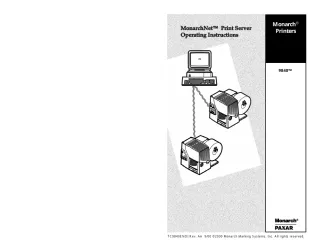
Operating instructions for the MonarchNet Ethernet print server that connects a Monarch 9840 label printer to a network.
Filed with · 1 model
Also filed with these models on the old site
Summary
What is in it
Monarch's operating instructions for the MonarchNet Ethernet print server, which lets Ethernet network users print to a Monarch 9840 printer (version 6.5 or greater) through its parallel port. It describes the hardware (parallel output port, 10BASE-T connection, status indicator and test button), installing the print server on the printer, printing a configuration sheet, troubleshooting status and printing problems, and the print server and wiring specifications.
Its parts
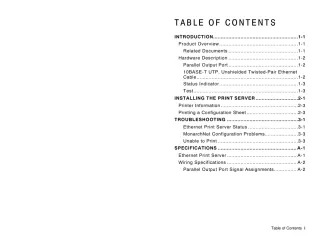
- Introduction
- Installing the Print Server
- Troubleshooting
- Specifications
From the manual · read page by page
Key facts from this manual
Each line names its page in the PDF.
These are the operating instructions for the MonarchNet Ethernet print server, which lets Ethernet network users print to a Monarch 9840 printer (version 6.5 or greater) through its parallel port. They cover installing the print server, printing a configuration sheet, reading the status light and troubleshooting. They end with specifications and the parallel port pin assignments.
- Device
- MonarchNet Ethernet print server for a Monarch 9840 printer (version 6.5 or greater), using a bi-directional parallel port p. 5
- Printer connection
- Attaches directly to the printer's Centronics connector, held by the printer's spring clicks p. 6, 10
- Printer setting
- Upper DIP switch 8 on the printer must be ON for bidirectional communication p. 9
- Network
- 10BASE-T UTP; cable with an RJ-45 end, rated CAT-3 or higher p. 6, 13
- Network systems
- Windows 95/98/2000, Windows NT, TCP/IP and Novell NetWare p. 5
- Status light
- Bi-color: solid green connected to a 10Base-T hub; fast green no network; slow green print activity; solid orange over 30 seconds failed self test p. 7
- Setup software
- MonarchNet Utilities compact disc, part number TC9840ENCD, or from Monarch's Web site p. 5
- Related manuals
- Technical Reference Manual TC9800ENTR; Packet Reference Manual TC9800PM p. 5, 11
- Configuration label
- Prints in MPCL format; best on 4" wide by 6" long labels p. 11
- Dimensions
- 3.6 inches (91 mm) long, 2.5 inches (64 mm) wide, 0.8 inches (20 mm) high p. 17
- Weight
- 2.5 ounces, not including the power adapter p. 17
- Temperature
- Operating 50° to 90° F (10° to 32.5° C); storage 32° to 96° F (0° to 35.5° C) p. 17
- Humidity
- Operating and storage 5% to 90% non-condensing p. 17
- Power
- 4 watts maximum dissipation when operating p. 17
What this manual walks you through
- Installing the print server on the printer p. 9, 10
- Printing a configuration sheet p. 11, 12
- Restoring the factory default settings p. 7
- Fixing a print server that does not detect the network cable p. 13
- Handling a failed self test or firmware download mode p. 14
- Solving MonarchNet configuration and printing problems p. 15
- Parallel output port pin assignments p. 18
Good to know
- After turning on the printer or sending ^PR, wait at least eight seconds before sending data, or it may be lost. p. 11
- With the Ethernet print server in use, the printer's parallel port cannot be used; the serial port stays active. p. 9
- MonarchNet for TCP/IP cannot reach the print server across a router; run it on the same subnet. p. 15
- Silver Satin or flat ribbon cable is not adequate for the network connection. p. 13
- On labels smaller than 4" by 6", some configuration information may print outside the label edges. p. 11
Questions this manual answers
Which printer does the MonarchNet Ethernet print server work with?
A Monarch 9840 printer, version 6.5 or greater; the print server plugs into the printer's Centronics connector. p. 5
How do I reset the 9840 Ethernet print server to factory defaults?
Hold the test button while turning the printer on until the Status indicator turns green; the settings reset and a configuration sheet prints. p. 7
Why is the print server light flashing green very fast?
The print server has not detected a network cable. Reseat both ends and check it is a 10Base-T cable with an RJ-45 end, CAT-3 or higher. p. 13
Which DIP switch must be on to use the 9840 Ethernet print server?
Upper DIP switch 8 on the printer must be turned ON to enable bidirectional communication. p. 9
What network cable does the MonarchNet print server need?
A 10Base-T cable with an RJ-45 end, rated CAT-3 or higher. p. 13
The whole text · 2 parts
Read the manual here as text
Its text as extracted from the PDF, unedited, in parts; each page opens the PDF at that page.
The file