Manual · Monarch
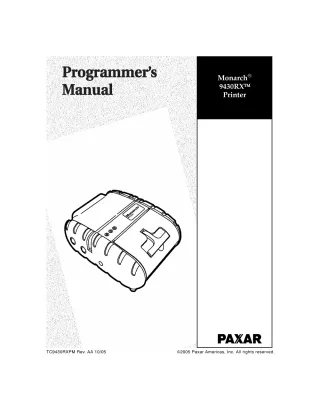
Monarch 9430RX Printer
Manual55 pagesPDF 1.3 MB
Programmer's manual for the Monarch 9430RX portable printer's control language: configuration, formats, bar codes, card reader, Bluetooth.
Covers · 1 model
The models it covers
Summary
What is in it
The programmer's manual for the Monarch 9430RX printer, describing the control language commands a host sends in a data stream. It covers the duty cycle and command conventions, configuring the printer (operating mode, print contrast, power mode, battery voltage, power-off timer, supply control, DIP switches and pinouts), creating text, graphic and bar code fields, using the magnetic card reader, modifying the standard fonts and setting up Bluetooth RF communication, with a quick reference of commands.
Its parts
- Introduction
- Configuring the Printer
- Creating and Printing Formats
- Using the Magnetic Card Reader
From the manual
Key facts from this manual
Each line names its page in the PDF.
Programmer's manual TC9430RXPM (2005) for the control language of the Monarch 9430RX receipt printer. It explains the commands that configure the printer, build text, graphic and bar code fields and run the optional magnetic card reader. It also gives the communication values, DIP switches, connector pinouts and Bluetooth setup.
- Communication values
- Baud 2400, 9600, 19200 or 38.4K; 1 or 2 stop bits; parity none, odd or even; 7 or 8 data bits; RTS/CTS or XON/XOFF flow control p. 20
- Interfaces
- RS232, IrDA (fixed 9600 or variable baud) and Bluetooth, chosen with DIP switches p. 21
- Connector
- 6-Pin RJ25 data connector for RS-232 at the back of the printer p. 22
- Signal levels
- RS232C; mark -3 to -15VDC, space +3 to +15VDC; a positive signal on RTS turns the printer on p. 20
- Bluetooth settings
- 38.4Kb/sec, parity none: DIP switches 4 and 5 OFF, 6 and 7 OFF p. 48
- Bar codes
- Code 39, Codabar, Interleaved 2 of 5, Code 128 (UCC/EAN-128), UPC/EAN/JAN, with or without human-readable data p. 32
- Duty cycle
- Up to 1000 inches per day; average 1 inch every 10 seconds at 25% text density p. 10
- Magnetic card reader
- Optional; reads up to three tracks from ANSI/ISO 7810 and 7811 cards, 0.76 mm (+/- 0.08 mm) thick p. 36
- Card reader errors
- 05 Timeout Expired; 07 Invalid Track Number; 08 Unsupported Track selected; 09 Cancel Request p. 38
- Power modes
- 1, 2, 3 or 6 printhead sections (less than 1.0, 2.0, 3.0 or 9.0 Amps), or Auto Control (default) p. 15
- Print contrast
- 0 (highest) to 9 (lowest), default 5; higher contrast prints slower p. 14
- Operating modes
- Online mode prints as characters arrive; buffer mode prints on an EOT (4 hex) p. 14
- Status and version queries
- Ctrl-V (16 hex) returns print buffer, battery voltage and card reader status; ESC P( and ESC P) return firmware and hardware versions p. 16, 19
What this manual walks you through
- Selecting online or buffer mode and setting print contrast p. 14
- Setting the power mode and checking the battery voltage p. 15, 16
- Using the power-off timer p. 17
- Controlling black-mark supplies p. 18, 19
- Checking firmware and hardware versions p. 19, 20
- Setting communication values and DIP switches p. 20, 21
- Printer pinouts and communication control characters p. 22
- Creating bar code fields p. 32, 33
- Using the magnetic card reader p. 36, 37, 38
- Setting up Bluetooth RF communication p. 48
Good to know
- If the printer enters sleep mode in buffer mode with data in the print buffer, that data is lost. p. 17
- The printer ignores commands with syntax errors. p. 11
- Set the DIP switches with a plastic-tipped object, never a metal one; the DIP switches sit under the battery. p. 21
- Set the card reader timer short enough to prevent multiple swipes, or data from two cards can be mixed. p. 38
- In high temperatures, pause one minute after every four inches printed, or the printer may not print everything sent. p. 10
Questions this manual answers
What baud rates does the Monarch 9430RX support?
2400, 9600, 19200 or 38.4K baud; the printer and host must use the same communication values. p. 20
How do I set up the 9430RX for Bluetooth?
Bluetooth runs at 38.4Kb/sec with no parity: DIP switches 4 and 5 OFF for 38.4Kb/sec and 6 and 7 OFF for parity none. The switches are under the battery. p. 48
What bar codes can the Monarch 9430RX print?
Code 39, Codabar, Interleaved 2 of 5, Code 128 (UCC/EAN-128) and UPC/EAN/JAN, with or without human-readable data. p. 32
What does card reader error 05 mean on the 9430RX?
Timeout Expired: the card was not swiped before the reader's timer ran out. p. 37, 38
How do I check the battery voltage on the 9430RX?
Send ESC P^ to print the battery voltage, or ESC P! to request it from the printer. p. 15
The whole text · 6 parts
Read the manual here as text
Its text as extracted from the PDF, unedited, in parts; each page opens the PDF at that page.
The file