Manual · Monarch
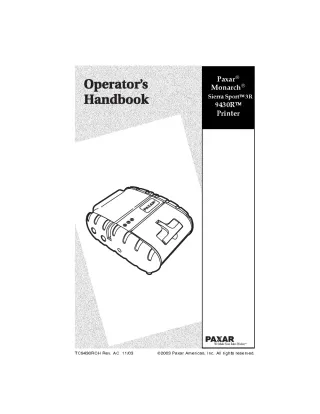
Monarch 9430R Operator's Handbook
Manual32 pagesPDF 952 KB
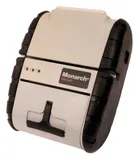
Operator's handbook for the Paxar Monarch Sierra Sport 3R 9430R portable receipt printer: battery, supplies, cleaning and specs.
Filed with · 1 model
Also filed with these models on the old site
Summary
What is in it
The operator's handbook for the Paxar Monarch Sierra Sport 3R 9430R, a three-inch portable printer that prints text, bar codes and limited graphics on thermal direct receipt paper. It covers unpacking, duty cycle, the battery and charging, the AC adapter, reading the LED, setting the DIP switches, connecting the printer and the belt clip, loading and tearing supply, printing and the magnetic stripe reader, cleaning, troubleshooting with a test receipt, and printer and supply specifications with options and accessories.
Its parts
- Getting Started
- Loading Supplies
- Using the Printer
- Cleaning
- Troubleshooting
- Specifications
From the manual · read page by page
Key facts from this manual
Some pages are scans or cannot be read; this says only what the readable text supports. Each line names its page in the PDF.
Operator's handbook TC9430ROH (2003) for the Paxar Monarch Sierra Sport 3R 9430R, a three-inch thermal direct receipt printer; it names the 9430R only, not the 9430RX. It covers the battery and AC adapter, the LED, DIP switches and host connection, loading supplies, the optional magnetic stripe reader, cleaning and troubleshooting. An appendix gives specifications with supply and accessory part numbers.
- Device
- Paxar Monarch Sierra Sport 3R 9430R three-inch thermal direct receipt printer p. 7
- Communications
- RS-232 port and IrDA; optional Bluetooth p. 7, 28
- Power
- 6.0V Nickel Metal Hydride (NiMH) battery; about 1.5 hours to charge in the printer p. 8
- Printhead and speed
- 3 inches (76 mm) wide, 203 dpi (8 dots per mm); up to 2.0 inches per second for standard receipts p. 27
- Memory
- 32K SRAM, 128K Flash p. 27
- Dimensions
- 2.25 inches (57 mm) high, 4.25 inches (108 mm) wide, 6.0 inches (152 mm) long p. 27
- Weight
- 1.41 lbs. (0.64 kg) with battery and supply; shipping 3 lbs. (1.4 kg) p. 27
- Batteries and chargers
- Extra Battery (125237); Plug-in Charger (125225); Single Station Battery Charger (125228); Four Station Battery Charger (125231) p. 29
- AC adapter
- AC Adapter (125234), only for printers M09430R03, M09430R04, M09430R09 and M09430R10; the Plug-in Charger is not for these p. 29
- Supplies
- Thermal direct receipt paper, 3.125 inches (79 mm) wide, 2.2 to 3.5 mils thick; one- or two-inch rolls need the supply guide adapter p. 17, 28
- Supply part numbers
- 900148 and 900149: 2.2-inch wide, 10 and 50 roll cases; 900295 and 900294: 3.125-inch wide, 10 and 50 roll cases p. 28
- Bar codes
- Codabar, Code 39, UCC/EAN-128, UPC/EAN/JAN, Interleaved 2 of 5, Code 128 p. 27
- Wireless range
- IrDA up to 3 feet; Bluetooth up to 10 meters (32.8 feet) p. 29
- Other accessories
- Shoulder Strap (125239); Belt Clip (125238); Printhead Cleaning Pen (114226); Coiled Cable (125240); factory-installed Magnetic Card Reader p. 29
What this manual walks you through
- Installing and removing the battery p. 9
- Charging the battery and using the AC adapter p. 10
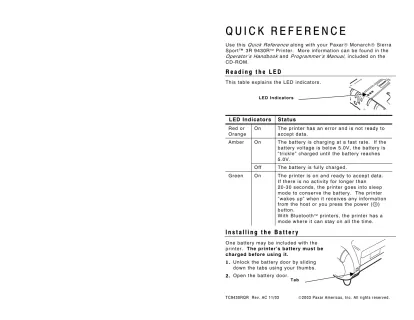
- Reading the LED indicators p. 11
- Setting the DIP switches for RS232, IrDA and RF values p. 12
- Connecting the printer to a host and attaching the belt clip p. 13, 14
- Loading supplies and using one, two or three-inch rolls p. 15, 16, 17
- Printing and using the magnetic stripe reader p. 19, 20
- Cleaning the printhead, platen roller, supply sensor and tear bar p. 21, 22
- Troubleshooting and printing a test receipt p. 23, 24, 25
Good to know
- Designed for up to 1000 inches per day; in high temperatures pause one minute after every four inches, and it is not a continuous batch printer. p. 7, 23
- Do not disassemble, short circuit, heat above 80°C or incinerate the battery; it may explode. p. 8
- Storing a fully charged battery above 104°F (40°C) for long periods may permanently reduce its capacity. p. 8
- Set the DIP switches with a plastic-tipped object, never a metal one. p. 12
- Microwave ovens, 2.4 GHz cordless phones and some wireless LAN products may interfere with Bluetooth. p. 29
Questions this manual answers
What battery does the Monarch 9430R use?
A 6.0V Nickel Metal Hydride (NiMH) battery; the extra battery is part 125237, and charging in the printer takes about 1.5 hours. p. 8, 29
Which Monarch 9430R printers use the AC adapter 125234?
Only M09430R03, M09430R04, M09430R09 and M09430R10. Those printers charge their battery in the single station or four-station charger, not the plug-in charger. p. 29
How do I print a test receipt on the 9430R?
Press and hold the FEED button while turning on the printer, then release. The receipt shows the firmware version. p. 25
The whole text · 4 parts
Read the manual here as text
Its text as extracted from the PDF, unedited, in parts; each page opens the PDF at that page.
The file