Manual · Monarch
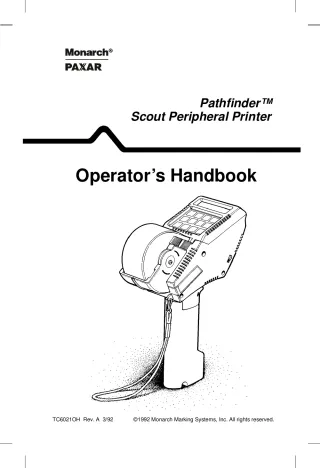
Pathfinder Scout Peripheral Printer Operator's Handbook
Manual68 pagesPDF 390 KB
Operator's handbook for the Monarch Pathfinder Scout 6020 Online Series portable label printer: setup, printing and care.
Covers · 1 model
The models it covers
Summary
What is in it
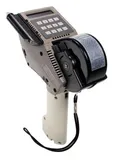
Operator's handbook for the Monarch Pathfinder Scout peripheral printer, the 6020 Online Series portable label printers. It explains charging and loading the battery handle, loading supplies, the display, keypad and function keys, then how to receive format and label data records from a host and print labels with sequential counting. A supervisor chapter covers communication parameters, date and time, currency and check digits. It ends with cleaning the print head, clearing jams, messages, troubleshooting, specifications and accessories.
Its parts
- Overview
- Getting Started
- Printing a Label
- Special Operating Features
- Care and Maintenance
- Messages and Troubleshooting
- Specifications and Accessories
From the manual
Key facts from this manual
Each line names its page in the PDF.
Operator's handbook TC6021OH (1992) for the Monarch Pathfinder Scout peripheral printer, part of the 6020 Online Series. It shows how to charge and change the battery handle, load labels, receive formats and label data from a host system, set communication and date options, clear messages and fix common problems. A closing chapter lists specifications and accessories.
- Device
- Pathfinder Scout peripheral printer, 6020 Online Series p. 1, 3
- Printing
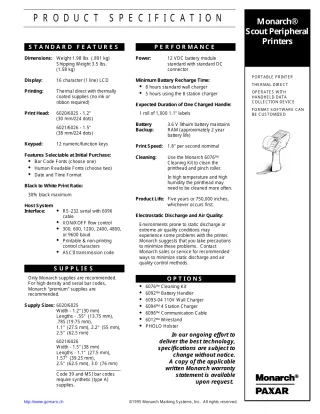
- Thermal direct on thermally coated paper, no ink or ribbon p. 61
- Power
- 12 volt NiCad battery pack in the handle (power module) p. 12, 61
- Charging time
- About 8 hours with the wall charger; 6090 Charger about 5 hours; 6094 Charger about 1 1/2 hours p. 61
- Display
- 16-character, one line, alphanumeric liquid crystal display p. 61
- Weight
- 1.98 lbs. (.89 kg) p. 61
- Storage and operating limits
- 40˚F to 104˚F (4˚C to 43˚C) p. 61
- Memory backup
- 3.6 volt lithium battery maintains memory p. 61
- Chargers
- 6090 Eight Station Charger; 6094 Four Station Charger; 6092-04 Wall Charger p. 61
- Other accessories
- 6010 Table Top Accessory; 6095-02 AC Adaptor; 6096 Cable Interface; PHOL-01 Holster p. 61
- Communication settings
- Set with Format 81: baud rate 300 to 9600 (default 9600); parity odd, even, mark or space (default space); XON/XOFF; control characters printable or non printable p. 34
- Error codes
- ERROR - FFD8 through ERROR - FFFC: note the code, turn the power off and on, then call Monarch Service p. 57
- Handle battery life
- NiCad handle lasts about two years with average daily use; an idle handle loses 2 to 3% of its charge per day p. 12, 13
- Programming manual
- TC6021FMKT Format Reference/Programmer's Manual p. 61
What this manual walks you through
- Charging the handle with the wall charger p. 14
- Loading and removing a handle p. 15
- Loading and removing label supplies p. 16, 17, 18, 19, 20
- Using the display, keypad and function keys p. 21, 22, 23, 24
- Receiving format and label data records from a host system p. 25, 26, 27, 28
- Sequential counting and sequential count multiples p. 29, 30, 31
- Setting the communication parameters p. 34
- Setting the date and time p. 35
- Messages, error codes and troubleshooting p. 55, 56, 57, 58, 59, 60
Good to know
- Always keep a handle attached; storing the printer without one may erase or alter the memory. p. 12
- Removing the handle while the power is on may erase or alter the memory. p. 15
- Do not use the printer while the handle is charging on it. p. 14
- Inspect the wall charger cord for bare wire before each use, and do not use it with bare wire. p. 14
- The printer receives one label data record at a time and does not store label data records. p. 27
Questions this manual answers
What battery does the Monarch 6020 printer use?
It runs on a 12 volt NiCad battery pack in the handle (power module), and a 3.6 volt lithium battery maintains memory. p. 12, 61
How long does a Monarch 6020 handle take to charge?
About 8 hours with the wall charger, about 5 hours in the 6090 Charger and about 1 1/2 hours in the 6094 Charger. p. 61
Does the Monarch 6020 need ink or a ribbon?
No. It prints thermal direct on thermally coated paper, with no ink or ribbon required. p. 61
What should I do when the printer shows ERROR - FFE0?
Note the message and turn the power off, then on. If the problem has not cleared, call Monarch Service. p. 57
The whole text · 7 parts
Read the manual here as text
Its text as extracted from the PDF, unedited, in parts; each page opens the PDF at that page.
The file