Manual · Metrologic
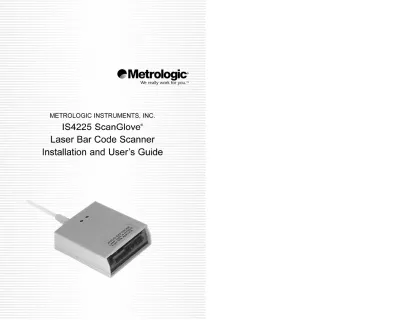
IS4225 ScanGlove USB Addendum for the MetroSelect Single-Line Configuration Guide
Manual12 pagesPDF 125 KB
USB configuration addendum for the Metrologic IS4225 ScanGlove scanner: USB keyboard (IS4225-07) and USB point-of-sale (IS4225-08) setup bar codes.
Covers · 1 model
The models it covers
Summary
What is in it
A short addendum to the MetroSelect Single-Line Configuration Guide for the two USB models of the Metrologic IS4225 ScanGlove scanner. It explains the difference between the IS4225-07, which acts as a USB keyboard, and the IS4225-08, which emulates serial RS232 data for point-of-sale software through a Metrologic driver. It gives the default serial settings and the configuration bar codes, including country keyboard selection, to restore each model if its factory setup is lost, plus a test bar code.
Its parts
- Introduction
- Configuration for USB Keyboard Emulation (IS4225-07)
- Configuration for USB POS Emulation (IS4225-08)
- Test Bar Code
From the manual · read page by page
Key facts from this manual
Each line names its page in the PDF.
A short Metrologic addendum to the MetroSelect Single-Line Configuration Guide for the two USB models of the IS4225 ScanGlove, the IS4225-07 (USB keyboard) and IS4225-08 (USB point-of-sale). It explains how the two differ and gives the bar code sequences to restore each model's USB setup and choose a keyboard country.
- USB models
- IS4225-07: USB keyboard emulation; IS4225-08: USB point-of-sale (POS) p. 5
- Default serial settings
- 9600 baud, 7 data bits, 2 stop bits, space parity p. 6
- Handshaking
- ACK/NAK and XON/XOFF software handshaking; carriage return and line feed suffixes p. 6
- POS driver
- IS4225-08: a Metrologic driver makes scans appear as serial RS232 data to existing applications p. 5
- Driver files
- mtlgpos.zip (Windows 2000/XP); mtlgpos98.zip (Windows 98 Second Edition) p. 5
- Keyboard countries
- IS4225-07: USA (default), Switzerland, Spain, Italy, Germany, France, United Kingdom, Belgium, Japanese, IBM 4700 Financial, Sweden/Finland p. 8, 9
- Custom prefixes
- Only 2 custom prefixes on the IS4225 p. 6
- Main guide
- MetroSelect Single-Line Configuration Guide (MLPN 00-02544) p. 7
- Document number
- 00 - 02259A, March 2005 p. 12
What this manual walks you through
- Restoring USB keyboard setup on an IS4225-07 p. 7, 8, 9
- Choosing the keyboard country for USB keyboard emulation p. 8, 9
- Restoring USB point-of-sale setup on an IS4225-08 p. 10
- Getting the POS driver for serial applications p. 5
- Scanning the test bar code p. 11
Good to know
- Scanning the recall defaults bar code while changing other features erases the USB setup, which then has to be redone. p. 7
- The USB setup must be done before any other feature from the main configuration guide is changed. p. 7
- The IS4225-07 needs the carriage return and line feed terminators to frame its data. p. 6
Questions this manual answers
What is the difference between the IS4225-07 and IS4225-08?
The IS4225-07 types scans into the active PC application like a keyboard; the IS4225-08 uses a Metrologic driver so scans arrive as serial RS232 data. p. 5
How do I restore the USB settings on my IS4225 ScanGlove?
Scan, in order, Enter/Exit Configuration Mode, Recall Defaults, Load USB Defaults and Enter/Exit Configuration Mode again; the IS4225-07 also takes a keyboard country bar code before the last step. p. 7, 8, 9, 10
What driver does the IS4225-08 need?
A Metrologic POS driver: mtlgpos.zip for Windows 2000/XP or mtlgpos98.zip for Windows 98 Second Edition. p. 5
Can the IS4225 USB keyboard model use a German keyboard layout?
Yes. Germany is one of the country keyboards that can be set by bar code; USA is the default. p. 8
Contents
Chapters and sections
Each line opens the PDF at its page.
The whole text · 1 part
Read the manual here as text
Its text as extracted from the PDF, unedited, in parts; each page opens the PDF at that page.
The file