Manual · MagTek
Excella STX MICR Check Reader and Dual-Sided Scanner Installation and Operation Manual
Manual47 pagesPDF 1.6 MB
Installation and operation manual for the MagTek Excella STX MICR check reader and dual-sided scanner with USB and Ethernet.
Covers · 1 model
The models it covers
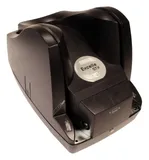
Summary
What is in it
The installation and operation manual for the MagTek Excella STX, a single-check MICR reader and dual-sided scanner with optional endorsement printers and magnetic stripe reader. It lists configurations, features and specifications, then covers cover removal, ink cartridge installation, cabling, check and ID card insertion, LEDs and cleaning. Appendices explain the built-in web page for status, calibration, firmware and network settings, the USB configuration utility, and MICR check fields.
Its parts
- Features and Specifications
- Installation
- Operation and Maintenance
From the manual
Key facts from this manual
Each line names its page in the PDF.
Installation and operation manual for the MagTek Excella STX, a MICR check reader and dual-sided scanner with optional endorsement printers and magnetic stripe reader. It gives the configurations, accessories and specifications, then covers installation, operation, LED meanings, cleaning, the built-in web page, the USB configuration utility and how check MICR fields are laid out.
- What it is
- Single-check MICR reader that scans both sides of a check in one pass, with optional endorsement printers p. 9
- Interfaces
- USB 2.0 High Speed (USB 1.1 compatible) or Ethernet p. 9, 10
- Power
- 24 VDC, 2.5 Amps; power supply P/N 64300098 with cord 71100001 p. 11, 21
- MICR fonts
- E13B and CMC7 p. 9
- Imaging
- Front and back in a single pass; 200 dpi (scaling to 100 dpi); black/white and grayscale, color as an option p. 9, 10
- Image formats
- CCITT G4 or JPEG compression; TIFF 6.0, JFIF with EXIF tags, BMP files p. 10
- Magnetic stripe reader
- MSR with MagnePrint; ISO 7810 and ISO 7811/AAMVA; 4 to 60 ips card speed; swipe either direction p. 10, 11, 22
- Printers
- Optional printers print a programmable horizontal message on the front or back of the check, 1/8" high (12 pixels) p. 9, 10
- Configurations
- 22350001 USB/ETH COLR MSR FPRT BPRT; 22350003 USB/ETH GRAY MSR; 22350005 USB/ETH GRAY MSR FPRT BPRT; 22350006 USB/ETH GRAY FPRT p. 9
- Interface cables
- USB Interface Cable P/N 22350300 or Ethernet Interface Cable P/N 22350302 p. 9
- Ink cartridge
- HP C6602A black inkjet cartridge, per the accessory list; two cartridges ship uninstalled p. 10, 13
- Size and weight
- L 13 ¼ x W 7 ½ x H 7 inches; 3.59 lbs. p. 11
- Network defaults
- Ethernet IP 192.168.10.100; USB IP 192.168.160.2 with RNDIS; HTTP port 80 p. 33, 35, 36, 37
- Firmware
- Updated from the built-in web page with a .mef file p. 31
What this manual walks you through
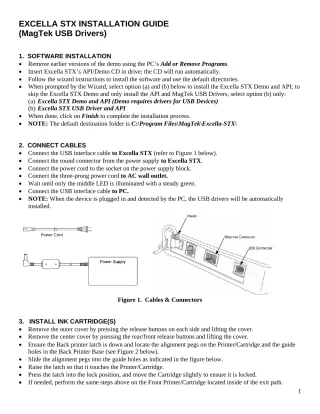
- Installation steps from unpacking to connecting the PC p. 13
- Installing and removing the printer cartridges p. 16
- Feeding checks and ID cards and swiping magnetic stripe cards p. 21, 22
- Reading the status LEDs p. 23
- Cleaning the cartridge nozzles, scan bars and check path p. 24, 25, 27
- Setting network, Ethernet and USB options on the built-in web page p. 29, 32, 33, 35
- Updating the firmware p. 31, 32
- Connecting over USB with the ExcellaUSBConfig utility p. 39, 40
- MICR character sets and check fields p. 41, 43, 44
Good to know
- Do not turn the power off during a firmware update; the unit may hang and need a factory return. p. 32
- Both cartridge latches must be up before either cover goes back on. p. 16
- Do not wipe ink over the cartridge's electrical contact area. p. 24
- Scanner calibration is done at the factory and is not needed under normal conditions. p. 30
- A device reset is needed before new settings take effect. p. 38
Questions this manual answers
What power supply does the MagTek Excella STX use?
24 VDC at 2.5 Amps, from power supply P/N 64300098 with cord 71100001. p. 11, 21
What does a slow blinking amber light mean on the Excella STX?
The middle LED blinking amber slowly means a cover is open; fast blinking red means a jammed document. p. 23
What is the default IP address of the Excella STX?
192.168.10.100 on Ethernet and 192.168.160.2 on USB. p. 35, 36
How do I update Excella STX firmware?
On the built-in web page's Update Firmware page, browse to the .mef file, click Update, wait, then cycle the power. p. 31, 32
Which MICR fonts does the Excella STX read?
E13B and CMC7. p. 9
Contents
Chapters and sections
Each line opens the PDF at its page.
The whole text · 7 parts
Read the manual here as text
Its text as extracted from the PDF, unedited, in parts; each page opens the PDF at that page.
The file