Manual · LXE
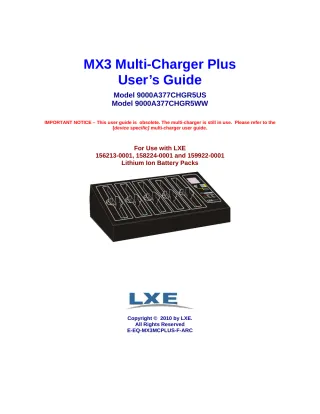
MX3 Multi-Charger Plus User's Guide
Manual64 pagesPDF 2.9 MB
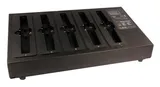
User's guide for the LXE MX3 Multi-Charger Plus (9000A377CHGR5US/WW), which charges and analyzes MX3 lithium ion battery packs.
Covers · 1 model
The models it covers
Summary
What is in it
The user's guide for the LXE MX3 Multi-Charger Plus, models 9000A377CHGR5US and 9000A377CHGR5WW, a charger and analyzer for LXE lithium ion battery packs 156213-0001, 158224-0001 and 159922-0001. It explains which charger version and battery suit the MX3Plus, MX3X, MX3-RFID, MX3 (DOS) and MX3-CE, how to set up the charger, insert battery packs, and read the LEDs and the analyzing pocket's LCD screen, followed by an appendix and translated safety warnings. The cover notes this guide is obsolete.
Its parts
- Introduction
- Installation and Operation
- Appendix
- Important Safety Warnings – Translations
From the manual
Key facts from this manual
Some pages are scans or cannot be read; this says only what the readable text supports. Each line names its page in the PDF.
LXE user's guide for the MX3 Multi-Charger Plus (models 9000A377CHGR5US and 9000A377CHGR5WW), which charges and analyzes LXE lithium ion battery packs for the MX3 family. It explains setup, inserting packs, the LEDs and LCD, capacity checks and troubleshooting. Its cover marks the guide obsolete and points to the device-specific charger guide.
- What it is
- Five-pocket charger: charges five packs, or four while analyzing a fifth p. 7
- Batteries
- LXE 156213-0001 (2381A376BATT1600), 158224-0001 (MX3A378BATT), 159922-0001 (MX3A380RFIDBATT) p. 1, 9, 10
- Charge time
- Under 4 hours; analysis under 10 hours, ending fully charged p. 7
- Input power
- 88VAC to 132VAC or 176VAC to 264VAC, auto-switching p. 11
- Temperature
- Operating 0°C (32°F) to +50°C (122°F); packs charge only at +10°C (50°F) to +35°C (95°F) p. 11
- Displays
- One LED per pocket; LCD screen and analyze dome switch at the charge/analyze pocket p. 17, 21
- LED colors
- Red: charging; flashing red: pack fault or timeout; green: ready; yellow: pack temperature out of range p. 21
- Charger versions
- Label part no. 157360-0126 charges MX3X, MX3-RFID and MX3Plus packs; 157360-0001 needs firmware V1.01 or greater p. 8, 9
- Error codes
- LCD shows BAT. FAULT with a code from E01 to E08 or E12 p. 27, 30
What this manual walks you through
- Setting up the charger p. 16
- Inserting a battery pack the right way p. 18, 19
- Starting a battery analysis with the dome switch p. 17, 20
- Reading the pocket LEDs p. 21
- Reading the LCD during charging and analysis p. 22, 23, 24, 25, 26
- Judging battery health from the measured capacity p. 27
- Matching charger versions to MX3 models and batteries p. 8, 9, 10
- Troubleshooting charging problems and error codes p. 28, 29, 30
- Cleaning and storing battery packs p. 14, 15
Good to know
- Do not slam or slide a battery pack into a pocket; damage may result. p. 18
- Do not top off a fully charged pack by reinserting it; it may overheat. p. 29
- Do not leave packs in a charger that is not operating; they may discharge. p. 15
- Do not use liquid to clean the battery pack or charger contacts. p. 14
- In a charger without the V1.01 upgrade, an MX3X pack may not finish within the 4 hour limit and shows a red LED. p. 9
Questions this manual answers
Which batteries does the MX3 Multi-Charger Plus charge?
LXE lithium ion packs 156213-0001, 158224-0001 and 159922-0001. p. 1
How long does the MX3 Multi-Charger Plus take to charge a battery?
Less than four hours; an analysis in the fifth pocket takes less than ten hours and ends with the pack fully charged. p. 7
What does a flashing red LED on the MX3 charger mean?
A battery pack fault or failure, or the charger timeout period expired; flashing red on every pocket means a charger fault. p. 21
How do I analyze an MX3 battery?
Put the pack in the charge/analyze pocket and press the dome switch within 15 seconds; otherwise it is only charged. p. 20
Contents
Chapters and sections
Each line opens the PDF at its page.
The whole text · 8 parts
Read the manual here as text
Its text as extracted from the PDF, unedited, in parts; each page opens the PDF at that page.
- Pages 1 to 41-4
- Pages 5 to 135-13
- Chapter 2 Installation and Operation14-27
- Chapter 3 Appendix28-30
- Chapter 4 Important Safety Warnings – Translations, pages 31 to 3931-39
- Chapter 4 Important Safety Warnings – Translations, pages 40 to 4840-48
- Chapter 4 Important Safety Warnings – Translations, pages 49 to 5749-57
- Chapter 4 Important Safety Warnings – Translations, pages 58 to 6458-64
The file