Manual · LXE
2325 Installation and Operator's Guide
Manual46 pagesPDF 1.3 MB
Installation and operator's guide for the LXE 2325 DOS hand held computer: batteries, keypad, display, scanner and regulatory notices.
Covers · 1 model
The models it covers
Summary
What is in it
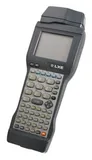
LXE's installation and operator's guide for the 2325, a portable DOS based hand held computer offered as a batch unit or with a 2.4GHz spread spectrum radio, with or without a laser scanner. It covers the main and backup batteries and charging in a dock, power up and the laser trigger, the 57-key keypad and key maps, the display, the scanner port and antenna, using the standard and long range laser scanner, and regulatory and safety notices. The cover notes the 2325 is obsolete.
Its parts
- Introduction
- Batteries
- Charging the 2325 Batteries in A Dock
- Operation
- Keypad
- Display
- The Scanner Port
- The Antenna
- Laser Scanner
- Key Maps
- Regulatory Notices and Safety Information
From the manual
Key facts from this manual
Each line names its page in the PDF.
This is the June 2003 installation and operator's guide for the LXE 2325, a hand-held DOS computer with an optional 2.4GHz radio and laser scanner; its cover notes that the 2325 is obsolete. It covers the batteries, charging in a dock, power-up, the keypad and triggers, the display, and using the standard and long range laser scanners.
- Device
- Hand-held DOS computer, as a batch unit (no RF) or a 2.4GHz RF unit p. 5
- Processor
- 486 at 33MHz p. 5
- Memory
- 2 MB flash, 8 MB RAM p. 5
- Radio
- Spread spectrum 2.4GHz radio on a Type II PCMCIA card p. 5, 6
- Interfaces
- One Type II PCMCIA slot; one serial RJ45 connector for a PC p. 5
- Battery
- 1250 mAh NiMH pack, plus a factory-installed lithium backup battery p. 5
- Display
- Backlit monochrome LCD, 20 columns by 16 rows, with panning p. 5
- Keypad
- 57-key full alphanumeric p. 5
- Scanner
- Optional standard or long range laser; units without one have a 9 pin port for a tethered scanner p. 5, 22
- Docks
- Single Dock, Four Slot Dock, Vehicle Mount DC Single Dock, Vehicle Mount Dock (no charging) p. 5, 9
- Charging time
- Under 3 hours in the single dock, under 15 hours in the four slot dock p. 9
- Terminal emulation
- ANSI Plus, TN3270 and TN5250 (radio units only) p. 6
- Auto-shutoff
- Default 5 minutes without a key or trigger press p. 10
- Backup battery life
- About five years with normal use p. 7
What this manual walks you through
- Inserting and replacing the battery pack p. 8
- Charging the batteries in a dock p. 9
- Powering up and the first-boot message p. 10
- Swapping the left and right triggers p. 11
- Panning the display, adjusting contrast and using the backlight p. 20, 21
- Cleaning the display and scan aperture p. 19
- Scanning barcodes and checking a failed scan p. 24, 25
- Using the long range scanner's two modes p. 26
Good to know
- Turn the unit off before removing the battery, or data in memory may be lost. p. 8
- The unit will not turn on unless the battery compartment cover is in place. p. 8
- Do not connect the dock's power supply if the 2325 holds non-rechargeable batteries. p. 9
- The LXE terminal emulation programs need a radio-equipped unit. p. 6
- Do not clean the glass with paper towels or harsh chemical cleaners. p. 19
Questions this manual answers
What battery does the LXE 2325 use?
A 1250 mAh nickel metal hydride (NiMH) battery pack, with a built-in lithium backup battery. p. 5, 7
How long does the LXE 2325 take to charge?
Less than 3 hours in the single dock and less than 15 hours in the four slot dock. p. 9
Why does my 2325 say Initial power-up or critical data loss?
The guide says this is normal on first power-up or after the backup battery has drained; press Enter and the unit keeps booting. p. 10
How do I swap the triggers on the LXE 2325?
Press the FN key, then the SWP key; repeat to swap them back. p. 11
Contents
Chapters and sections
Each line opens the PDF at its page.
The whole text · 9 parts
Read the manual here as text
Its text as extracted from the PDF, unedited, in parts; each page opens the PDF at that page.
The file