Manual · Lipman
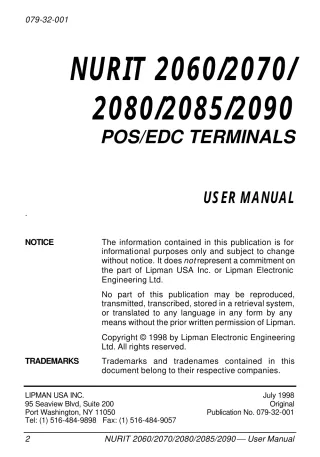
NURIT 2060/2070/2080/2085/2090 POS/EDC Terminals User Manual
Manual99 pagesPDF 231 KB
User manual for the Lipman NURIT 2060, 2070, 2080, 2085 and 2090 POS/EDC credit card terminals: transactions, menus and troubleshooting.
Covers · 1 model
The models it covers
Summary
What is in it
User manual for the Lipman NURIT 2060, 2070, 2080, 2085 and 2090 POS/EDC terminals. It explains how to run credit card sales, returns, voids and other transactions, how to use the terminal menu for reports and settings, and how to fix common problems such as no power, no phone line or printer faults. Appendices cover restaurant, direct marketing and script machine use, the NURIT 2080, CDPD wireless on the 2070 and 2090, phone cards and a quick reference menu table.
From the manual
Key facts from this manual
Each line names its page in the PDF.
User manual (publication 079-32-001, July 1998) for the Lipman NURIT 2060, 2070, 2080, 2085 and 2090 POS/EDC terminals. It explains credit, debit, check and EBT transactions, the menus and reports, basic troubleshooting and changing the paper roll. Appendices cover restaurant, direct marketing, CDPD radio, phone card and NURIT PC Terminal use.
- Device
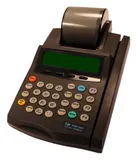
- POS/EDC terminal for card payments p. 11
- Printer paper
- 2085 and 2090: thermal paper on a roll with a spindle p. 48, 95
- Power
- AC adapter whose barrel connector plugs into the terminal's DC IN jack p. 47
- Battery
- 2085U: power switch on the bottom, ON/STANDBY key, battery charged 10 to 12 hours with the terminal on and the adapter plugged in p. 47
- Phone line
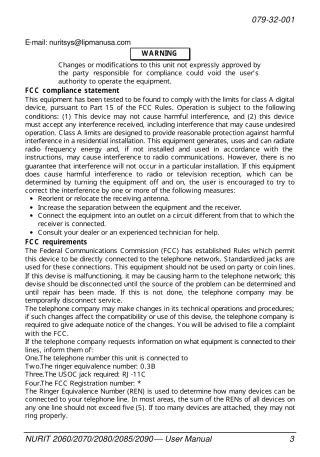
- RJ-11 connector to the TEL LINE socket; a dedicated line, not on a splitter or rollover system; ringer equivalence number 0.3B p. 3, 47
- PIN pad
- External PIN pad plugs into the PIN pad connector on the back; needed for debit and EBT p. 14, 16, 48
- Card reader
- Magnetic stripe; swipe from back to front with the stripe facing down and to the right p. 48
- Transactions
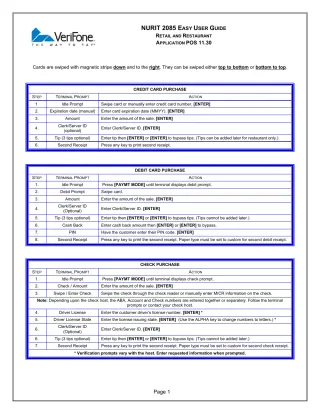
- Credit sale, return, verify and forced sale; voids; debit sale and return; check verification; EBT; cash p. 11, 12, 13, 14, 15, 16
- EBT support
- Operational in versions 4.50 and above p. 16
- Reports
- Default, current and history reports; condensed, short or journal format p. 19, 20
- PC software
- NURIT PC Terminal emulates a NURIT terminal on a PC and exports each batch as a CSV file p. 87, 88
What this manual walks you through
- Running credit sales, returns, verifications and forced sales p. 11, 12, 13
- Voiding a sale, return or forced sale p. 13, 14
- Processing debit and EBT cards with a PIN pad p. 14, 15, 16
- Verifying a check p. 16
- Printing and customizing transaction reports p. 19, 20
- Troubleshooting no power, NO LINE, printer, card reader and PIN pad problems p. 47, 48
- Replacing the paper roll on the NURIT 2085 or 2090 p. 95, 96
- Setting up devices and CSV export in NURIT PC Terminal p. 87, 88
Good to know
- Paper must never be pulled backwards through the printer mechanism, as this may damage the printer. p. 95
- Debit cards must be swiped; debit account numbers cannot be keyed in. p. 15
- Debit forced sales, voids and verifies are not available with most host processors. p. 15
- The terminal should not be used on party or coin lines. p. 3
Questions this manual answers
What paper does the NURIT 2085 use?
Thermal paper; the NURIT 2085 and 2090 both use it. p. 48
Why does my NURIT terminal show NO LINE?
Check that the RJ-11 phone connector is firmly in the TEL LINE socket and the wall, that the line is dedicated (no splitter or rollover system), and that the exchange prefix setting is right. p. 47
How do I change the paper roll on a NURIT 2085?
Remove the paper cover, core and spindle, cut the new roll's leading edge straight, feed it under the rubber platen roller, press FEED, then refit the spindle and cover. p. 95, 96
What do I need for debit sales on the NURIT 2085?
A bank issued debit card, which must be swiped, and a PIN pad connected to the terminal. p. 14, 15
Why won't the NURIT card reader read a card?
Swipe the card from back to front with its magnetic stripe facing down and to the right side of the terminal. p. 48
The whole text · 10 parts
Read the manual here as text
Its text as extracted from the PDF, unedited, in parts; each page opens the PDF at that page.
The file