Manual · Kramer Electronics
User Manual, Model VP-43xl Interface Converter
Manual18 pagesPDF 1.8 MB
User manual for the Kramer VP-43xl interface converter, which links RS-232, RS-422 and RS-485 control equipment.
Covers · 1 model
The models it covers
Summary
What is in it
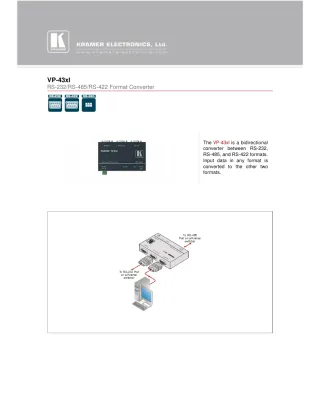
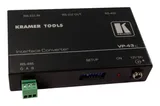
Kramer Electronics' user manual for the VP-43xl interface converter. The unit takes serial data on one of its RS-232, RS-422 and RS-485 interfaces and passes it both ways to the others at the same speed and format, so a PC or controller can run switchers and broadcast VTRs with a different interface, extend the range of RS-232, or daisy chain RS-485 devices. The manual covers the ports, connecting a PC and the RS-422 and RS-485 connectors, master and slave wiring, the setup dipswitches, example layouts, use as a range extender and specifications.
Its parts
- Introduction
- Getting Started
- Overview
- Your Interface Converter
- Connecting a Interface Converter Unit
- Interface Converter Unit Configuration
- Using the Interface Converter as a Range Extender
- Technical Specifications
From the manual
Key facts from this manual
Some pages are scans or cannot be read; this says only what the readable text supports. Each line names its page in the PDF.
Kramer Electronics' user manual (P/N 2900-006008 Rev 1) for the VP-43xl Interface Converter, which links serial control equipment that uses RS-232, RS-422 and RS-485. It explains the ports, wiring, dipswitch settings, example setups and specifications.
- Device
- Serial interface converter: data in on RS-232, RS-422 or RS-485 comes out on the other two at the same speed and format, both ways p. 4
- Ports
- RS-232 in (DB-9F), RS-232 out, RS-422 (DB-9F), RS-485 3-wire detachable terminal block, 12V DC power socket p. 6, 16
- Baud rates
- 1200, 2400, 9600, 19200, 38400; 1 start bit, 8 data bits, 1 stop bit p. 16
- Power
- 12 VDC, 80 mA; 12V DC power adapter included p. 3, 16
- Standards
- TIA/EIA-232-F, TIA/EIA-422-B and TIA/EIA-485-A p. 4
- RS-485
- Up to 32 devices on one line, range 1200 meters p. 4
- Interface ranges
- RS-232 about 25 meters; RS-422 1200 meters p. 4
- Dipswitches
- 8 SETUP switches: 1 to 5 baud rate, 6 RS-232 out straight or crossed, 7 RS-422 inverted or not, 8 RS-422 Master or Slave p. 11
- Weight
- 0.3 kg (0.67 lbs) approx. p. 16
- In the box
- Converter, 12V DC power adapter, mounting bracket, user manual, Kramer catalog/CD p. 3
- Rack options
- 19 inch rack adapters RK-T1 and RK-T3 p. 16
What this manual walks you through
- Connecting the converter's ports and power p. 6
- Connecting a PC with a 9-pin or 25-pin COM port p. 7
- Wiring the RS-485 terminal block (A, B and G pins) p. 7, 8
- Understanding RS-422 Master and Slave connections p. 8, 9
- Setting the baud rate and port options on the dipswitches p. 11, 12
- Example setups for switchers and broadcast VTRs over RS-232, RS-422 and RS-485 p. 12, 13, 14
- Daisy-chaining several converters over RS-232 p. 13
- Extending the PC to switcher distance with a pair of converters p. 16
Good to know
- Switch off each device before connecting it, then power the converter first and the other devices after. p. 6
- Some VTRs, for example Sony, need the inverted RS-422 connection. p. 11
- Use the supplied DC power supply. p. 17
Questions this manual answers
What baud rates does the Kramer VP-43xl support?
1200, 2400, 9600, 19200 and 38400 baud, with 1 start bit, 8 data bits and 1 stop bit. p. 16
Do I need a null-modem cable to connect a PC to the VP-43xl?
No. Connect the PC's 9-pin COM port to the RS-232 in port with a one-to-one cable, without a null-modem adapter. p. 7
How do I set the VP-43xl as an RS-422 Master or Slave?
Set DIP 8 ON for Master or OFF for Slave. p. 9
The whole text · 2 parts
Read the manual here as text
Its text as extracted from the PDF, unedited, in parts; each page opens the PDF at that page.
The file