Manual · Janam
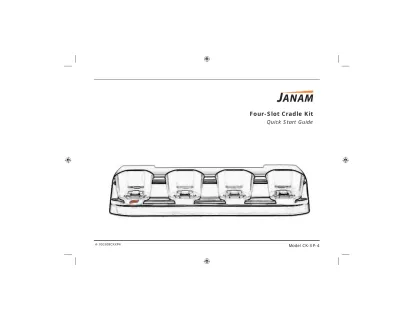
Four-Slot Cradle Kit Quick Start Guide
Manual8 pagesPDF 90 KB
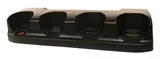
Quick start guide for the Janam Four-Slot Cradle Kit (CK-XP-4) with the CR-XP-4 cradle for XP Series mobile computers.
Covers · 1 model
The models it covers
Summary
What is in it
Quick start guide for the Janam Four-Slot Cradle Kit, model CK-XP-4, which includes the CR-XP-4 four-slot cradle, power supply, line cord and USB cable. It labels the kit's parts, then explains setting up the cradle with a PC, inserting a device correctly into a cradle well, and using the synch button to hotsynch up to four XP Series devices in turn. It ends with WEEE, safety and EMC standards and FCC Class B regulatory information.
Its parts
- Hardware Overview
- Getting Started
- Regulatory Information
From the manual · read page by page
Key facts from this manual
Each line names its page in the PDF.
This is Janam's Quick Start Guide for the Four-Slot Cradle Kit CK-XP-4, built around the CR-XP-4 four-slot cradle. It lists the kit parts and shows how to set up the cradle on a PC by USB, seat devices, and synchronize up to four units with the synch button.
- Device
- Four-slot cradle for mobile devices; synching is for XP Series only p. 4, 5
- Kit contents
- CK-XP-4: cradle CR-XP-4, power supply PS-XP-4, line cord LC-XP-1, USB cable p. 4
- Power supply
- PS-XP-4 with line cord LC-XP-1 p. 4
- PC connection
- USB Type B port on the cradle p. 4
- Synch button
- Synchs up to four XP Series devices in turn with Palm Desktop software p. 5
What this manual walks you through
- Connecting the cradle's power supply and USB cable to a PC p. 5
- Seating a mobile computer in a cradle well p. 5
- Synching up to four XP Series devices with the synch button p. 5
Good to know
- The USB cable is not separately orderable. p. 4
- The guide recommends turning the computer off before connecting the cradle. p. 5
- Each device stays powered up for about two minutes after synching, then powers down. p. 5
- The manual states the CR-XP-4 complies with the limits for a Class B digital device under Part 15 of the FCC Rules. p. 7
Questions this manual answers
What comes in the Janam CK-XP-4 cradle kit?
The CR-XP-4 four-slot cradle, PS-XP-4 power supply, LC-XP-1 line cord and a USB cable. p. 4
How do I connect the CR-XP-4 cradle to a PC?
Connect the power supply and line cord, plug the supply into the cradle, connect the USB cable from the cradle to a USB port on the computer, then plug in the power. p. 5
How do I synch several XP Series devices at once?
Insert up to four devices and press the synch button; each one powers up and synchs in turn. p. 5
How do I seat a device in the CR-XP-4?
Place it in a cradle well without forcing the connectors, then tilt it forward while pressing down to join the connectors. p. 5
The whole text · 1 part
Read the manual here as text
Its text as extracted from the PDF, unedited, in parts; each page opens the PDF at that page.
The file