Manual · Ithaca
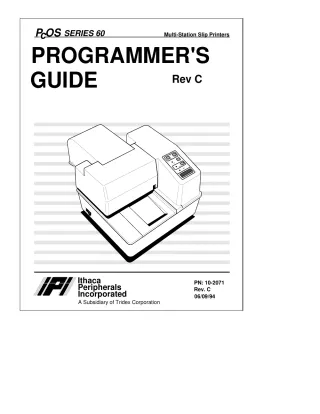
PcOS Series 60 Multi-Station Slip Printers Programmer's Guide
Manual150 pagesPDF 1.6 MB
Programmer's guide for the Ithaca PcOS Series 60 point-of-sale slip printers, Models 61, 62, 63 and 64, with control codes and interfaces.
Covers · 1 model
The models it covers
Summary
What is in it
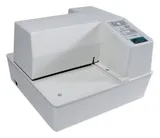
Ithaca Peripherals' programmer's guide for the PcOS Series 60 multi-station slip printers (Models 61, 62, 63 and 64), written for system engineers who connect the printer to a point-of-sale terminal. It describes the models and print characteristics, every printer control code, how to use the slip, receipt and journal stations (including check endorsement), graphics, the parallel and serial ports and buffers, error codes, the CFG60 configuration and test program, the demo editor, diagnostics and character sets.
Its parts
- Overview of the Series 60 Printer
- Control Codes Overview
- Printer Control Codes
- How to use the Series 60 Features
- Printing Graphics
- Communications Protocol and Print Buffers
- How to Interpret Printer Error Codes
- Series 60 Configuration and Test Program Overview
- CFG60 Program
- Installing the Software
- Configuring Printers
- Running Demonstrations
- Using CFG60 to Test Printers
- Demo Editor
- Series 60 Diagnostics
From the manual
Key facts from this manual
Each line names its page in the PDF.
Ithaca Peripherals' programmer's guide (PN 10-2071, Rev C, June 1994) for the PcOS Series 60 multi-station slip printers, Models 61, 62, 63 and 64. It is written for system integrators connecting the printer to a point-of-sale terminal. It covers the control codes, the slip, receipt and journal stations, the parallel and serial ports, the alarm light error codes, diagnostics and the CFG60 configuration program.
- Device
- Point-of-sale printer with a slip station, available with receipt and journal stations p. 10
- Models
- Model 61 slip; Model 62 slip and receipt; Model 63 slip, receipt and journal; Model 64 slip and journal p. 10
- Interfaces
- Centronics parallel and RS-232 serial (19.2K baud), each with a 2K buffer p. 11
- Print speed
- Up to 7 lines per second p. 11
- Slip station
- Up to 60 characters at 17 cpi; multi-part forms of up to four parts; front or rear eject p. 10
- Receipt station
- Models 62 and 63: 10, 12, 17 or 24 cpi, up to 48 columns at 17 cpi, automatic cutter p. 11
- Journal station
- Models 63 and 64: up to 40 columns at 17 cpi, automatic journal take-up p. 11
- Cash drawer
- Dual cash drawer drivers with drawer open/closed status p. 11
- Serial settings
- 300 to 19.2K baud; 7 or 8 bits with odd, even or no parity; DRT and XON/XOFF flow control p. 84
- Compatibility
- IBM/Epson compatible; IBM character sets I and II; all points addressable graphics p. 11
- Ribbon
- Snap-on ribbon cassette p. 11
- Reliability
- MTBF 25,000 hours (except printhead); printhead life 200 million characters; cutter life 1 million cuts p. 11
- Setup software
- CFG60 configuration and test program for an IBM compatible PC with at least one serial port p. 93
- Guide number
- PN 10-2071, Rev C, dated 06/09/94 p. 1
What this manual walks you through
- Programming paper motion, pitch, fonts, rotated print and station selection with control codes p. 4
- Endorsing a check and filling out a personal check on the slip station p. 5
- Using the receipt and journal stations p. 5
- Printing character and APA graphics p. 5
- Parallel port signals and pinout p. 83
- Serial port settings and pinout p. 84
- Reading the error codes blinked on the ALARM light p. 91
- Configuring and testing printers with the CFG60 program p. 93
- Running diagnostics, slip sensor calibration and vertical alignment p. 6
Good to know
- The host and printer use the same serial pinout, so a null modem or turn-around cable is needed; a pin-to-pin cable will not work. p. 84
- The 7-bit no parity setting is really an 8-bit format; a host sending true 7-bit no parity needs 2 stop bits. p. 84
- The INIT signal must be inactive (high) for about 4 seconds before the printer responds to input. p. 83
- The AUTOFD (pin 14) and SLIN (pin 17) parallel signals are not used by the Series 60 printers. p. 83
- Failure alarms such as a print head or knife jam need the printer power turned off to correct. p. 91
Questions this manual answers
What is the difference between the Ithaca Series 60 Model 61, 62, 63 and 64?
All have a slip station. The Model 62 adds a receipt station, the Model 64 a journal station, and the Model 63 has both. p. 10
What does an SOS blink pattern on the Series 60 ALARM light mean?
Three short, three long and three short blinks signal an unrecoverable error such as a head jam or knife jam. p. 91
What cable connects the Series 60 serial port to a PC?
A null modem or turn-around cable, because both the host and the printer are DTE devices. p. 84
What baud rates does the Ithaca Series 60 serial port support?
300, 600, 1200, 2400, 4800, 9600 and 19.2K baud. p. 84
What PC does the CFG60 program need?
An IBM compatible PC with at least one serial port to configure a printer, and a parallel port to test a parallel printer; a 386 SX 16 is the recommended minimum. p. 93
The whole text · 15 parts
Read the manual here as text
Its text as extracted from the PDF, unedited, in parts; each page opens the PDF at that page.
- Pages 1 to 101-10
- Pages 11 to 2011-20
- Pages 21 to 3021-30
- Pages 31 to 4031-40
- Pages 41 to 5041-50
- Pages 51 to 6051-60
- Pages 61 to 7061-70
- Pages 71 to 8071-80
- Pages 81 to 9081-90
- Pages 91 to 10091-100
- Pages 101 to 110101-110
- Pages 111 to 120111-120
- Pages 121 to 130121-130
- Pages 131 to 140131-140
- Pages 141 to 150141-150
The file