Manual · Intermec
SR60 Scanner Quick Start Guide
Manual32 pagesPDF 1.6 MB
Quick start guide for the Intermec SR60 handheld laser scanner (SR and XLR versions) in English, French, Russian and Spanish.
Covers · 1 model
The models it covers
Summary
What is in it
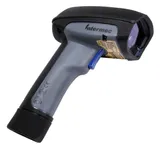
Intermec's quick start guide for the SR60 laser scanner, printed in English, French, Russian and Spanish. It explains what comes in the box, how to connect the scanner to a PC and test it with a sample Code 39 bar code, scanning tips, depth of field charts for the standard range (SR) and extended long-range (XLR) versions, the symbologies enabled out of the box, and a short troubleshooting table. It points to the SR60 Programmer's Reference Manual for advanced settings.
Its parts
- SR60 Scanner Quick Start Guide
- Lecteur SR60 Guide de démarrage rapide
- Сканер SR60 Краткое руководство
- Escáner SR60 Guía de comienzo rápido
From the manual · read page by page
Key facts from this manual
Some pages are scans or cannot be read; this says only what the readable text supports. Each line names its page in the PDF.
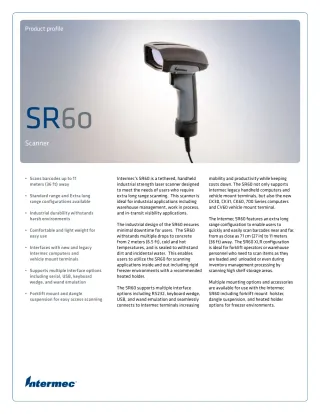
The quick start guide for the Intermec SR60 laser scanner, in English, French, Russian and Spanish. It covers unpacking, connecting the scanner to a PC, test scanning, the scanning range charts and basic troubleshooting.
- Device
- Laser scanner in a standard range (SR) or extended long-range (XLR) version p. 3
- XLR scan range
- XLR: bar code labels from as far as 11 m (36 ft), depending on the labels p. 3
- Electrical rating
- 4.0 to 14.0 VDC, 13.9 W p. 9
- Enabled at shipment
- Code 39, Code 128, Interleaved 2 of 5 p. 7
- In the box
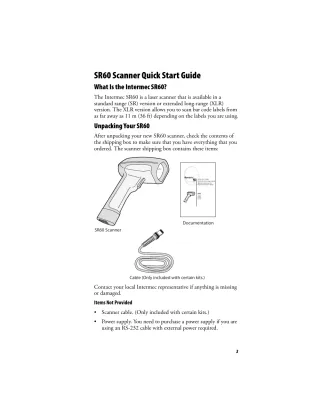
- Scanner and documentation; a cable only with certain kits p. 3
- Power supply
- Not supplied; needed with an RS-232 cable that requires external power p. 3
- Range charts
- Depth of field charts for SR paper labels and XLR paper and reflective labels, Code 39 p. 6, 7
- Related manual
- SR60 Scanner Programmer's Reference Manual, P/N 937-004-xxx p. 8
- Guide number
- P/N 930-141-002 Rev A p. 32
What this manual walks you through
- Unpacking the scanner and checking the contents p. 3
- Connecting the scanner cable to a PC p. 4, 5
- Test scanning a sample Code 39 bar code p. 5, 6
- Reading the depth of field charts p. 6, 7
- Troubleshooting no power and failed scans p. 8
Good to know
- Do not try to remove the end cap; it damages the scanner. p. 4
- If the host system does not power the scanner, a power supply must be attached to the scanner cable. p. 5
- Power Off the Terminal (POT) cables need the PC turned on. p. 8
- The XLR range charts are based on XLR models set with a 10 degree scan angle width. p. 7
Questions this manual answers
What power does the Intermec SR60 need?
It is rated 4.0 to 14.0 VDC, 13.9 W. A power supply is needed if you use an RS-232 cable that requires external power. p. 3, 9
Which bar codes does the SR60 read out of the box?
It ships with Code 39, Code 128 and Interleaved 2 of 5 enabled. p. 7
Does the SR60 come with a cable?
Only with certain kits; the box holds the scanner and documentation, and a power supply is not provided. p. 3
My SR60 is not scanning bar codes. What should I check?
Scan a known good bar code, make sure the symbology is enabled on the SR60, and for poor quality bar codes change the advanced decoding settings. p. 8
The whole text · 4 parts
Read the manual here as text
Its text as extracted from the PDF, unedited, in parts; each page opens the PDF at that page.
The file