Manual · Intermec
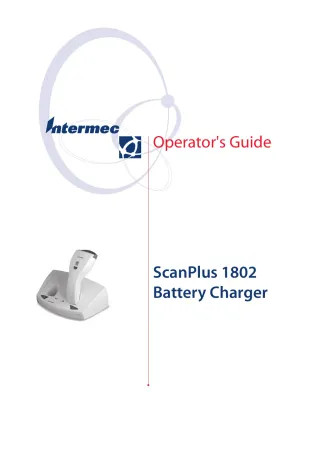
ScanPlus 1802 Battery Charger Operator's Guide
Manual8 pagesPDF 150 KB
Operator's guide for the Intermec ScanPlus 1802 Battery Charger: installation, charge indications, troubleshooting and battery care.
Covers · 1 model
The models it covers
Summary
What is in it
Intermec's short operator's guide for the ScanPlus 1802 Battery Charger, which charges a battery on its own or in the scanner. It shows installation, then operation: power on, inserting the battery or scanner, the 10-second initial battery state display, charging and full charge. It ends with troubleshooting, recommendations for longer battery life, the battery pack the charger accepts, and regulatory statements.
Its parts
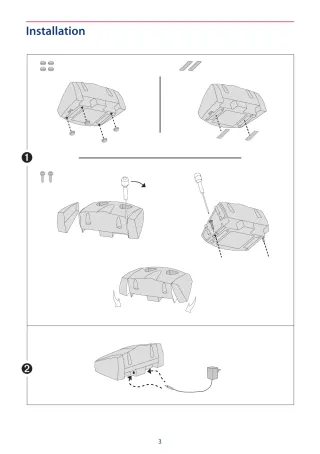
- Installation
- Operation
- Troubleshooting
- Recommendations
- Regulatory statements
From the manual · read page by page
Key facts from this manual
Some pages are scans or cannot be read; this says only what the readable text supports. Each line names its page in the PDF.
The Intermec ScanPlus 1802 Battery Charger Operator's Guide (P/N 3-360049-20 Rev F, 2007), a short, mostly pictorial guide. It shows installation, the battery state and charging indications, troubleshooting, care recommendations and the power supplies the charger must use.
- Device
- Battery charger that takes a battery or a scanner p. 4, 7
- Battery type
- Intermec Ni-Mh Hybride battery packs rated 3.6V, 600mA, 0.6 Ah only p. 6
- Charge time
- Up to 3 hours for a full charge p. 5
- Power supply (US)
- UL listed LPS supply Intermec P/N 3-302029-03, 120V 60 Hz, output 5V DC, 600 mA p. 7
- Power supply (Europe)
- Intermec P/N 3-301029-03 (230V 50/60 Hz) or P/N 3-303029-03 (240V 50 Hz) p. 7
- Battery state display
- Shows low, medium or high for 10 seconds before charging starts p. 4
What this manual walks you through
- Reading the initial battery state, charging and fully charged indications p. 4, 5
- Troubleshooting a battery that will not charge p. 6
- Making batteries last longer p. 6
Good to know
- The initial battery state reading is valid only if the battery was left idle before charging. p. 4
- Repeatedly inserting and removing a battery or scanner reduces battery life. p. 6
- Do not store a battery or scanner for long in a charger that is not powered; it discharges faster. p. 6
- Do not crush, disassemble, heat above 100° C (212° F) or incinerate the battery pack. p. 6
Questions this manual answers
How long does the ScanPlus 1802 charger take to charge a battery?
Full charging takes up to 3 hours. p. 5
What power supply does the ScanPlus 1802 battery charger use in the USA?
A UL listed LPS supply, Intermec P/N 3-302029-03, 120V 60 Hz input, rated 5V DC, 600 mA output. p. 7
What if the battery is too hot or too cold in the ScanPlus 1802 charger?
Remove the battery and leave it at room temperature. p. 6
Which batteries can go in the ScanPlus 1802 charger?
Only Intermec Ni-Mh Hybride battery packs rated 3.6V, 600mA, 0.6 Ah. p. 6
The whole text · 1 part
Read the manual here as text
Its text as extracted from the PDF, unedited, in parts; each page opens the PDF at that page.
The file