Manual · Intermec
Model 70 Pocket PC User's Guide
Manual134 pagesPDF 1.2 MB
User's guide for the Intermec Model 70 Pocket PC: batteries, everyday use, Pocket Outlook and companion programs, connecting and troubleshooting.
Covers · 1 model
The models it covers
Summary
What is in it
The user's guide for the Intermec Model 70 Pocket PC. It describes the unit's panels, batteries, AC adapters, cradles and stylus, then everyday use: entering information, Compact Flash cards, backup and restore, and customizing. Later chapters cover Pocket Outlook, Pocket Internet Explorer, companion programs such as Pocket Word and Pocket Excel, connecting by infrared, modem and Ethernet, and troubleshooting resets, memory, screen and connection problems, with specifications in an appendix.
Its parts
- Before You Begin
- Learning About the Pocket PC
- Using the Pocket PC
- Microsoft Pocket Outlook
- Microsoft Pocket Internet Explorer
- Companion Programs
- Getting Connected
- Troubleshooting
From the manual
Key facts from this manual
Each line names its page in the PDF.
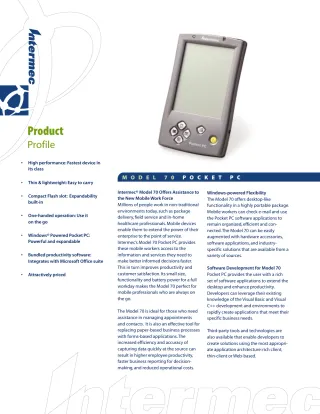
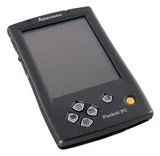
The user's guide for the Intermec Model 70 Pocket PC, a handheld computer powered by Microsoft Windows CE. It describes the buttons and ports, the batteries, AC adapters and cradles, connecting to a desktop computer or a network, troubleshooting, and the specifications.
- Device
- Pocket PC handheld computer powered by Microsoft Windows CE p. 15
- Processor
- Intel SA-1110 CPU p. 129
- Memory
- SDRAM 16 MB; Flash ROM 16 MB p. 129
- Interfaces
- Compact Flash Type I slot; feature connector (serial, cradle, USB slave); IrDA infrared up to 115 Kbps; DC jack; audio headset jack p. 19, 129
- Batteries
- Rechargeable lithium-ion main battery pack, up to 15 hours; CR2032 coin-cell backup battery p. 21, 129
- Display
- Touch screen used with a stylus, with backlight p. 16
- AC adapters
- North America 871-013-050; Europe 871-013-052; United Kingdom 871-013-051 p. 25
- AC adapter output
- 5VDC/2A; charger built into the Pocket PC p. 129
- Cradles
- RS-232 cradle supplied; USB cradle Part No. 871-013-010 p. 25
- Auto-sync cables
- RS-232 Part No. 871-013-030; USB Part No. 871-013-040 p. 25
- Backup battery
- Keeps data for about 40 hours after the Pocket PC shuts down p. 21
- Buttons
- Four programmable buttons, power button, jog wheel, record and Your Desktop buttons, reset button p. 129
- Audio
- Built-in microphone, speaker and buzzer; stereo earphone/mike jack; MP3 p. 129
- Docking cradle size
- 100 mm (W) x 37.9 mm (H) x 110 mm thick p. 129
What this manual walks you through
- Charging the main battery pack p. 21
- Setting the power off timer and Power Saving mode p. 22, 23
- Connecting the cradle to a desktop computer p. 25, 26
- Soft reset and clearing memory to factory defaults p. 119, 120
- Extending battery charge p. 120, 121
- Freeing storage memory and program memory p. 121, 122
- Fixing screen and stylus problems p. 123, 124
- Fixing cable, cradle, infrared, modem and network connection problems p. 124, 125, 126
Good to know
- The auto-sync cables connect the Pocket PC to a desktop computer but do not charge the batteries. p. 25
- After taking out the main battery, do not turn the unit on until the battery cover is locked back in place. p. 20
- Clearing memory erases your data and the programs you installed; factory-installed programs remain. p. 119
- An external modem needs a NULL modem cable and adapters. p. 125
- Over infrared, transfer only one file or no more than 25 contact cards at a time. p. 124
Questions this manual answers
What AC adapter does the Intermec Model 70 use?
One for your country's plug: 871-013-050 for North America, 871-013-052 for Europe or 871-013-051 for the United Kingdom. The same adapter powers the cradle. p. 25
How do I reset the Model 70 Pocket PC to factory defaults?
With the unit on, hold the Power button and press the Reset button with the stylus for about two seconds, or remove both batteries for 5 minutes. p. 120
How much memory does the Model 70 have?
The specifications list 16 MB of SDRAM and 16 MB of Flash ROM, on an Intel SA-1110 processor. p. 129
Does the Model 70 charge through the auto-sync cable?
No. The RS-232 and USB auto-sync cables connect it to a desktop computer without charging; the cradles and the AC adapter charge it. p. 25
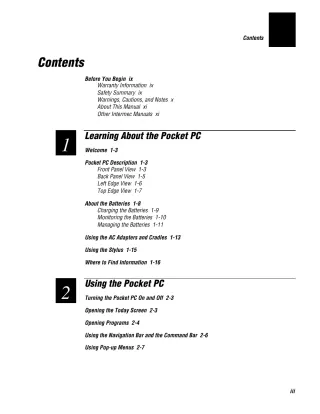
Contents
Chapters and sections
Each line opens the PDF at its page.
- Before You Begin9
- Chapter 1 - Learning About the Pocket PC13
- Chapter 2 - Using the Pocket PC29
- Turning the Pocket PC On and Off31
- Opening the Today Screen31
- Opening Programs32
- Using the Navigation Bar and the Command Bar34
- Using Pop-up Menus35
- Entering Information on the Pocket PC36
- Finding and Organizing Information42
- Using Compact Flash Cards43
- Backing Up and Restoring Data44
- Customizing Your Pocket PC47
- Chapter 3 - Microsoft Pocket Outlook57
- Chapter 4 - Microsoft Pocket Internet Explorer75
- Chapter 5 - Companion Programs83
- Chapter 6 - Getting Connected107
17 more lines, from page 109 on
The whole text · 16 parts
Read the manual here as text
Its text as extracted from the PDF, unedited, in parts; each page opens the PDF at that page.
- Contents1-8
- Before You Begin9-12
- Chapter 1 - Learning About the Pocket PC, pages 13 to 2013-20
- Chapter 1 - Learning About the Pocket PC, pages 21 to 2821-28
- Chapter 2 - Using the Pocket PC, pages 29 to 3829-38
- Chapter 2 - Using the Pocket PC, pages 39 to 4839-48
- Chapter 2 - Using the Pocket PC, pages 49 to 5649-56
- Chapter 3 - Microsoft Pocket Outlook, pages 57 to 6557-65
- Chapter 3 - Microsoft Pocket Outlook, pages 66 to 7466-74
- Chapter 4 - Microsoft Pocket Internet Explorer75-82
- Chapter 5 - Companion Programs, pages 83 to 9083-90
- Chapter 5 - Companion Programs, pages 91 to 9891-98
- Chapter 5 - Companion Programs, pages 99 to 10699-106
- Chapter 6 - Getting Connected107-116
- Chapter 7 - Troubleshooting117-126
- Appendix A - Specifications and Other Helpful Information127-134
The file