Manual · Intermec
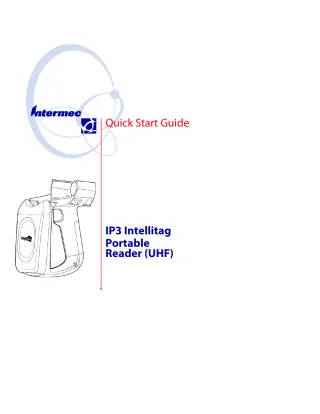
IP3 Intellitag Portable Reader (UHF) Quick Start Guide
Manual12 pagesPDF 305 KB
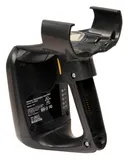
Quick start guide for the Intermec IP3 Intellitag UHF portable RFID reader used with the 700 Color Mobile Computer.
Covers · 1 model
The models it covers
Summary
What is in it
A quick start guide for the Intermec IP3 Intellitag Portable Reader (UHF), an RFID tag reader that holds a 700 Color Mobile Computer and talks to it over IrDA. It lists the package contents, explains loading the reader CAB files, inserting and removing the mobile computer, the five status LEDs, installing, removing and charging the battery, and reading tags, followed by 915 MHz radio, environmental, performance and regulatory specifications and Intermec support contacts.
From the manual · read page by page
Key facts from this manual
Each line names its page in the PDF.
Quick start guide for the Intermec IP3 Intellitag Portable Reader (UHF), a handheld RFID reader that a 700 Color Mobile Computer slides into. It explains loading the software, joining and separating the two units, the battery and LEDs, reading tags, and lists performance, environmental and firmware specifications.
- Device
- IP3UA1104 handheld UHF RFID reader for the 700 Color Mobile Computer, linked by IrDA p. 2, 4
- Frequency
- Frequency hopper, 902-928 MHz p. 8
- Output power
- 1 w maximum (typical 29.5 dBm) p. 8
- Read range and rate
- At least six tags per second up to three feet; read distance 36 inches p. 8, 9
- Tag data exchange
- Reads 8 bytes within 50 mS; verified write averages 75 mS per byte per tag p. 9
- Data rates
- 33 to 40 kbps p. 8
- Battery
- Battery pack p/n 318-014-001, charged in four hours in the IP3U Dual Battery Pack Charger p. 2, 6
- Temperature
- Operating -4°F to +131°F (-20°C to +55°C); non-operating -40°F to +158°F (-40°C to +70°C) p. 8
- Humidity
- Operating 0-95% relative, non-condensing p. 8
- Software
- Reader CAB files from the 700 Series Color Software Tools CD-ROM (p/n 235-099-001) or Intellitag Developer's CD (p/n ITD001) p. 2
- Firmware
- Application Peripheral Interface (API) mode; ANSI NCITS 256.2000 p. 9
- LEDs
- PWR, HOST COMM, RF ON, TAG COMM and BATT p. 5
- Guide part number
- PN 962-054-065C p. 12
What this manual walks you through
- Loading the reader CAB files onto the 700 Color Mobile Computer p. 2
- Sliding the mobile computer into the reader and fitting the retaining screws p. 3, 4
- Removing the 700 Color Mobile Computer from the reader p. 5
- Reading the five status LEDs p. 5
- Installing, removing and charging the battery p. 6
- Reading tags with the trigger p. 7
Good to know
- While the reader is on, keep your body at least 20 cm (8 inches) from the antenna cover. p. 3
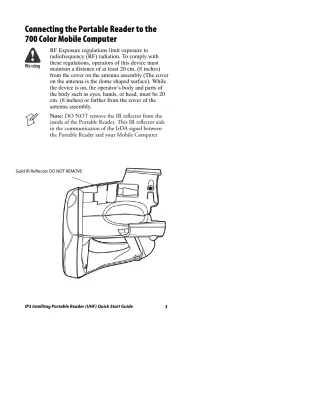
- Do not remove the gold IR reflector inside the reader; it carries the IrDA signal to the mobile computer. p. 3
- Continuous reading can overheat the reader so it stops reading until it cools. p. 8
- Charge the battery for four hours before first use. p. 7
Questions this manual answers
Which mobile computer works with the Intermec IP3 reader?
The 700 Color Mobile Computer. It slides into the reader, is held by two retaining screws, and talks to it through IrDA. p. 2, 4
How do I charge the IP3 battery?
Remove the battery from the handle and place it in the IP3U Dual Battery Pack Charger, which charges it in four hours. p. 6
How far away can the IP3 read RFID tags?
Within three feet for a good first read; the read distance is listed as 36 inches. p. 7, 9
What do the IP3 battery LED colors mean?
Red is low, green is full, and orange is more than 20% but less than 80%. p. 5
What frequency does the IP3 reader use?
It is a frequency hopper in the 902-928 MHz band. p. 8
The whole text · 2 parts
Read the manual here as text
Its text as extracted from the PDF, unedited, in parts; each page opens the PDF at that page.
The file