Manual · Intermec
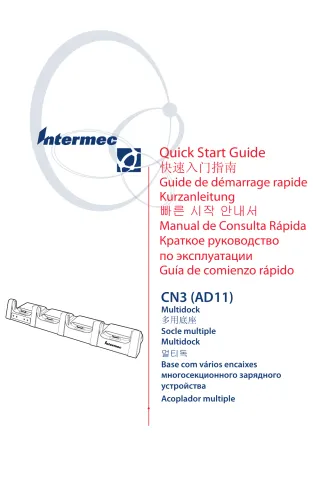
CN3 (AD11) Multidock Quick Start Guide
Manual20 pagesPDF 1.2 MB
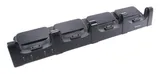
Quick start guide for the Intermec AD11 Multidock, which charges and networks up to four CN3 mobile computers.
Covers · 1 model
The models it covers
Summary
What is in it
A short multilingual quick start guide for the Intermec Multidock, model AD11, a desktop dock that gives Ethernet connectivity to up to four CN3 computers while charging them. It lists what you need to run it, its electrical rating, and what the front and rear panel status LEDs mean, then says where to find more information. The same instructions are repeated in English, Simplified Chinese, French, German, Korean, Portuguese, Russian and Spanish.
Its parts
- Multidock Instructions
- 多用底座说明 (简体中文)
- Instructions pour le socle multiple
- Multidock-Anleitung
- 멀티독 안내서 ( 한국어 )
- Instruções para uso da base com várias encaixes
- Инструкции по эксплуатации многосекционного зарядного устройства
- Instrucciones del acoplador múltiple
From the manual
Key facts from this manual
Each line names its page in the PDF.
Intermec's 2006 multilingual quick start guide (P/N 930-181-001) for the AD11 Multidock, a four-bay Ethernet and charging dock for CN3 mobile computers. It lists what is needed to set it up, its electrical rating, and what the front and rear status lights mean.
- Device
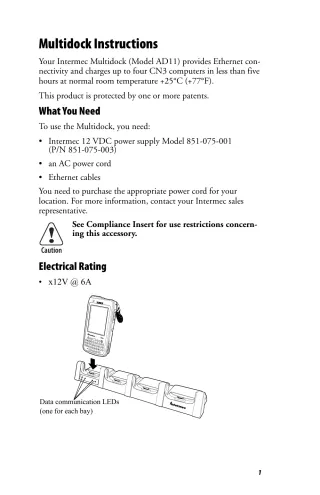
- Multidock for four CN3 computers: Ethernet connectivity and charging p. 3
- Charge time
- Under five hours at normal room temperature, +25°C (+77°F) p. 3
- Power supply
- Intermec 12 VDC power supply Model 851-075-001 (P/N 851-075-003), plus an AC power cord bought for your location p. 3
- Electrical rating
- 12V @ 6A p. 3
- Ports
- Power connector, switch port and uplink port p. 4
- Front LEDs
- One per bay: green = link to the computer; blinking green = data activity p. 3, 4
- Rear LEDs
- Speed LED yellow off = 10 Mbs, on = 100 Mbs; link LED off = no activity, blinking green = link activity p. 4
- Also needed
- Ethernet cables p. 3
What this manual walks you through
- What you need to set up the Multidock p. 3
- Reading the front panel status LEDs p. 4
- Reading the rear panel Ethernet speed and link LEDs p. 4
Good to know
- The AC power cord is not included; buy one suited to your location. p. 3
- The guide points to a separate compliance insert for use restrictions. p. 3
Questions this manual answers
What power supply does the Intermec AD11 CN3 Multidock use?
The Intermec 12 VDC power supply Model 851-075-001 (P/N 851-075-003), with a separate AC power cord. p. 3
How long does the AD11 take to charge a CN3?
Less than five hours at normal room temperature, for up to four CN3 computers. p. 3
What does the yellow light on the back of the CN3 Multidock mean?
Off means a 10 Mbs Ethernet link; on means 100 Mbs. p. 4
Contents
Chapters and sections
Each line opens the PDF at its page.
- Multidock Instructions3
- 多用底座说明(简体中文)5
- Instructions pour le socle multiple7
- Multidock-Anleitung9
- 멀티독 안내서(한국어)11
- Instruções para uso da base com vários encaixes13
- Èíñò²óêöèè ïî Æêñïëóàòàöèè ìíîãîñåêöèîííîãî çà²Øäíîãî óñò²îéñòâà15
9 more lines, from page 16 on
The whole text · 2 parts
Read the manual here as text
Its text as extracted from the PDF, unedited, in parts; each page opens the PDF at that page.
The file