Manual · Intermec
6220 Hand-Held Computer User's Guide
Manual98 pagesPDF 755 KB
User's guide for the Intermec 6220 hand-held computer, with setup, operation, maintenance, troubleshooting and specifications.
Covers · 1 model
The models it covers
Summary
What is in it
The user's guide for the Intermec 6220 hand-held computer. It describes the unit's parts and its 30-key and 56-key keyboards, the PC card slots and reset switch, and gives full specifications. Later sections cover operation (backlight, loading programs from PC cards, booting from ATA cards), routine care such as charging the main battery and replacing the backup battery, troubleshooting, connector pin-outs, and the PEN*KEY Utilities program used to set system parameters.
Its parts
- General Information
- Hand-Held Computer Operation
- Routine Care and Maintenance
- Troubleshooting
- Connector Pin-Outs
- PEN*KEY Utilities Program
From the manual
Key facts from this manual
Each line names its page in the PDF.
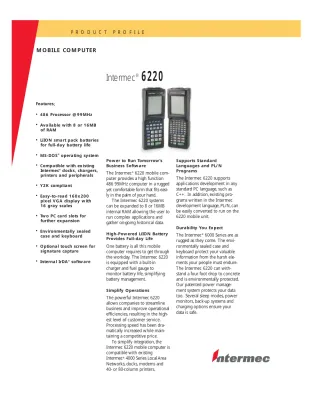
This is the user's guide for the Intermec 6220 Hand-Held Computer, in its 30-key and 56-key keyboard versions. It describes the keys, display, batteries, memory and specifications, and walks through installing and charging batteries, installing PC cards, routine care, troubleshooting, and the connector pin-outs.
- Processor
- AMD Elan SC400, 99 MHz p. 23
- Memory
- 8 or 16 MB DRAM; 2 MB flash ROM holding the BIOS and DOS firmware p. 19
- Display
- VGA compatible LCD with backlight, 160 x 200 pixels portrait; touch screen optional p. 18, 23
- Keyboard
- 30-key or 56-key; the 56-key has the full alphabet p. 12, 16
- Communication
- RS-232 and RS-485; Ethernet and IrDA optional; NPCP, Xmodem and Ymodem protocols p. 22
- Connectors
- 15-pin female connector and optional phone jack on the top end; 12-pin surface contact connector on the bottom p. 11
- 15-pin power pins
- Pin 8 external charge voltage input; pin 15 switched 5.0 volt peripheral power p. 47
- Dock connector
- 12 pins carrying RS-232, RS-485 and Ethernet signals; pin 12 dock charge voltage p. 48
- Main battery
- Rechargeable Li Ion pack; 2.5 hours to charge after a first charge of at least 10 hours p. 30
- Backup battery
- Rechargeable NiCd; saves data about 10 hours when fully charged p. 19
- Charging
- In a multidock, single dock, printer or wall charger p. 30
- PC Card slots
- Two slots, for Type II or Type III cards p. 20, 31
- Size and weight
- 9.5 inches long, 3.25 inches wide, 2.875 inches tall; 30 ounces (850.5 g) p. 22
- Storage temperature
- -30 to +70 C without batteries; -20 to +60 C with batteries p. 22
What this manual walks you through
- Installing the backup battery p. 27
- Measuring main battery capacity with the LEDs on the pack p. 28
- Installing the main battery pack p. 29
- Charging the batteries p. 30
- Turning on the backlight and adjusting brightness and contrast p. 30, 31
- Installing PC cards p. 31
- Resetting the computer p. 21
- Troubleshooting common problems p. 42, 43, 44, 45
- Connector pin-outs for the 15-pin, 12-pin and RJ11 connectors p. 47, 48, 49
Good to know
- Remove the backup battery before storing the computer for longer than a week. p. 27
- Do not use an ink pen or anything sharp on the touch screen. p. 17
- Use the reset switch only after trying other solutions, since it raises the chance of losing data. p. 21
- The unit will not turn off while it is connected to a charging device. p. 44
Questions this manual answers
What processor and memory does the Intermec 6220 have?
An AMD Elan SC400 at 99 MHz, with 8 or 16 MB of DRAM and 2048 KB of flash. p. 23
How long does the 6220 battery take to charge?
Charge for at least 10 hours the first time. After that the main pack charges in 2.5 hours. p. 30
Why won't my 6220 turn on when I press the ON key?
Make sure a main battery is installed and charged, and adjust the contrast. p. 42
My 6220 beeps after a reset but does nothing else. What does that mean?
The guide says the flash may be corrupted, and a Master-Mode Boot card is needed to reflash the computer. p. 45
How long should the 6220 take to boot after a reset?
Normally 10 to 45 seconds. If it takes longer, the guide says to contact customer support. p. 44
The whole text · 10 parts
Read the manual here as text
Its text as extracted from the PDF, unedited, in parts; each page opens the PDF at that page.
The file