Manual · Intermec
6220 Hand-Held Computer Technical Reference
Manual70 pagesPDF 358 KB
Technical reference for developing DOS applications on the Intermec 6220 (PEN*KEY) hand-held computer: hardware, drivers, flash and communications.
Covers · 1 model
The models it covers
Summary
What is in it
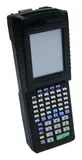
A technical reference for programmers writing applications for the Intermec 6220 hand-held computer, a DOS PC compatible with 30-key or 56-key keyboards. It describes the batteries, connectors, display and optional touch screen, docks, memory, PC Card slots, ports and processor, then covers DOS device drivers and utilities, converting 4000 Series applications to the 6000 Series, flash release contents and reflash methods, and communications with INTERLNK, Norand utilities and TCOM sessions.
Its parts
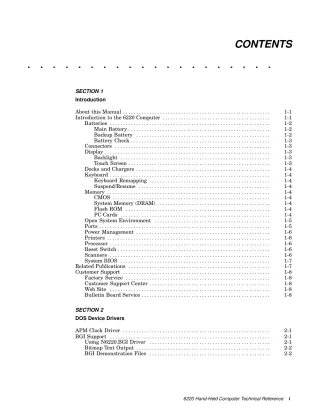
- Introduction
- DOS Device Drivers
- Converting Applications
- System Information
- Communications
From the manual
Key facts from this manual
Each line names its page in the PDF.
This is the technical reference for the Intermec 6220 Hand-Held Computer, written for people developing DOS applications for it. It describes the hardware (batteries, display, memory, ports, processor), the DOS device drivers and utilities, converting 4000 Series applications, reflashing the computer, and the communications protocol error codes.
- Processor
- ÉlanSC400, up to 99 MHz, 8 KB write-back cache p. 12
- Main battery
- 1350 mAH lithium ion smart pack, useful life of 500 charge/discharge cycles p. 8
- Backup battery
- Small NiCd battery; keeps DRAM data about ten hours when fully charged p. 8
- DRAM
- 8 or 16 MB, chosen when ordered p. 10
- Flash
- 2 MB field-programmable, holds BIOS and DOS firmware p. 10
- Display
- Backlit LCD, 160 x 200 pixels, optional touch screen, portrait mode only p. 9
- Keyboard
- 30-key or 56-key p. 10
- Connectors
- 15-pin serial port and RJ-11 4-pin phone jack on the top end; 12-pin surface contact dock connector on the bottom end p. 9
- Ports
- Two serial ports (COM1 and multiplexed COM2) through the dock at CMOS logic levels; infrared port p. 11
- PC Card slots
- Upper and lower slots, Type II or Type III cards p. 11
- Scanner
- Tethered scanner on the 15-pin serial connector, RS-232 p. 12
- Docks and chargers
- Single dock, multidock (up to eight computers), Intermec AC-powered printers, wall charger p. 10
- Printing
- Tethered and IrDA; NPCP printing only with the NPCP printing toolkit p. 12
- Software
- DOS applications; PC compatible BIOS stored in field-programmable flash p. 7, 13
What this manual walks you through
- Checking the main battery charge with the contacts and LEDs on the pack p. 9
- Resetting the computer with the reset switch p. 12
- Inserting a PC Card and booting from a card p. 11
- Reflashing through an application soft-download (6220FL2A non-Ethernet and 6220FL2B Ethernet releases) p. 40, 41
- Reflashing over a serial cable with INTERLNK p. 41
- Looking up NPCP, MININET and NRInet protocol error codes p. 53, 54
- Installing and configuring the DOS device drivers and utilities p. 7
- Converting 4000 Series applications to run on the 6000 Series p. 7
- How automatic suspend and power management work p. 10, 12
Good to know
- The main battery must stay installed at all times except while batteries are being replaced. p. 8
- If the main battery runs down completely or is not put back, the data in DRAM is lost. p. 8
- Do not use a ballpoint pen on the touch screen; it may damage the screen. p. 9
- SRAM cards are not supported for data storage on this computer. p. 11
- Resetting the computer loses any unsaved data. p. 12
Questions this manual answers
What processor does the Intermec 6220 use?
An ÉlanSC400 processor, modeled after the AMD Am486, running at up to 99 MHz with an 8 KB write-back cache. p. 12
What battery does the Intermec 6220 use?
A 1350 mAH lithium ion smart battery pack with a useful life of 500 charge/discharge cycles, plus a small NiCd backup battery that keeps RAM while the main battery is changed. p. 8
How much memory does the 6220 have?
It supports 8 or 16 MB of DRAM, chosen when the unit is ordered, and has 2 MB of flash holding the BIOS and DOS firmware. p. 10
How do I reset an Intermec 6220?
Push a small wire such as a paper clip into the hole at one end of the 15-pin serial connector. Unsaved data is lost. p. 12
How do I check the 6220 battery charge?
Touch a finger across the first two contacts on the bottom of the battery pack. One lit LED means less than 25% capacity and four mean more than 75%. p. 9
The whole text · 7 parts
Read the manual here as text
Its text as extracted from the PDF, unedited, in parts; each page opens the PDF at that page.
The file