Manual · Intermec
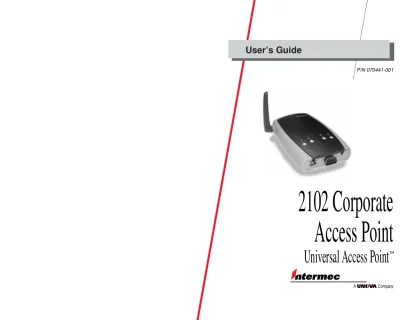
2102 Corporate Access Point User's Guide
Manual15 pagesPDF 103 KB
User's guide for the Intermec 2102 Corporate Access Point (Universal Access Point): network use, configuration, installation and specifications.
Covers · 1 model
The models it covers
Summary
What is in it
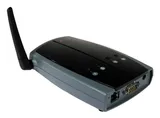
The user's guide for the Intermec 2102 Corporate Access Point, a wireless LAN access point fitted with either an IEEE 802.11b High Rate radio or a 2.4 GHz OpenAir radio. It shows simple and multi-access-point roaming networks, explains the LEDs, antenna positioning and connectors, then walks through serial configuration of network and radio settings, Ethernet connection, mounting and power, remote access by Telnet or web browser, specifications and default settings.
Its parts
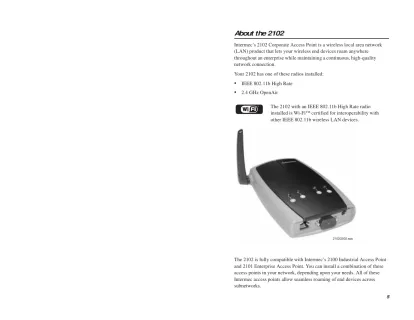
- About the 2102
- Using the 2102 in a Network
- Understanding the 2102
- Configuring the 2102
- Installing the 2102
- Accessing the 2102 Remotely
- 2102 Specifications
- Radio Specifications
- Default Settings
From the manual · read page by page
Key facts from this manual
Each line names its page in the PDF.
The Intermec user's guide (Part No. 070441-001) for the 2102 Corporate Access Point, a wireless LAN access point fitted with either an IEEE 802.11b High Rate or a 2.4 GHz OpenAir radio. It covers the LEDs, antenna and connectors, first configuration over a serial cable, mounting and power, remote access by Telnet or web browser, specifications and the factory default settings.
- Device
- Wireless LAN access point with one radio installed: IEEE 802.11b High Rate or 2.4 GHz OpenAir p. 3
- Ports
- 10BaseT Ethernet port, serial port (up to 115,200 bps) and power port; built-in antenna that rotates 180° p. 6, 11
- Power
- Power supply Part No. 3-304029-01 with AC cord; rated ~100 to 240V, 1.0 to 0.5A, 50 to 60 Hz; no On/Off switch p. 4, 7, 11
- 802.11b radio
- 11, 5.5, 2 or 1 Mbps with automatic fallback; direct sequence spread spectrum; 32 mW (15dBm); range at 11 Mbps 160 m (525 ft) open, 50 m (165 ft) semi-open, 24 m (80 ft) closed p. 12
- OpenAir radio
- 1.6 Mbps per channel, 800 Kbps fallback; frequency hopping; 100 mW (20dBm); 15 virtual channels; up to 150 m (500 ft) indoors, 300 m (1000 ft) outdoors p. 12
- 802.11b channels
- 11 (North America), 13 (Europe), 4 (France), 1 (Japan); 2.4 to 2.5 GHz; default Channel 3, 2422 MHz p. 12, 13
- Size and weight
- 14.66 cm x 9.32 cm x 3.53 cm (5.77 in x 3.67 in x 1.39 in); 232 g (0.51 lb) p. 11
- Temperature
- Operating 0°C to +40°C (+32°F to +104°F); storage -20°C to +70°C (-4°F to +158°F); humidity 10% to 90% non-condensing p. 11
- Network
- 10 Mbps Ethernet, CSMA/CD; filtering 14,880 frames per second; SNMP agent version 1 RFC 1213 p. 11
- Serial setup
- 9600 baud, 8 data bits, no parity, 1 stop bit, no flow control, over RS-232 null-modem cable Part No. 059167 p. 7
- Accessories
- Mounting bracket included; cubicle bracket kit Part No. 070366; power supply holder kit Part No. 069893 p. 4, 10
- Compatibility
- Works with the Intermec 2100 Industrial and 2101 Enterprise access points, with roaming across subnetworks p. 3
- Default addressing
- IP address 0.0.0.0 with DHCP enabled while the address is zero; subnet mask 255.255.255.0 p. 8, 14
- LEDs
- Power, Radio, Wired LAN and Root/error p. 5
What this manual walks you through
- Setting up the PC serial port, cabling and booting the 2102 for configuration p. 7
- Setting the IP address manually or by DHCP p. 8
- Configuring the IEEE 802.11b or 2.4 GHz OpenAir radio and saving the configuration p. 8, 9
- Connecting to Ethernet and mounting on a wall or ceiling p. 9, 10
- Positioning the antenna for desk or wall use p. 6
- Reading the four LEDs p. 5
- Accessing the 2102 remotely by Telnet p. 10, 11
- Accessing the configuration menus with a web browser p. 11
- Factory default settings for each configuration menu p. 12, 13, 14
Good to know
- Use the appropriate Intermec power supply or the equipment may be damaged. p. 4
- The antenna uses a custom connector; do not fit a different antenna. p. 6
- Do not force the antenna past the hard stop at 0° or 180°. p. 6
- Only one session can be active at a time. p. 10
- A web browser session ends after 15 minutes without activity. p. 11
Questions this manual answers
What serial settings do I use to configure an Intermec 2102?
9600 baud, 8 data bits, no parity, 1 stop bit and no flow control, through an RS-232 null-modem cable to the 2102 serial port. p. 7
What power supply comes with the Intermec 2102?
Power supply Part No. 3-304029-01 with an AC power cord; the guide says to use the appropriate Intermec supply. p. 4
Which radios can the 2102 have?
Either an IEEE 802.11b High Rate radio or a 2.4 GHz OpenAir radio; only one is installed. p. 3
How do I reach the 2102 over the network?
By Telnet or a web browser at its IP address; if DHCP assigned the address, get it from the DHCP server. p. 10
How far does the 802.11b version of the 2102 reach?
At 11 Mbps, about 160 m (525 ft) in an open environment, 50 m (165 ft) semi-open and 24 m (80 ft) closed. p. 12
Contents
Chapters and sections
Each line opens the PDF at its page.
- About the 21023
- Using the 2102 in a Network4
- Understanding the 21025
- Configuring the 21027
- Installing the 21029
- Accessing the 2102 Remotely10
- 2102 Specifications11
- Radio Specifications12
- Default Settings12
- Quick Start Menu Defaults12
- Ethernet Port Configuration Menu Defaults12
- 2.4 GHz OpenAir Port Configuration Menu Defaults12
- IEEE 802.11b High Rate Port Configuration Menu Defaults13
- INCA/IP Port Configuration Menu Defaults13
- Network Configuration Menu Defaults14
- Bridge Configuration Menu Defaults14
- Maintenance Menu Defaults14
The whole text · 2 parts
Read the manual here as text
Its text as extracted from the PDF, unedited, in parts; each page opens the PDF at that page.
The file