Manual · Intermec
MobileLAN voice System User's Guide
Manual102 pagesPDF 793 KB
User's guide for the Intermec MobileLAN voice wireless telephone system and its 4-port and 16-port telephony gateways.
Covers · 1 model
The models it covers
Summary
What is in it
The user's guide for the Intermec MobileLAN voice system, which links wireless telephones to an existing telephone system through telephony gateways and access points. It describes the system architecture and the 4-port and 16-port gateways, site preparation and installation (demarcation blocks, telephone lines, LAN and power), configuration through the administration console including wireless telephone setup and site survey mode, and maintenance, software upgrades and troubleshooting. An appendix gives specifications and planning worksheets.
Its parts
- Before You Begin
- Learning About the MobileLAN voice System
- Installing the MobileLAN voice System
- Configuring the MobileLAN voice System
- Maintaining and Troubleshooting the MobileLAN voice System
From the manual
Key facts from this manual
Each line names its page in the PDF.
User's guide (P/N 071873-001, 2001) for the Intermec MobileLAN voice System, a Voice-over-IP wireless telephone system for 802.11b networks. It covers the MobileLAN voice 2 wireless telephones and the 4-port and 16-port telephony gateways; part number 071505 is the 16-port digital (2-wire) gateway. It explains site preparation, gateway installation and wiring, configuration and troubleshooting.
- Device
- 071505: the Intermec part number listed for the 16-port digital (2-wire) MobileLAN voice telephony gateway interface p. 27
- Capacity
- 16-port: up to 16 wireless telephones per gateway; up to four gateways linked for 64 telephones p. 15
- Telephone switch connection
- 16-port: RJ-21, 25 pair connector (use Connector A only); 4-port: RJ-11, 6 position p. 20, 27, 97
- LAN connection
- RJ-45, 10Base-T Ethernet; a 10 Mbps switching Ethernet connection per gateway p. 25, 97
- Administration
- Serial port (male DB-9, DTE), Telnet or external modem p. 17, 97
- Electrical rating
- 120-240 VAC; 50-60 Hz, through an Intermec AC adapter p. 24, 97
- Power supplies
- Intermec AC adapters QPS100A to QPS100D and TPS100A to TPS100D, for North America, Continental Europe, U.K. and Switzerland p. 24
- Serial cable
- DB-9 female null-modem cable, Part No. MCI100; 9600 baud, 8 data bits, no parity, 1 stop bit p. 42
- Radio system
- 2.400-2.483 GHz direct sequence spread spectrum, compatible with IEEE 802.11b p. 13
- Protocols
- H.323 and SpectraLink proprietary client protocols; static IP addressing for gateways p. 97
- Access points
- Up to seven Intermec 21XX universal access points per gateway, each handling up to seven calls p. 15
- Operating temperature
- 0°C to 40°C (32°F to 104°F); 0 to 80% humidity non-condensing p. 97
- Mounting
- 16-port: on a wall with backboard mounting space, #8x3/4" screws; 4-port: on a shelf or table p. 25, 31
- Cable distances
- Up to 76.2 m (250 ft) from the telephone switch for a digital interface; 106.4 m (349 ft) from the Ethernet hub p. 25
What this manual walks you through
- How the system, gateways, telephones and access points fit together p. 13, 14, 15, 16
- Front and back panel connectors and LEDs of both gateways p. 17, 18, 19, 20
- Site preparation, equipment and LAN requirements p. 23, 24, 25
- Preparing demarcation blocks and assigning telephone ports p. 26, 27, 28
- Mounting the 16-port gateway horizontally or vertically p. 31
- First-time configuration over the serial port p. 42
- Troubleshooting with the System Status menu p. 73
Good to know
- All gateways except the 16-port analog one are only for the isolated side of an on-premise PBX or key system. p. 26
- If the telephone wiring leaves the building, the telephone system manual should be consulted for lightning and overcurrent protection. p. 26
- All gateways in one system must connect to the same switching hub, and the gateway and access points must be on the same IP subnet. p. 16, 25
- The wireless telephones are for use on the premises; they are not cellular or satellite phones. p. 15
- When stacking 16-port gateways, leave no more than 1.28 cm (0.5 in) between them or the ESD bonding strap will not fit. p. 31
Questions this manual answers
What is Intermec part number 071505?
In this guide's demarcation block table, 071505 is the 16-port digital (2-wire) MobileLAN voice telephony gateway interface type. p. 27
How many wireless phones does a 16-port MobileLAN voice gateway support?
Up to 16 telephones each, and up to four gateways can be linked for a maximum of 64 telephones. p. 15
What cable connects a PC to the MobileLAN voice gateway serial port?
A DB-9 female null-modem cable, Part No. MCI100, set to 9600 baud, 8 data bits, no parity, 1 stop bit and no flow control. p. 42
How far can a MobileLAN voice gateway be from the phone switch?
Up to 76.2 m (250 ft) from the host telephone switch for a digital interface, and up to 106.4 m (349 ft) from the switching Ethernet hub. p. 25
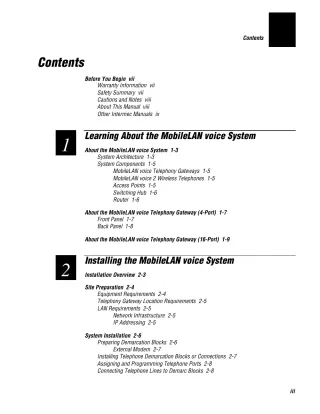
Contents
Chapters and sections
Each line opens the PDF at its page.
- Before You Begin7
- Chapter 1 - Learning About the MobileLAN voice System11
- Chapter 2 - Installing the MobileLAN voice System21
- Chapter 3- Configuring the MobileLAN voice System37
- System Configuration Overview39
- Using the Administration Console40
- Configuring the Telephony Gateway (First Time)42
- Configuring the Telephony Gateway45
- Associating the Wireless Telephone Lines51
- Programming Wireless Telephone Features53
- Programming the Wireless Telephone Menu56
- Configuring the Wireless Telephone58
- Using Site Survey Mode63
- Chapter 4 - Maintaining and Troubleshooting the MobileLAN voice System65
- Appendix A - Specifications and Worksheets95
The whole text · 12 parts
Read the manual here as text
Its text as extracted from the PDF, unedited, in parts; each page opens the PDF at that page.
- Pages 1 to 61-6
- Before You Begin7-10
- Chapter 1 - Learning About the MobileLAN voice System11-20
- Chapter 2 - Installing the MobileLAN voice System, pages 21 to 2821-28
- Chapter 2 - Installing the MobileLAN voice System, pages 29 to 3629-36
- Chapter 3- Configuring the MobileLAN voice System, pages 37 to 4637-46
- Chapter 3- Configuring the MobileLAN voice System, pages 47 to 5647-56
- Chapter 3- Configuring the MobileLAN voice System, pages 57 to 6457-64
- Chapter 4 - Maintaining and Troubleshooting the MobileLAN voice System, pages 65 to 7465-74
- Chapter 4 - Maintaining and Troubleshooting the MobileLAN voice System, pages 75 to 8475-84
- Chapter 4 - Maintaining and Troubleshooting the MobileLAN voice System, pages 85 to 9485-94
- Appendix A - Specifications and Worksheets95-102
The file