Spec sheet · Interlink
The Worldwide eSignature Standard: Hardware, Software, & Solution Services
Spec sheet11 pagesPDF 2.0 MB
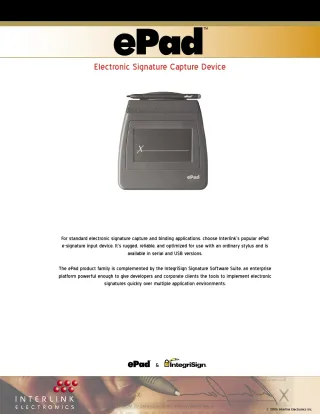
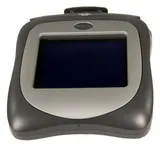
Interlink Electronics brochure for the ePad family of electronic signature capture pads and the IntegriSign signature software.
Filed with · 4 models
Also filed with these models on the old site
Summary
What is in it
Interlink Electronics brochure on electronic signatures. It explains cost, time and security reasons for signing electronically, the laws behind them (ESIGN, UETA, HIPAA, the Patriot Act and GPEA), and gives specification tables for the ePad signature pads, including LCD, fingerprint and OEM models, with touchpad type, report rate, resolution, interfaces, dimensions, power and system requirements. It also describes the IntegriSign Signature Software Suite, plug-ins and SDKs, uses in banking, insurance and medical settings, and warranty and support.
From the sheet
Key facts from this sheet
Each line names its page in the PDF.
Interlink Electronics' 2005 brochure on its ePad electronic signature pads, the IntegriSign Signature Software Suite and related services. By name it mentions the ePad XL, ePad i.d., ePad i.d. Pro, ePad Ink Pro, ePad OEM and ePad Ink OEM. Its specification tables carry no product names in the text, so per-model specifications are left out here; pages 7 to 11 repeat pages 1 to 6.
- What it covers
- Handwritten electronic signature pads (ePad family) plus software and integration services for capturing and binding signatures into documents p. 2
- Signature encryption
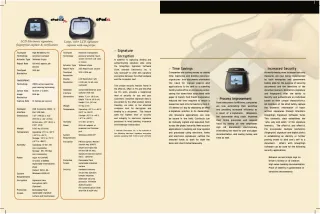
- ePad XL, ePad i.d. Pro and ePad Ink Pro: AES encryption of signature data between the pad and the host computer p. 3
- Biometric models
- ePad-i.d. and ePad-i.d. Pro: fingerprint, signature and digital photo p. 3
- Software plug-ins
- IntegriSign plug-ins for signing in Adobe Acrobat, Microsoft Word, Outlook and Excel, with no special programming p. 5
- Developer kits
- IntegriSign SDKs with ActiveX or Java components; development in VB, VC++ and browser based applications p. 5
- Operating system
- Windows 2000 or XP in the spec tables p. 5
- ePad OEM
- VersaPad signature capture for building into laptops, keyboards, kiosks or custom devices; includes serial or USB cable and tethered stylus p. 5
- ePad Ink OEM
- ePad-ink signature technology with bi-directional capability for custom devices and kiosks; includes USB cable and tethered stylus p. 5
- Optional power supply
- P/N 10-32767, listed for the USB signature and fingerprint pad when added USB devices draw over 100mA p. 4
- Signature sources
- IntegriSign accepts signatures from the ePad family, Tablet PCs, Pocket PC, signature stamps and click-thru p. 5
- Introduced
- The ePad was introduced in 1999 p. 4
What this sheet walks you through
- How AES signature encryption protects data on the way to the host p. 3
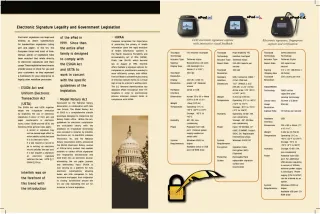
- Laws behind electronic signatures: ESIGN, UETA, Model Notary Act, HIPAA, Patriot Act and GPEA p. 4, 5
- IntegriSign software: plug-ins, SDKs, signer authentication p. 5
- Building signature capture into custom devices with the OEM modules p. 5
- IntegriSign Desktop and Pro feature comparison p. 6
- Uses in banking, insurance, auto finance, medical forms and electronic notarization p. 6
Good to know
- For the LCD pad with interactive visual feedback, USB units take power from the port but serial units need an external power supply. p. 4
- IntegriSign encrypts biometric data; document encryption is optional. p. 5
Questions this sheet answers
Does the ePad XL encrypt signatures?
Yes. The brochure lists AES signature encryption between the pad and the host computer as a feature of the ePad XL, ePad i.d. Pro and ePad Ink Pro. p. 3
What software works with the Interlink ePad?
The IntegriSign Signature Software Suite, with plug-ins for Adobe Acrobat and Microsoft Word, Excel and Outlook, and SDKs for custom programs. p. 5
Are ePad electronic signatures legally binding?
The brochure states the ePad family is designed to comply with the ESIGN Act and UETA, under which an electronic signature satisfies a law that requires a signature. p. 4
Which ePad captures fingerprints?
The brochure names the ePad-i.d. and ePad-i.d. Pro as combining fingerprint, signature and digital photo. p. 3
When did Interlink introduce the ePad?
In 1999. p. 4
Contents
Chapters and sections
Each line opens the PDF at its page.
The whole text · 2 parts
Read the sheet here as text
Its text as extracted from the PDF, unedited, in parts; each page opens the PDF at that page.
The file