Manual · Ingenico
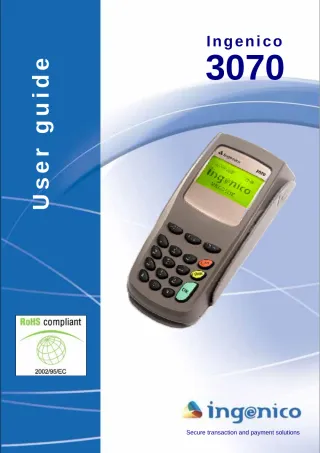
Ingenico 3070 User Guide
Manual20 pagesPDF 379 KB
User guide for the Ingenico 3070 compact PIN pad: features, card reading, SIM slots, connections, power and pinouts.
Covers · 1 model
The models it covers
Summary
What is in it
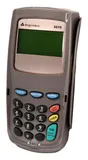
A short user guide for the Ingenico 3070, a compact PIN pad that accepts magnetic stripe and smart card payments and works hand-held or on a counter. It presents the terminal and its keys, explains reading magnetic and chip cards, installing SIM cards, care and maintenance, where to place the terminal, its operating conditions, connecting by Ethernet, USB or RS232 through one RJ45 socket, power requirements and connector pinouts, followed by recommendations.
Its parts
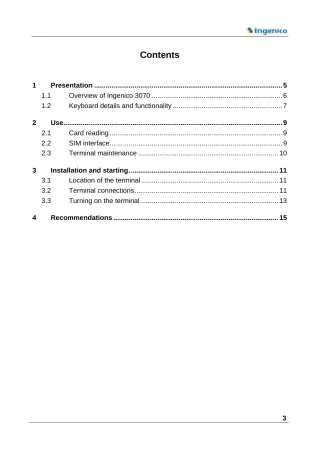
- Presentation
- Use
- Installation and starting
- Recommendations
From the manual · read page by page
Key facts from this manual
Some pages are scans or cannot be read; this says only what the readable text supports. Each line names its page in the PDF.
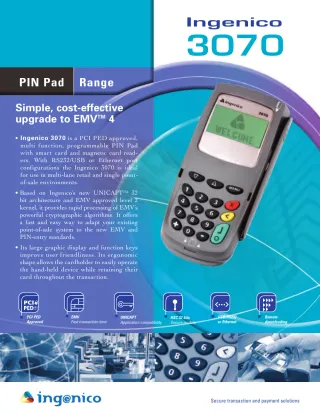
User guide for the Ingenico 3070, a compact PIN pad for magnetic stripe and smart card payments that can be used handheld or on a counter. It explains the keypad, card reading, fitting SIM cards, the connections and power needs, start-up, care of the terminal, and the checks an installer should make.
- Device
- Compact PIN pad for magnetic stripe and smart card payments, handheld or countertop p. 5
- Interfaces
- RS232; USB and Ethernet as options p. 5
- Connector
- One male RJ45-8 socket on the rear for RS232, USB, Ethernet and the Power Over Ethernet option (with an external box) p. 11
- Power
- Drawn from the host device; RS232 or self-powered USB 7 to 9VDC / 0.4A; USB bus powered 5VDC / 0.4A; Ethernet 5VDC / 0.45A p. 12
- Display
- Graphic LCD with backlight, 128 x 64 p. 5
- Keypad
- 18 keys (15 + 3 programmable function keys); red cancels, yellow clears the last character, green validates p. 5, 7
- Card readers
- Magnetic stripe reader and smart card reader; up to 3 internal SIM connectors p. 5, 9
- Serial speed
- Maximum port baud rate 115.200 p. 12
- Size and weight
- H: 35mm x W: 80mm x D: 146mm; 200 g without cable p. 6
- Environment
- Operating +0 to +40°C; humidity 5% to 90% RH non condensing; storage 0°C to +60°C p. 11
- Connection options
- Store LAN by Ethernet; cash register by USB or RS232; another terminal by RS232 or USB p. 11
- Box contents
- Terminal, connection cable, manual, optional removable privacy shroud p. 5
What this manual walks you through
- Reading magnetic stripe and chip cards p. 9
- Fitting a SIM card in the internal connectors p. 9
- Cleaning and caring for the terminal p. 10
- Placing the terminal and choosing a connection p. 11, 12
- Turning on the terminal and its self test p. 13
- Checking the PIN pad and its location before installing and daily p. 15
- Handling and disposing of lithium batteries p. 16
Good to know
- The terminal must be off while a SIM card is inserted or removed. p. 9
- Turn off both machines before connecting or disconnecting the cable, the terminal first and the PIN pad after. p. 13
- Pressing a key during the start-up self test can cause a keypad fault to be detected. p. 13
- There is no power switch, so the power supply plug must be easy to reach. p. 15
- Only authorized technical personnel should open the terminal. p. 10
Questions this manual answers
What power does the Ingenico 3070 need?
It is powered by its host: 7 to 9VDC / 0.4A over RS232 or self-powered USB, 5VDC / 0.4A bus-powered USB, 5VDC / 0.45A on Ethernet. p. 12
How does the Ingenico 3070 connect to a cash register?
By USB or RS232, through the RJ45-8 socket on the rear; it can also join a store LAN by Ethernet. p. 11
How many SIM cards does the Ingenico 3070 hold?
Up to 3, in internal connectors under the protection cover. p. 9
How big is the Ingenico 3070?
H: 35mm x W: 80mm x D: 146mm, and it weighs 200 g without the cable. p. 6
The whole text · 2 parts
Read the manual here as text
Its text as extracted from the PDF, unedited, in parts; each page opens the PDF at that page.
The file