Manual · iFoundry
IFSYS-8001 IrDA PC Adapter User Guide
Manual48 pagesPDF 874 KB
User guide for the iFoundry IFSYS-8001 IrDA infrared PC adapter for the serial port: features, Windows driver setup and specifications.
Filed with · 1 model
Also filed with these models on the old site
Summary
What is in it
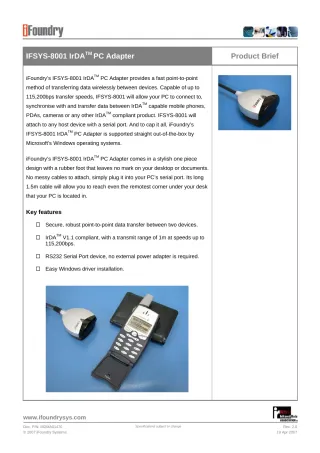
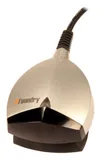
iFoundry's user guide for the IFSYS-8001, an IrDA infrared adapter that connects to a PC serial port for wireless links with PDAs, laptops, cellphones and cameras. It lists features, uses, system requirements and package contents, then gives step-by-step driver installation for Windows 98/98SE and ME, Windows 2000 and Windows XP, followed by specifications, support, the FCC statement and the limited warranty.
Its parts
- Product Overview
- Installing the Driver
- Specifications
- Support
- FCC Statement
- Limited Warranty Statement
From the manual · read page by page
Key facts from this manual
Each line names its page in the PDF.
The user guide (revision 1.04) for the iFoundry IFSYS-8001 IrDA SIR PC Adapter, an infrared link that plugs into a PC serial port. It walks through installing the Windows driver on Windows 98, ME, 2000 and XP and lists the adapter's specifications.
- Device
- IrDA infrared adapter that connects to a PC serial port; LED flashes during transfers; up to 115Kbps p. 3
- Uses
- Sync a Palm PDA or Pocket PC, link a laptop and desktop, connect an IrDA cellphone, transfer photos from an IrDA camera p. 3
- Requirements
- Windows 98/98SE, Windows ME, Windows 2000 family or Windows XP family; a free serial port p. 4
- Driver
- Built into Windows; installed as the ESI-9680 JetEye PC (Windows 98, ME) or from Extended Systems (Windows 2000, XP) p. 5, 17, 28, 38
- Dimensions
- 48.8mm W x 62.2mm L x 33.7mm H, excluding cable p. 43
- Cable and weight
- 1.5m cable; 110 gms (approximately) p. 43
- Temperature
- Operating 0°C to +40°C; storage -20°C to +70°C p. 43
- Humidity
- Operating 10% to 80% RH; storage 5% to 91% RH p. 43
- Compliance
- The manual states compliance with FCC Part 15 Class B limits p. 45
What this manual walks you through
- Installing the driver on Windows 98 and Windows ME p. 7, 12, 14, 17, 18, 20, 21
- Installing the driver on Windows 2000 p. 22, 23, 27, 28, 30, 31, 32
- Installing the driver on Windows XP p. 33, 34, 36, 37, 38, 40, 41, 42
- Choosing the COM port the adapter is plugged into p. 5, 18
- Specifications and environmental limits p. 43
Good to know
- Some uses may need extra software from the other device's manufacturer. p. 4
- Windows may ask for its CD-ROM to install extra system files. p. 5
- Reboot after installing the driver even if Windows does not ask. p. 20
- Attach the adapter after Windows has shut down and before the PC restarts. p. 21
Questions this manual answers
Do I need a driver CD for the IFSYS-8001 IrDA adapter?
No, Windows has built-in drivers for it; the Windows CD may be needed for extra system files. p. 5
Which infrared device do I pick when installing the IFSYS-8001 on Windows XP?
Select Infrared devices, then Extended Systems as the manufacturer. p. 37, 38
Which adapter do I select on Windows 98 or ME?
Choose Generic Infrared Serial Port or dongle, then ESI-9680 JetEye PC. p. 16, 17
Which Windows versions does the IFSYS-8001 work with?
Windows 98/98SE, Windows ME, the Windows 2000 family and the Windows XP family. p. 4
How fast is the IFSYS-8001 infrared link?
Up to 115Kbps. p. 3
The whole text · 5 parts
Read the manual here as text
Its text as extracted from the PDF, unedited, in parts; each page opens the PDF at that page.
The file