Spec sheet · Hypercom
Hypercom Optimum L4150 Frequently Asked Questions
Spec sheet2 pagesPDF 134 KB
Both pages are below, each with its text.
Covers · 1 model
The models it covers
From the sheet · read page by page
Key facts from this sheet
Some pages are scans or cannot be read; this says only what the readable text supports. Each line names its page in the PDF.
A two-page Hypercom question-and-answer sheet (2007) on the Optimum L4150 multi-lane payment terminal, with some comparisons to the L4100. It answers questions on ports, the display, size, software, accessories and setup.
- Device
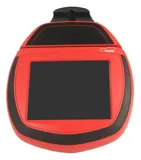
- Hypercom Optimum L4150 multi-lane payment terminal; no physical keypad p. 1
- Ports
- RS232 and Powered USB standard; Ethernet and USB Host optional p. 2
- Display
- 320 x 240, 65,536 (16-bit) colors; 4.53 in (115 mm) wide x 3.39 in (86 mm) tall p. 1
- Size and weight
- 21.5 cm (8.4 in) wide x 15.3 cm (6.0 in) long x 5.1 cm (2.0 in) deep; 0.86 kg (1.9 lb) p. 1
- FPE communications
- RS232, USB and Ethernet at 1200, 9600, 19200, 38400, 57600 or 115200 baud p. 1
- FPE modes
- Native FPE, SCAT (for MTX-EPS), IBM-EFT, and POS-Portal Emulation (Symbol/Motorola) p. 1
- USB to a PC
- Cable 810371-001 (PUSB to USB w/Locking DC jack) with power supply 870066-002 and power cord 810003-007 p. 2
- ADA PIN pad
- Hypercom P1310 PIN pad, powered from the L4150 supply or through the RS232 port with the jumper set to Power Out p. 1, 2
- Other software
- Minimums besides FPE32: FPE Interface DLL v1.7.23, FPELoader v1.15, FormBuilder v5.0.0 p. 1
- Screen brightness
- 75% (normal) or 100% (full) p. 2
- Emissions
- The sheet states the Optimum L terminals are certified to CISPR22 class A p. 1
- Part numbers
- The same L4150 part numbers serve the U.S. and Canada p. 2
What this sheet walks you through
- Setting the RS232 power jumper to take power in or to power a P1310 PIN pad p. 2
- Connecting the Powered USB port to a standard USB port on a PC or POS terminal p. 2
- Loading screens into the terminal p. 2
- Meeting ADA needs with an add-on PIN pad p. 1
Good to know
- The L4150 is not designed for outdoor use; temperature and humidity limits must be respected. p. 2
- SSL needs the Ethernet manufacturing option, the high memory configuration and a unique FPE32 version. p. 2
- The buzzer volume cannot be adjusted. p. 2
- The hardware supports video, but the OS and FPE32 would need a future release to use it. p. 2
Questions this sheet answers
What ports does the Hypercom L4150 have?
RS232 and Powered USB come standard; an Ethernet port and USB Host are optional. p. 2
How do I connect an L4150 to a PC USB port?
Use Hypercom cable 810371-001 (PUSB to USB with locking DC jack), plus power supply 870066-002 and power cord 810003-007 to power the terminal. p. 2
What is the screen resolution of the L4150?
320 x 240 pixels with 65,536 colors, on a display 4.53 in wide and 3.39 in tall. p. 1
Can a P1310 PIN pad be powered by the L4150?
Yes. It can share the L4150 power supply, or take power from the L4150 RS232 port when the jumper is in the Power Out position. p. 1, 2
Can the L4150 be used outdoors?
It is not designed as an outdoor product; temperature and humidity limits must be kept. p. 2
The file
Size and text
Every page · 2
Read it here
Each page as it is printed, and its words beside it, so a phone can search and copy them.
Page1of 2
Open in the PDF
The text of page 1, read from a scan by OCR; it may hold reading errors
Optimum L4150
- Q: A
- z- 2 FA
2
WHAT ARE THE DIFFERENT FPE OPERATING MODES? Native FPE mode (FPE), SCAT mode (for MTX-EPS), IBM-EFT mode, and POS-Portal Emulation mode (Symbol/Motorola).
WHAT ARE THE VALID FPE COMMUNICATION TYPES? RS232, USB, and Ethernet.
AT WHAT COMMUNICATION SPEEDS (BAUD RATES) DOES FPE OPERATE?
FPE operates at the following speeds: 1200, 9600, 19200, 38400, 57600, and 115200.
HOW MANY KEYS DO THE OPTIMUM TERMINALS SUPPORT?
A: Hypercom Optimum terminals simultaneously support 15
Master/Session and 15 DUKPT keys. Using the Hypercom Key Injection and Management system (called HKLM) retailers can deploy PIN Pads injected with multiple keys to switch host(s) in the future by means of a simple configuration change within FPE.
The default key index for DUKPT is 12.
ARE THE OPTIMUM L TERMINALS CISPR CERTIFIED?
The Optimum L terminals are certified to CISPR22 class A stan-dards. Class A certified products are certified for operation a minimum of 10 meters away from a source of radiated emis-sions (such as a TV or radio). Class B products are certified for operation within 10 meters of a radiating emission source. We use an outside lab, Communication Certification Lab (CCL) in Salt Lake City, Utah, for this testing.
WHAT ARE THE MINIMUM SOFTWARE REQUIRE-
MENTS REQUIRED FOR THE L4150?
FPE32 v4.P.020 is the minimum version of FPE32 required for the L4150. Other minimum software requirements include: FPE Interface DLL v1.7.23, FPELoader v1.15, and FormBuilder v5.0.0.
: HOW MANY COLORS CAN THE L4100 AND L4150
DISPLAY?
Both products are capable of displaying 65,536 (64K) colors. This is also referred to as 16-bit color. The displays used on the L4100 and L4150 are capable of 18-bit color, or roughly 256K colors. The LCD controller only supports 16-bit color. This is also
MULTI-LANE
> OptimuML 4. HAY
true of the Verifone Mx800 product line. The Ingenico U-32 operating system only supports 256 colors.
: WHAT IS 16-BIT COLOR?
: 16-bit color uses 5 bits to represent red, 5 bits to represent
blue, but (since the human eye is more sensitive to the color green) uses 6 bits to represent 64 levels of green. These can therefore be combined to give 65,536 (32 64 32) mixed colors.
: WHAT IS THE DISPLAY RESOLUTION OF THE L4100
AND L4150?
: Both products have 320 (horizontal) x 240 (vertical) resolution,
which is commonly referred to as VGA. Full VGA is 640 x 320 resolution.
: WHAT IS THE SIZE AND WEIGHT OF THE L4150
TERMINAL?
: The L4150 weighs 0.86 kg (1.9 Ibs) and has the following
- dimensions
- > Depth: 5.1 cm (2.0 inches) > Width: 21.5 cm (8.4 inches) > Length: 15.3 cm (6.0 inches)
: WHAT IS THE PHYSICAL SIZE OF THE L4150 DISPLAY? : The L4150 display is 4.53” (115mm) wide (X-axis) and 3.39”
(86mm) tall (Y-axis).
> HOW ARE THE ADA (AMERICANS WITH DISABILITIES
ACT) REQUIREMENTS ADDRESSED IN THE L4150?
- The L4150 terminal does not include a physical keypad, which is
an ADA requirement. However, a PCl-compliant ADA PIN Pad, the Hypercom P1310, can be interfaced to the L4150 terminal.
> CAN THE P1310 (ADA SOLUTION) PIN-PAD BE
POWERED BY THE L4150 OR IS AN EXTERNAL AND SEPARATE POWER SUPPLY REQUIRED?
: The P1310 can be powered via the same power supply that
powers the L4150 terminal. The cables that are required to do this vary based upon the POS connectivity employed.
Altematively, there are versions of the P1310 PIN Pad that can be pow-ered via a dedicated power supply, which is also an available option.
- World Headquarters
- HYPERCOM »
Hypercom Corporation: 2851 West Kathleen Road | Phoenix, Arizona 85053, USA. Tel: +1.602.504.5000 | Fax: +1.602.504.4655
© 2007 Hypercom Corporation, Optimum and Design, all rights reserved. Hypercom is a regi of Hyp Corporati
In. The Hypercom logo is a trademark of Hypercom Corporation.
NORTH AMERICA | CENTRAL AMERICA | LATIN AMERICA | ASIA/PACIFIC RIM |
EUROPE | MIDDLE EAST | AFRICA
Page2of 2
Open in the PDF
The text of page 2, read from a scan by OCR; it may hold reading errors
MULTI-LANE
Optimum L4250 =. Optimum 45, / hh
Q: WHAT IS THE SMALL THREE PIN JUMPER ON THE Q: WHAT COM PORTS ARE STANDARD ON THE L4150? L4150 THAT IS LOCATED IN BETWEEN THE PUSB A: The RS232 and Powered USB ports are standard on the L4150.
AND RS232 PORTS ON THE L4150?
This jumper is used to control the direction of power, in or out, on the RS232 port. When the jumper is set to the XXX ("Power In”) position, which is the default, input power can be provided through the RS232 cable and connector. When this jumper is set to the YYY (“Power Out”) position, the P1310 PIN-Pad can be powered directly via the L4150’s RS232 port.
> ARE THERE SEPARATE PART NUMBERS FOR U.S.
AND CANADIAN TERMINALS?
No, unlike L4100 and L4105 part numbers, separate part num-bers are not required for the L4150.
CAN A POWERED USB PORT (PUSB) ON THE L4150 SUPPORT A CONNECTION TO A STANDARD USB PORT ON A PC / POS TERMINAL?
Yes, via Hypercom cable 810371-001, PUSB to USB w/Locking DC jack. A power supply (870066-002) and power cord (810003-007) is required to power the payment terminal in this configuration.
CAN I ADJUST THE VOLUME OF THE BUZZER?
No, the volume is non-adjustable.
: DOES THE SHAPE OF THE L4150 CHANGE DEPEND-
ING ON WHETHER OR NOT IT HAS A SMART CARD READER OR RFID?
No, unlike the shape of the L4100 that changed depending on whether or not RFID was present, the shape of the L4150 remains unchanged whether or not the unit has a Smart Card Reader or RFID. The dome label changes depending on whether or not a Smart Card Reader or RFID is present, but the shape of the L4150 does not change.
An Ethernet port and USB Host (for future use with certain peripheral USB devices) are optional.
> CAN THE L4150 SUPPORT SSL FOR DOING FINAN-
CIAL TRANSACTIONS OVER THE INTERNET?
: Yes, the L4150 can support SSL but an Ethernet port, a manu-
facturing option, must be purchased along with the optional high memory configuration (F16M D32M $1024K) and a unique FPE32 version.
> CAN THE L4150 SUPPORT VIDEO?
: L4150 architecture supports video, but support for video would
need to be added to the platform (OS and FPE32) in a future release.
- IS SCREEN BRIGHTNESS ADJUSTABLE ON THE
L4150?
: Yes, you can select from 75% (normal intensity) and 100% (full
intensity) screen settings.
> CAN THE L4150 BE OPERATED OUTDOORS?
- The L4150 is not an outdoor product design. However, there is
a high probability that the product will be used in Garden Center environments. That being noted, it is important to recog-nize that environmental tolerances such as temperature and humidity must be accommodated.
: HOW ARE SCREENS LOADED?
: Completed forms are compiled into a packing list and then
downloaded into a terminal using Hypercom Terminal Management Services (HTMS), FPELoader, or FPE-Sim or Java FPE-Sim.
- World Headquarters
- HYPERCOM »
Hypercom Corporation: 2851 West Kathleen Road | Phoenix, Arizona 85053, USA. Tel: +1.602.504.5000 | Fax: +1.602.504.4655
© 2007 Hypercom Corporation, Optimum and Design, all rights reserved. Hypercom is a regi of Hyp Corporati
In. The Hypercom logo is a trademark of Hypercom Corporation.
NORTH AMERICA | CENTRAL AMERICA | LATIN AMERICA | ASIA/PACIFIC RIM
| EUROPE | MIDDLE EAST | AFRICA