Manual · Honeywell
Dolphin 6000 with Windows Mobile 6.5 User's Guide
Manual104 pagesPDF 7.2 MB
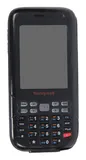
User's guide for the Honeywell Dolphin 6000 mobile computer with Windows Mobile 6.5: hardware, scanning, camera, radios and HomeBase.
Covers · 1 model
The models it covers
Summary
What is in it
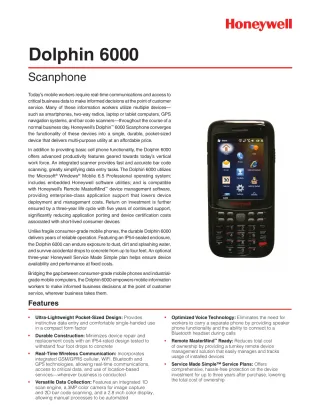
Honeywell user's guide for the Dolphin 6000 terminal running Windows Mobile 6.5 Professional. It covers agency information, getting started, the standard configuration and accessories, the hardware views, memory and SIM cards, batteries, the scan engine, the camera, the 29-key numeric keypad, system settings, communication and ActiveSync, the GSM/GPRS/EDGE, Bluetooth and GPS radios, the Dolphin 6000 HomeBase and customer support.
Its parts
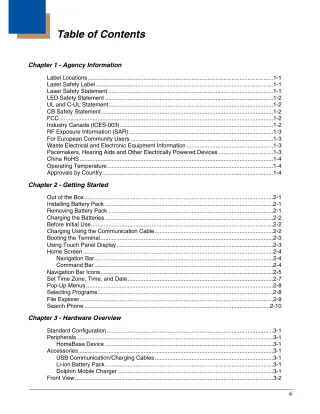
- Agency Information
- Getting Started
- Hardware Overview
- Using the Scan Image Engine
- Using the Camera
- Using the Keypad
- System Settings
- Communication
- Working with GSM/GPRS/EDGE
- Working with Bluetooth Radio
- Working with GPS
- Dolphin 6000 HomeBase
- Customer Support
From the manual
Key facts from this manual
Each line names its page in the PDF.
User's guide for the Honeywell Dolphin 6000 mobile computer running Windows Mobile 6.5. It covers setup, the battery and charging, the hardware and I/O connector, scanning bar codes, and the Dolphin 6000 HomeBase charging and communication cradle.
- Device
- Mobile computer with Windows Mobile 6.5 Professional and a 29-key numeric keypad p. 23
- Processor and memory
- MTK MT6516 ARM9 416MHz; 256MB SDRAM, 512MB Flash p. 23
- Display
- 2.8 inch color LCD touch panel, 240 X 320 (QVGA) p. 24
- Scan engine
- Honeywell IS4813, 54-degree field of view; reads linear and stacked linear (PDF417) bar codes p. 26, 35
- Depth of field
- 13.0 mil (.33 mm) 1D bar codes: 50 mm (2.00") to 254 mm (10.00") from the engine face p. 35
- Wireless
- 802.11b/g, Bluetooth, GSM/GPRS/EDGE and GPS p. 23
- Camera
- 3 megapixel auto focus color camera with flash p. 23, 26
- Battery
- 3.7V, 5.7W hour Li-ion pack; 4 hours to charge fully p. 32
- Battery temperatures
- Operates -10°C to 50°C; charges between 0-40°C; store at -20° to 40°C p. 14, 32
- I/O connector
- 16-pin bottom connector for DC charging, RS232 (up to 115.2 Kbps) and USB p. 31
- Memory card
- MicroSD and MicroSDHC socket under the battery door p. 27
- HomeBase power
- 5V, 2A DC from the Honeywell power supply provided with the HomeBase p. 95
- Mobile Charger
- Optional cable for a 12 Volt DC vehicle outlet; charges the battery in four hours p. 23
What this manual walks you through
- Installing and removing the battery pack p. 13, 14
- Charging the battery with the HomeBase or USB communication cable p. 14
- Installing a microSD or microSDHC memory card p. 28, 29, 30
- Turning the terminal on and off and using suspend mode p. 33
- Scanning a bar code with the Scan Demo p. 36
- Charging a spare battery in the HomeBase and reading its status LED p. 94, 97
- Connecting the HomeBase to a workstation over USB or RS232 p. 97, 98
Good to know
- The terminal cannot charge from the USB communication cable alone; the AC adapter must be plugged in. p. 32
- The battery charges only between 0 and 40°C; outside that range the unit runs on battery even with external power. p. 14
- Keep the USB communication cable to 125 cm (4.1 ft) or less. p. 23
- ActiveSync works over USB only; the RS232 port is opened as COM3 for general data. p. 98
- Use a stylus with a tip radius of at least 0.8 mm on the touch panel. p. 32
Questions this manual answers
What battery does the Dolphin 6000 use?
A 3.7V, 5.7W hour Li-ion battery pack, which needs 4 hours to charge fully before first use. p. 32
How do I connect the Dolphin 6000 to a PC?
Through the HomeBase or the USB communication cable, using ActiveSync 4.5 or higher on the workstation. p. 97, 98
What memory card does the Dolphin 6000 take?
A MicroSD or MicroSDHC card, in a socket under the battery door. p. 27
How far from a bar code should I hold the Dolphin 6000?
Between 4 and 10 inches (10-25 cm), with the aiming beam centered on the code. p. 36
What operating system runs on the Dolphin 6000?
Microsoft Windows Mobile 6.5 Professional. p. 23
Contents
Chapters and sections
Each line opens the PDF at its page.
The whole text · 11 parts
Read the manual here as text
Its text as extracted from the PDF, unedited, in parts; each page opens the PDF at that page.
The file