Manual · HHP
SCANTEAM 1200, 1100 Series Programming Menu
Manual10 pagesPDF 2.0 MB
Bar code programming menu for the Welch Allyn SCANTEAM 1100 and 1200 series decoders: code selection, communications and ports.
Covers · 1 model
The models it covers
Summary
What is in it
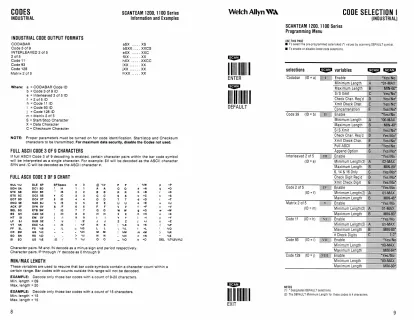
Welch Allyn's programming menu for the SCANTEAM 1200 and 1100 series decoders, set up by scanning bar codes from menu pages and an adjoining bar code chart. Pages cover industrial and retail code selection with output formats, host and terminal communications (protocols, baud rate, preambles and postambles, fixed message length), the auxiliary port, terminal characteristics such as beeper, laser scan voting and timeout, the network controller, the magnetic stripe reader port and a system guide to using the menu. This is a scanned copy and some text is hard to read.
Its parts
- Code Selection I
- Communications II
- Code Selection II (Retail)
- Communications I
- Auxiliary Port
- Terminal Characteristic
- Network Controller
- System Guide
From the manual · read page by page
Key facts from this manual
Some pages are scans or cannot be read; this says only what the readable text supports. Each line names its page in the PDF.
Welch Allyn's programming menu (1100/1200/PM Rev C) for the SCANTEAM 1200 and 1100 Series terminals, scanned with an OCR text layer. The terminal is set up by scanning bar codes from the menu pages: code selection, host and terminal communications, the auxiliary port, terminal characteristics, the network controller and the magnetic stripe reader port.
- Programming
- Scan an ENTER bar code, selections from the bar code chart, then EXIT p. 10
- Magnetic stripe input
- Undecoded digital signals from readers in ANSI X4.16 - 1983 format p. 10
- Terminal ID
- 001-999; 001 to 031 on a Welch Allyn Network p. 7
- Protocols
- Welch Allyn Net multidrop, ACK/NAK, validation mode, block mode, XON/XOFF, block checking p. 7
- Network controllers
- SCANTEAM 1500 Programmable Network Controller and SCANTEAM 1550 Network Controller p. 8
- Bar codes
- Codabar, Code 39, Interleaved 2 of 5, 2 of 5, Matrix 2 of 5, Code 11, Code 93, Code 128, UPC, EAN/JAN, MSI, Plessey, AMES p. 3, 4
- Preambles and postambles
- Up to twelve each p. 7
- Fixed message length
- 001-512 characters standalone, 001 - 128 on a network p. 5
- Laser scan timeout
- Lasers on either scanner port turn off after about six seconds p. 9
- 1200 memory
- 1200: standard memory 8K, expandable to 72K p. 9
- Auxiliary port
- 1200: auxiliary serial port; not on the 1100 p. 7
What this manual walks you through
- Using the menu pages and bar code chart to program the decoder p. 10
- Enabling bar code symbologies and setting minimum and maximum lengths p. 3
- Setting host and terminal port communications and protocol p. 6, 7
- Setting code IDs, data destination, intercharacter delay and fixed message length p. 5
- Programming preambles and postambles from the hex-ASCII chart p. 7
- Setting beeper, laser scanning, time display and status reports p. 8, 9
- Programming the host port of a SCANTEAM 1500 Network Controller p. 9
Good to know
- Selecting WA Network needs a Terminal ID from 01 to 31 and the unit jumpered for RS232/485 mode. p. 6
- Beeper volume and tone, time and date setting, and buffer space reports do not apply to the 1100. p. 8
- UPC-D is not read; its setting is for potential expansion only. p. 5
- XON/XOFF can be used only in standalone mode. p. 7
Questions this manual answers
How do I program a SCANTEAM 1100?
Scan the ENTER bar code of a menu page, the selections from the bar code chart, then EXIT. p. 10
How do I reset a SCANTEAM 1100 menu page to defaults?
Scan ENTER, DEFAULT, EXIT on that menu page; the rest of the programming is not changed. p. 10
Can the SCANTEAM 1100 read magnetic stripe cards?
The SCANTEAM 1200/1100 accepts undecoded signals from magnetic stripe readers in ANSI X4.16 - 1983 format. p. 10
What terminal IDs does a Welch Allyn Network use?
On the Welch Allyn Network, terminal IDs run from 001 to 031. p. 7
Contents
Chapters and sections
Each line opens the PDF at its page.
The whole text · 1 part
Read the manual here as text
Its text as extracted from the PDF, unedited, in parts; each page opens the PDF at that page.
The file