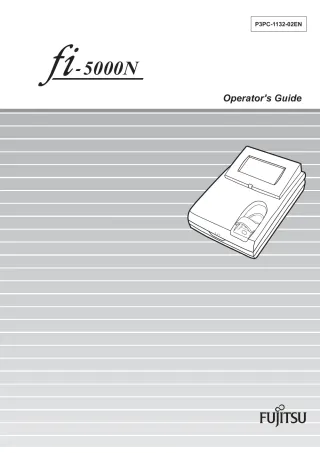
Spec sheet · Fujitsu
Fujitsu fi-5000N Spec Sheet
Spec sheet2 pagesPDF 1.4 MB
Both pages are below, each with its text.
Covers · 1 model
The models it covers
From the sheet · read page by page
Key facts from this sheet
Each line names its page in the PDF.
A two-page Fujitsu spec sheet for the fi-5000N network adapter, which sits between a USB fi-series scanner and an Ethernet network and uses fingerprint verification to send scans to each user's PC or chosen destination. It lists the supported scanners, display and keypad, network and USB interfaces, fingerprint figures, power, size, software and part number.
- Device
- Network adapter that shares a USB fi-series scanner on a LAN, with scan to view, email, print, file and more p. 1
- Interfaces
- 10/100 Base-T Ethernet (IEEE802.3/802.3u, auto negotiation) to the LAN; USB 2.0 to the scanner p. 2
- Supported scanners
- fi-5110C, fi-4120C Series / fi-4220C Series, fi-5120C / fi-5220C, fi-4530C, fi-5530C p. 2
- Fingerprint
- Finger detection sensor; minutiae verification method; verification in 3 seconds or less; up to 32 users p. 2
- Display
- Monochrome alphanumeric LCD, 18 columns, 4 lines; English, German, French, Spanish, Italian and Japanese p. 2
- Operator panel
- [ID], [Setup], [ESC], [^], [v], [.] and [Enter] keys plus numeric keys 0-9 p. 2
- Power
- 100 to 240 VAC, 50/60 Hz, auto-switching; 8W or less p. 2
- Environment
- Operating 42° to 95° F (5° to 35° C); 20% to 80% relative humidity, non-condensing p. 2
- Size and weight
- 2.52 in. x 5 in. x 6.93 in. (HxWxD); 2.5 lbs. p. 2
- Software
- ISIS and TWAIN drivers (Win 98SE/2000/Me/XP); bundled ScandAll21; options QuickScan V 3.0 and Image Processing Software V 2.0 p. 2
- Destinations
- Scan to file, scan to email, scan to SharePoint server, or scan to view and launch an application p. 2
- Part number
- PA03368-B005 p. 2
- In the box
- Ethernet cable p. 2
What this sheet walks you through
- Sharing a USB scanner on an Ethernet network p. 2
- Identifying users by fingerprint so scans reach the right computer p. 2
- Setting up scan destinations such as file, email or SharePoint p. 2
- Managing users, applications and scan locations with the administration utility p. 1
Good to know
- The included ISIS and TWAIN drivers are listed for Windows 98SE, 2000, Me and XP. p. 2
Questions this sheet answers
Which scanners work with the Fujitsu fi-5000N?
The sheet lists the fi-5110C, fi-4120C and fi-4220C Series, fi-5120C, fi-5220C, fi-4530C and fi-5530C. p. 2
How many users can the fi-5000N store?
Up to 32 users, each with fingerprint and PC information. p. 2
What is the part number of the fi-5000N?
PA03368-B005. p. 2
What power does the fi-5000N need?
100 to 240 VAC, 50/60 Hz (auto-switching), using 8W or less. p. 2
The file
Size and text
Every page · 2
Read it here
Each page as it is printed, and its words beside it, so a phone can search and copy them.
Page1of 2
Open in the PDF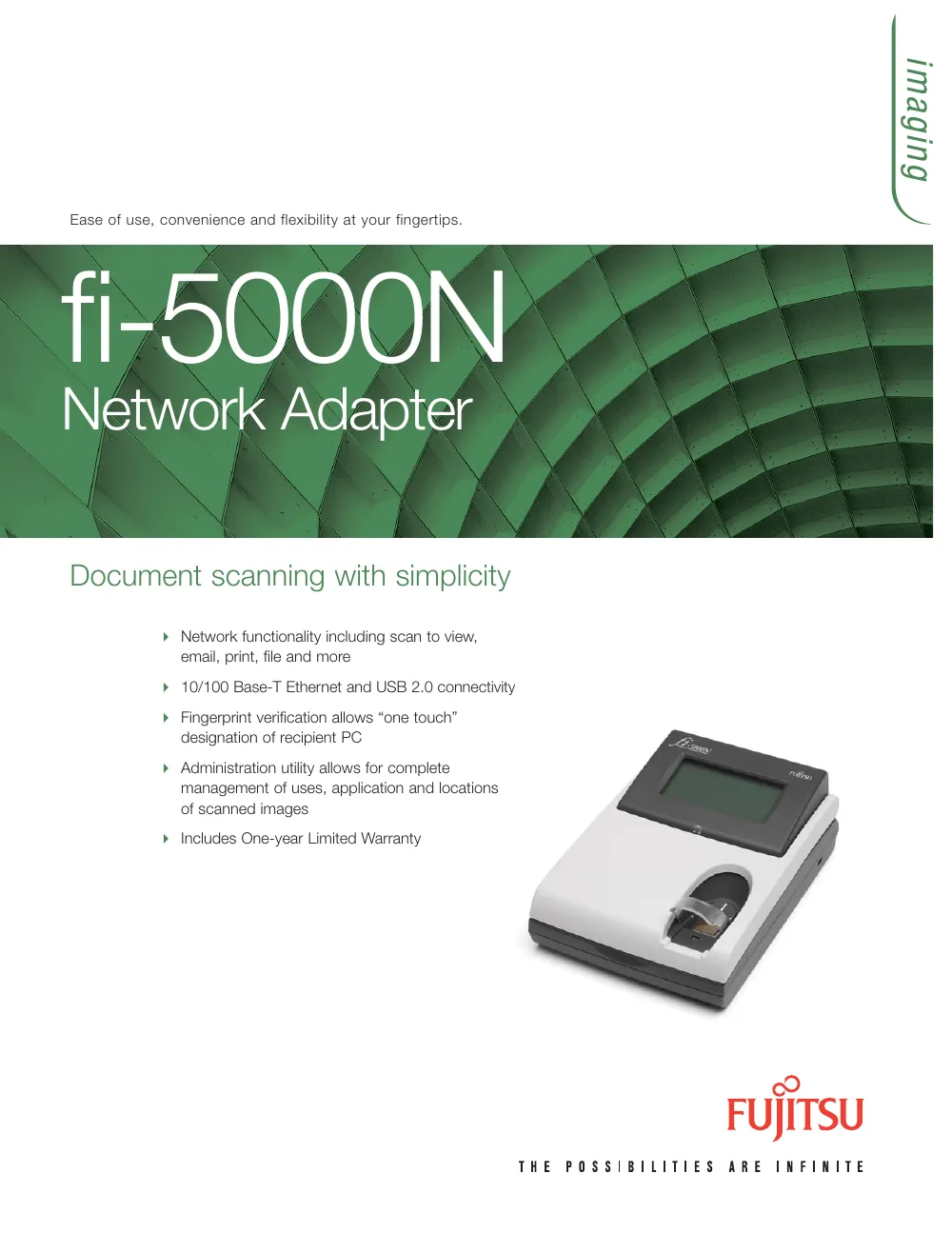
The text of page 1, from the PDF itself
imaging
Ease of use, convenience and flexibility at your fingertips.
fi-5000N Network Adapter Document scanning with simplicity Network functionality including scan to view, email, print, file and more 10/100 Base-T Ethernet and USB 2.0 connectivity Fingerprint verification allows “one touch” designation of recipient PC Administration utility allows for complete management of uses, application and locations of scanned images Includes One-year Limited Warranty
Page2of 2
Open in the PDF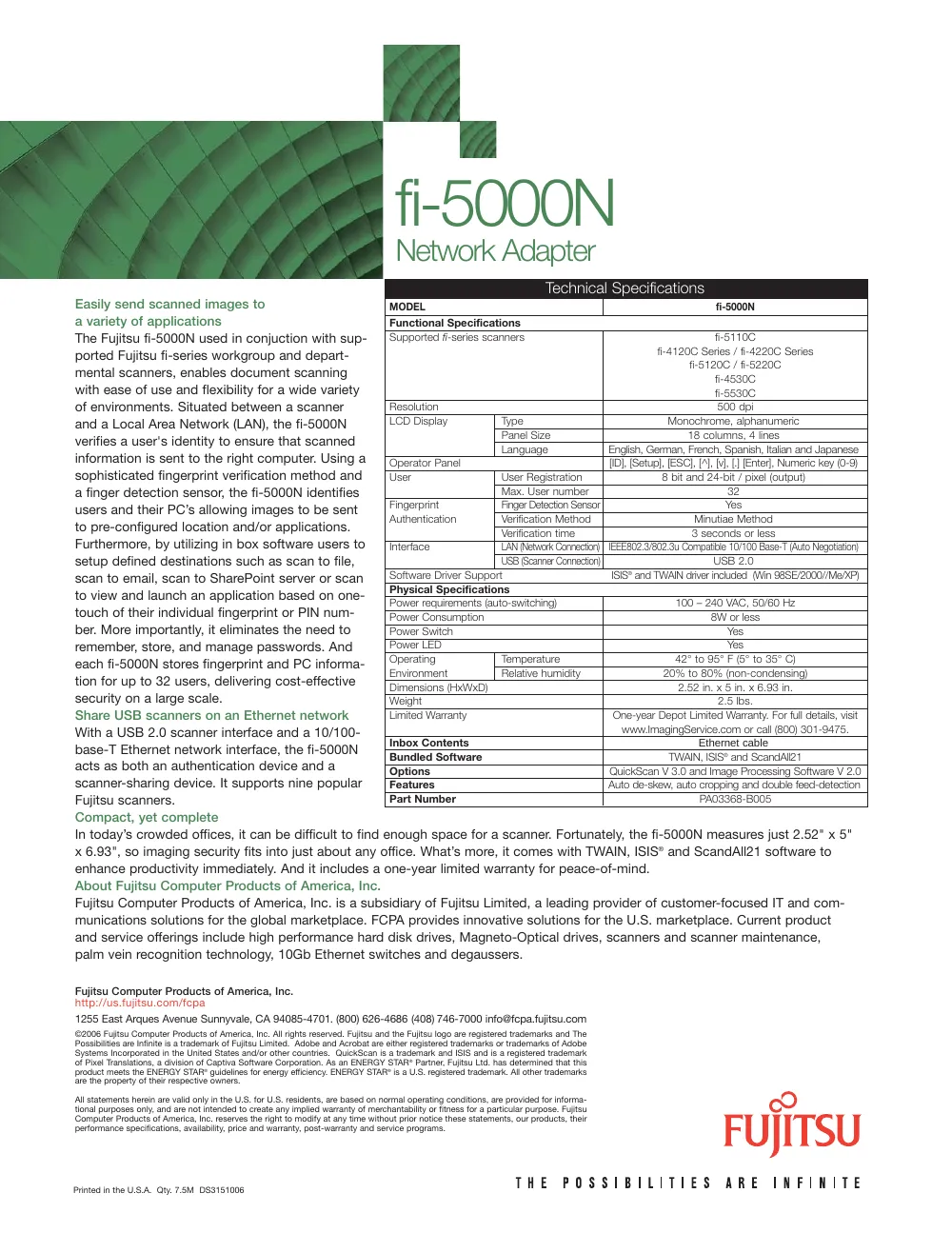
The text of page 2, from the PDF itself
fi-5000N Network Adapter Technical Specifications Easily send scanned images to MODEL fi-5000N a variety of applications Functional Specifications Supported fi-series scanners fi-5110C The Fujitsu fi-5000N used in conjuction with supfi-4120C Series / fi-4220C Series ported Fujitsu fi-series workgroup and departfi-5120C / fi-5220C mental scanners, enables document scanning fi-4530C with ease of use and flexibility for a wide variety fi-5530C Resolution 500 dpi of environments. Situated between a scanner LCD Display Type Monochrome, alphanumeric and a Local Area Network (LAN), the fi-5000N Panel Size 18 columns, 4 lines verifies a user's identity to ensure that scanned Language English, German, French, Spanish, Italian and Japanese information is sent to the right computer. Using a Operator Panel [ID], [Setup], [ESC], [^], [v], [.] [Enter], Numeric key (0-9) sophisticated fingerprint verification method and User User Registration 8 bit and 24-bit / pixel (output) Max. User number 32 a finger detection sensor, the fi-5000N identifies Finger Detection Sensor Yes Fingerprint users and their PC’s allowing images to be sent Authentication Verification Method Minutiae Method to pre-configured location and/or applications. Verification time 3 seconds or less Furthermore, by utilizing in box software users to LAN (Network Connection) IEEE802.3/802.3u Compatible 10/100 Base-T (Auto Negotiation) Interface USB 2.0 USB (Scanner Connection) setup defined destinations such as scan to file, ISIS® and TWAIN driver included (Win 98SE/2000//Me/XP) Software Driver Support scan to email, scan to SharePoint server or scan Physical Specifications to view and launch an application based on onePower requirements (auto-switching) 100 – 240 VAC, 50/60 Hz touch of their individual fingerprint or PIN numPower Consumption 8W or less ber. More importantly, it eliminates the need to Power Switch Yes Power LED Yes remember, store, and manage passwords. And Operating Temperature 42° to 95° F (5° to 35° C) each fi-5000N stores fingerprint and PC informaEnvironment Relative humidity 20% to 80% (non-condensing) tion for up to 32 users, delivering cost-effective Dimensions (HxWxD) 2.52 in. x 5 in. x 6.93 in. security on a large scale. Weight 2.5 lbs. Limited Warranty One-year Depot Limited Warranty. For full details, visit Share USB scanners on an Ethernet network www.ImagingService.com or call (800) 301-9475. With a USB 2.0 scanner interface and a 10/100Inbox Contents Ethernet cable base-T Ethernet network interface, the fi-5000N Bundled Software TWAIN, ISIS® and ScandAll21 acts as both an authentication device and a Options QuickScan V 3.0 and Image Processing Software V 2.0 scanner-sharing device. It supports nine popular Features Auto de-skew, auto cropping and double feed-detection Part Number PA03368-B005 Fujitsu scanners. Compact, yet complete In today’s crowded offices, it can be difficult to find enough space for a scanner. Fortunately, the fi-5000N measures just 2.52" x 5" x 6.93", so imaging security fits into just about any office. What’s more, it comes with TWAIN, ISIS® and ScandAll21 software to enhance productivity immediately. And it includes a one-year limited warranty for peace-of-mind. About Fujitsu Computer Products of America, Inc. Fujitsu Computer Products of America, Inc. is a subsidiary of Fujitsu Limited, a leading provider of customer-focused IT and communications solutions for the global marketplace. FCPA provides innovative solutions for the U.S. marketplace. Current product and service offerings include high performance hard disk drives, Magneto-Optical drives, scanners and scanner maintenance, palm vein recognition technology, 10Gb Ethernet switches and degaussers. Fujitsu Computer Products of America, Inc. http://us.fujitsu.com/fcpa 1255 East Arques Avenue Sunnyvale, CA 94085-4701. (800) 626-4686 (408) 746-7000 info@fcpa.fujitsu.com ©2006 Fujitsu Computer Products of America, Inc. All rights reserved. Fujitsu and the Fujitsu logo are registered trademarks and The Possibilities are Infinite is a trademark of Fujitsu Limited. Adobe and Acrobat are either registered trademarks or trademarks of Adobe Systems Incorporated in the United States and/or other countries. QuickScan is a trademark and ISIS and is a registered trademark of Pixel Translations, a division of Captiva Software Corporation. As an ENERGY STAR® Partner, Fujitsu Ltd. has determined that this product meets the ENERGY STAR® guidelines for energy efficiency. ENERGY STAR® is a U.S. registered trademark. All other trademarks are the property of their respective owners. All statements herein are valid only in the U.S. for U.S. residents, are based on normal operating conditions, are provided for informational purposes only, and are not intended to create any implied warranty of merchantability or fitness for a particular purpose. Fujitsu Computer Products of America, Inc. reserves the right to modify at any time without prior notice these statements, our products, their performance specifications, availability, price and warranty, post-warranty and service programs.
Printed in the U.S.A. Qty. 7.5M DS3151006