Manual · Extron
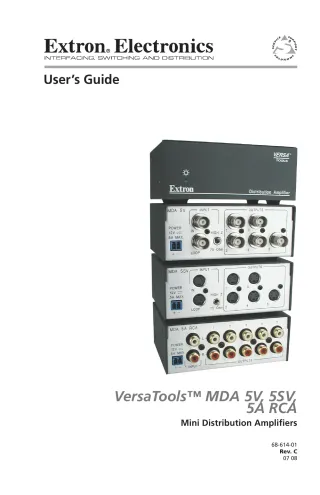
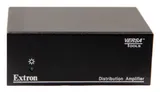
Extron MDA 5SV Installation Manual
Manual2 pagesPDF 614 KB
Both pages are below, each with its text.
Covers · 1 model
The models it covers
From the manual · read page by page
Key facts from this manual
Each line names its page in the PDF.
Two-page Extron setup guide (68-614-50 Rev. A) for the MDA 5 series mini distribution amplifiers: the MDA 5V (composite video), MDA 5SV (S-video) and MDA 5A RCA (stereo audio). It walks an installer through mounting, power, inputs, the loop output, the High Z/75 Ohm switch and the five outputs.
- Device
- MDA 5SV: mini distribution amplifier for buffered S-video, one input to up to five displays p. 1, 2
- Input
- MDA 5SV: S-video on a 4-pin mini DIN p. 1
- Outputs
- MDA 5SV: five S-video outputs plus a loop feed to a local monitor p. 2
- Termination
- High Z/75 Ohm switch on the MDA 5V and MDA 5SV p. 2
- Power
- External 12 VDC supply (provided), 2-pole captive screw connector p. 1
- Power LED
- Front panel LED lights green when power is applied p. 1
- Mounting
- Rack, under a desk or on a projector mount, with the matching mounting kit p. 1
- Sister models
- MDA 5V: composite video on BNC; MDA 5A RCA: stereo audio on RCA p. 1
What this manual walks you through
- Mounting the amplifier p. 1
- Connecting the 12 VDC power supply with the right polarity p. 1
- Connecting the video or audio source p. 1
- Setting the High Z/75 Ohm switch for the loop output p. 2
- Connecting up to five displays p. 2
Good to know
- Power polarity matters; the negative lead of the supply cord has ridges on its side. p. 1
- Use only a power supply specified by Extron; another supply can damage the supply and the amplifier. p. 1
- Installation and service are for authorized personnel only; the guide is a quick setup for experienced installers. p. 1
- Turn all equipment off and disconnect all cables before starting. p. 1
Questions this manual answers
How many displays can the Extron MDA 5SV feed?
Up to five S-video displays, plus a loop feed to a local monitor. p. 2
How do I set the High Z/75 Ohm switch on the MDA 5SV?
Set it to High Z (up) if a terminated device is on the loop feed; set it to 75 Ohm (down) if nothing or an unterminated device is connected. p. 2
What power does the MDA 5SV use?
The provided external 12 VDC supply, wired to a 2-pole captive screw connector with the polarity observed. p. 1
The file
Size and text
Every page · 2
Read it here
Each page as it is printed, and its words beside it, so a phone can search and copy them.
Page1of 2
Open in the PDF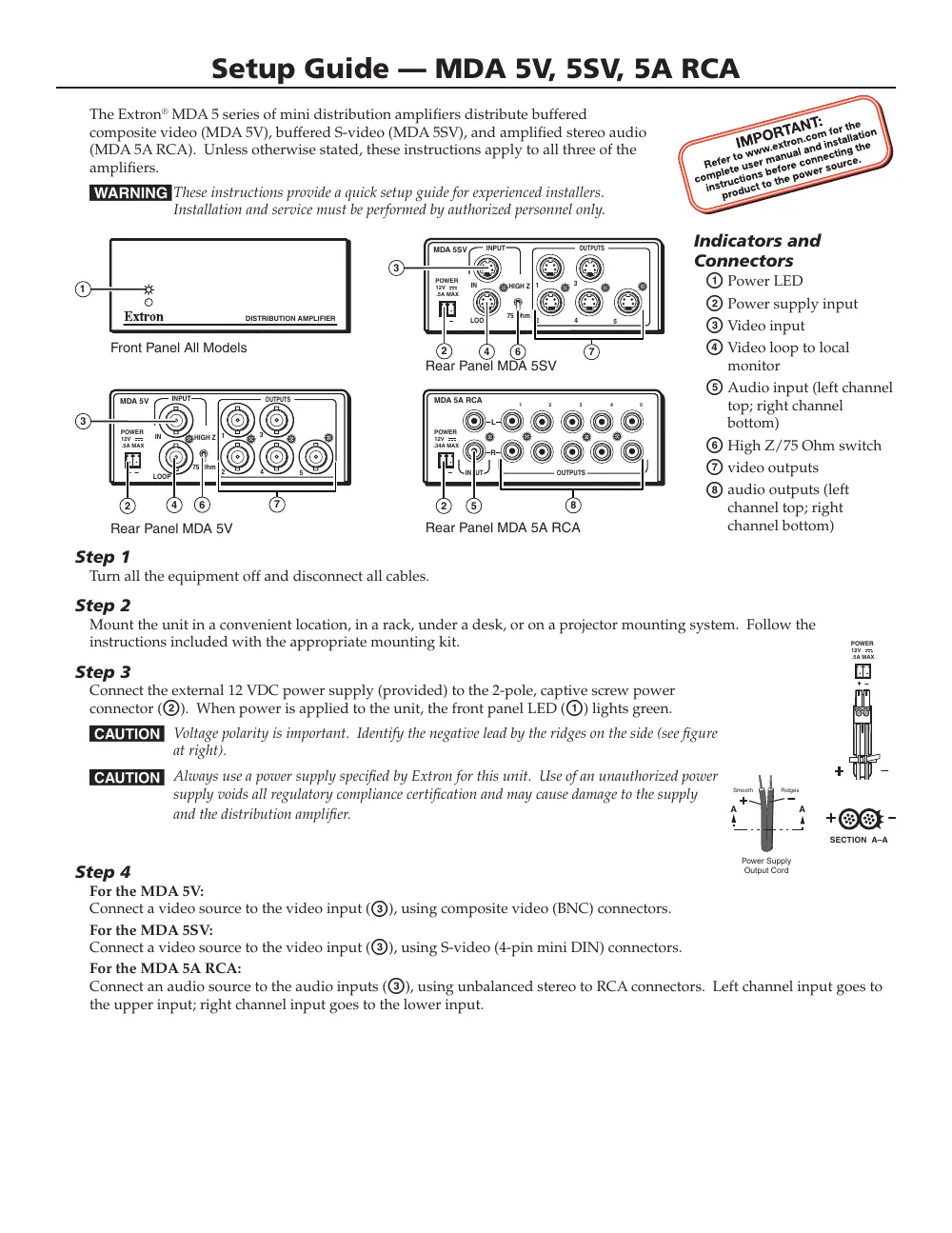
The text of page 1, from the PDF itself
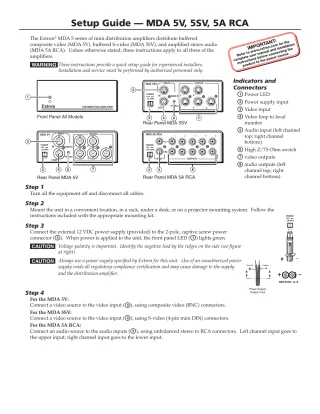
Setup Guide, MDA 5V, 5SV, 5A RCA The Extron® MDA 5 series of mini distribution amplifiers distribute buffered composite video (MDA 5V), buffered S-video (MDA 5SV), and amplified stereo audio (MDA 5A RCA). Unless otherwise stated, these instructions apply to all three of the amplifiers. W These instructions provide a quick setup guide for experienced installers. Installation and service must be performed by authorized personnel only. INPUT
MDA 5SV
Indicators and Connectors
OUTPUTS3 POWER112V .5A MAXDISTRIBUTION AMPLIFIER75 OhmLOOPFront Panel All Models2425764
a Power LED b Power supply input c Video input d Video loop to local
3HIGH Z 1INmonitor
Rear Panel MDA 5SV INPUT
MDA 5V
OUTPUTS
e Audio input (left channel
MDA 5A RCA31324
top; right channel bottom)
5L POWER 12V .5A MAXHIGH Z 1IN75 Ohm LOOP2426Rear Panel MDA 5VPOWER312V .34A MAX4572R INPUTOUTPUTS58
f High Z/75 Ohm switch g video outputs h audio outputs (left
Rear Panel MDA 5A RCA
channel top; right channel bottom)
Step 1
Turn all the equipment off and disconnect all cables.
Step 2
Mount the unit in a convenient location, in a rack, under a desk, or on a projector mounting system. Follow the instructions included with the appropriate mounting kit.
POWER 12V .5A MAX
Step 3
Connect the external 12 VDC power supply (provided) to the 2-pole, captive screw power connector (b). When power is applied to the unit, the front panel LED (a) lights green. C Voltage polarity is important. Identify the negative lead by the ridges on the side (see figure at right). C Always use a power supply specified by Extron for this unit. Use of an unauthorized power supply voids all regulatory compliance certification and may cause damage to the supply and the distribution amplifier.
SmoothRidgesAA SECTION A–AStep 4
Power Supply Output Cord
For the MDA 5V: Connect a video source to the video input (c), using composite video (BNC) connectors. For the MDA 5SV: Connect a video source to the video input (c), using S-video (4-pin mini DIN) connectors. For the MDA 5A RCA: Connect an audio source to the audio inputs (c), using unbalanced stereo to RCA connectors. Left channel input goes to the upper input; right channel input goes to the lower input.
Page2of 2
Open in the PDF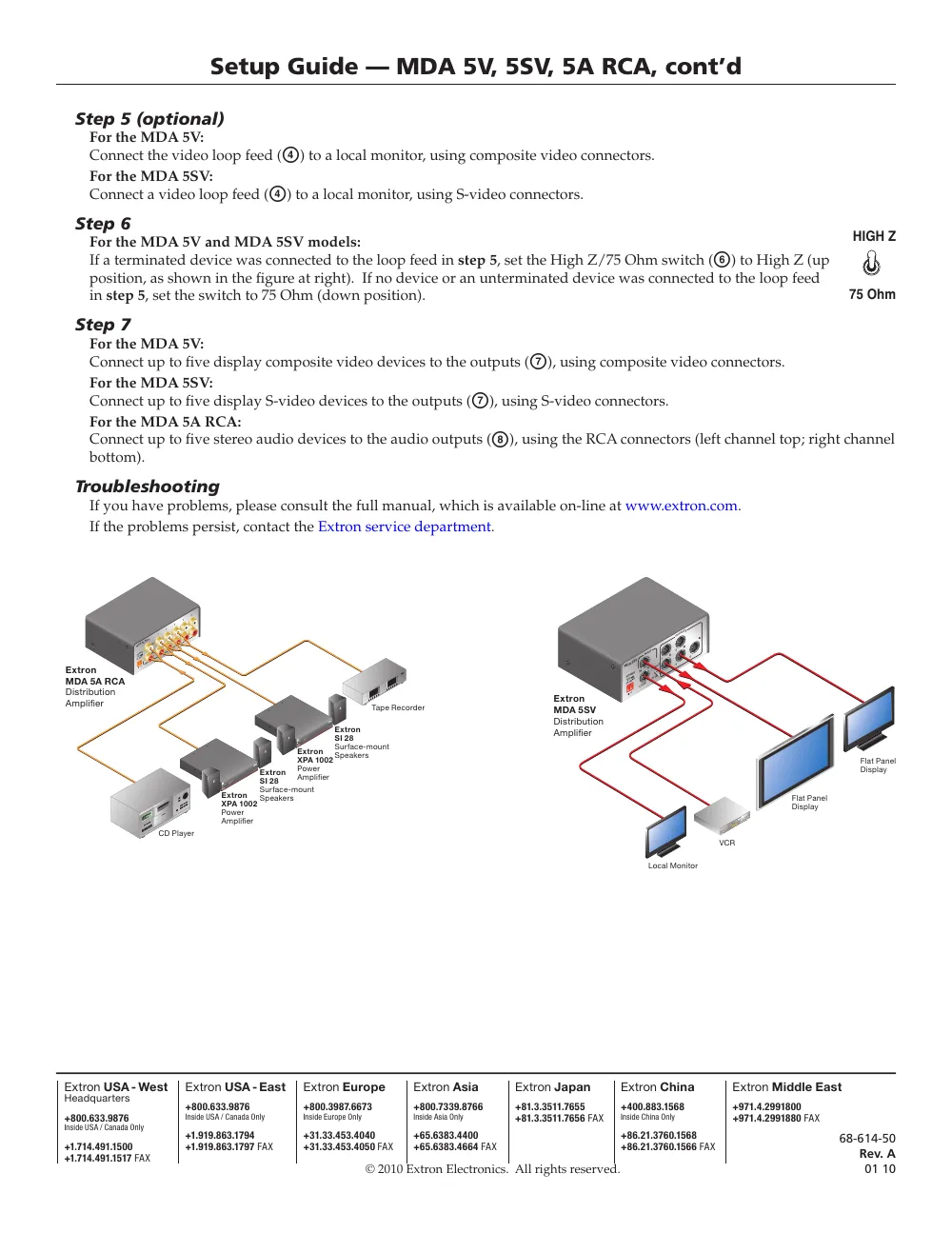
The text of page 2, from the PDF itself
Setup Guide, MDA 5V, 5SV, 5A RCA, cont’d Step 5 (optional)
For the MDA 5V: Connect the video loop feed (d) to a local monitor, using composite video connectors. For the MDA 5SV: Connect a video loop feed (d) to a local monitor, using S-video connectors.
Step 6
HIGH Z
For the MDA 5V and MDA 5SV models: If a terminated device was connected to the loop feed in step 5, set the High Z/75 Ohm switch (f) to High Z (up position, as shown in the figure at right). If no device or an unterminated device was connected to the loop feed in step 5, set the switch to 75 Ohm (down position).
75 Ohm
Step 7
For the MDA 5V: Connect up to five display composite video devices to the outputs (g), using composite video connectors. For the MDA 5SV: Connect up to five display S-video devices to the outputs (g), using S-video connectors. For the MDA 5A RCA: Connect up to five stereo audio devices to the audio outputs (h), using the RCA connectors (left channel top; right channel bottom).
Troubleshooting
If you have problems, please consult the full manual, which is available on-line at www.extron.com. If the problems persist, contact the Extron service department.
5 4 3 2A 5ARSTSPUOUTPU IN3T PURWER PO V 12 MAX .3A
Extron MDA 5A RCA Distribution Amplifier
OULMDUTTP1CAINTR WE PO V 12 MAX .1ATape Recorder XPA1002T OTEC 1 OVER TEMPXPA1002T OTEC 1 OVER TEMP2ER/PR LIMIT L SIGNA
Extron XPA 1002 Power Amplifier
2
ER/PR LIMIT L SIGNA
Extron XPA 1002 Power Amplifier
Extron SI 28 Surface-mount Speakers
51SVA5MDm754ZHHIGINOh2OPLO
Extron MDA 5SV Distribution Amplifier Flat Panel Display
Extron SI 28 Surface-mount Speakers
Flat Panel Display
CD Player VCR Local Monitor
Extron USA - West Headquarters +800.633.9876
Inside USA / Canada Only
+1.714.491.1500 +1.714.491.1517 FAX
Extron USA - EastExtron EuropeExtron AsiaExtron JapanExtron ChinaExtron Middle East+800.633.9876+800.3987.6673+800.7339.8766
+81.3.3511.7655 +81.3.3511.7656 FAX
+400.883.1568
+971.4.2991800 +971.4.2991880 FAX
+1.919.863.1794 +1.919.863.1797 FAX
+31.33.453.4040 +31.33.453.4050 FAX
+65.6383.4400 +65.6383.4664 FAX
Inside USA / Canada Only
Inside Europe Only
Inside Asia Only
© 2010 Extron Electronics. All rights reserved.
Inside China Only
+86.21.3760.1568 +86.21.3760.1566 FAX
68-614-50 Rev. A 01 10