Manual · Dell
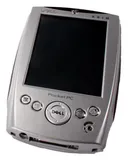
Dell Axim X5 User's Guide
Manual170 pagesPDF 1.3 MB
User's guide for the Dell Axim X5 Pocket PC handheld (model HC01U): setup, batteries, cradle, cards, programs and connections.
Names · 1 model
The models it names
Filed with · 1 model
Also filed with these models on the old site

Summary
What is in it
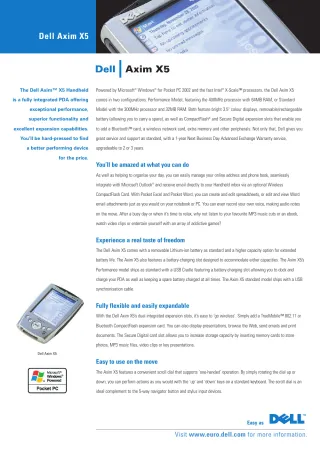
The user's guide for the Dell Axim X5 handheld (model HC01U) running Microsoft Pocket PC. It shows the device's buttons and connectors, installing and charging the batteries, connecting to a computer with the cradle or sync cable, using CompactFlash and Secure Digital cards and resetting the device. Later chapters cover entering information, settings, ActiveSync, Pocket Outlook, adding programs, the companion programs, Pocket Internet Explorer, getting connected, specifications and regulatory notices.
Its parts
- Finding Information
- About Your Device
- Using Microsoft Pocket PC
- Entering Information
- Adjusting Settings
- Using Microsoft ActiveSync
- Scheduling and Communicating
- Adding and Removing Programs
- Using Companion Programs
- Using Microsoft Pocket Internet Explorer
- Getting Connected
- Appendix
From the manual
Key facts from this manual
Some pages are scans or cannot be read; this says only what the readable text supports. Each line names its page in the PDF.
User's guide for the Dell Axim X5 handheld (model HC01U), a Microsoft Pocket PC device. It covers the batteries, connecting to a computer by cradle or sync cable, memory cards, resets, the Pocket PC programs, ActiveSync and getting online. An appendix gives the specifications.
- Processor
- Intel XScale at 400 or 300 MHz p. 114
- Memory
- 64 or 32 MB SDRAM; 48 or 32 MB Intel StrataFlash ROM p. 114
- Display
- 3.5 in 16-bit color transflective TFT touch screen, 240 x 320 at 65,536 colors p. 114
- Main battery
- Removable, rechargeable lithium-ion: 1440 mAh standard or 3400 mAh optional p. 116
- Backup battery
- CR2032 lithium coin cell p. 15, 116
- AC adapter
- 100 to 240 VAC, 50 to 60 Hz in; 5.4 VDC, 2.41 A out p. 116
- Expansion slots
- One CompactFlash slot (3.3v) for Type I and Type II cards; one Secure Digital slot (3.3v) p. 23, 115
- Ports
- Infrared v1.2 (115 kbps), DC power in, 40-pin cradle/sync connector, stereo headphone p. 115
- Computer connection
- Cradle or sync cable to the computer's USB or serial port p. 20, 22
- Cradle
- Syncs data, runs the device on AC power, charges the main battery and a spare battery; optional on some configurations p. 19
- Size and weight
- 128 x 81.5 x 18 mm (5.04 x 3.21 x 0.71 in); 196 g (0.43 lb) p. 115
- Operating temperature
- 0 to 40 C (32 to 104 F); 10% to 90% humidity, non-condensing p. 116
- Controls
- 5-way navigation button, scroll dial, Calendar, Contacts, Inbox and Home buttons, power, voice record and reset buttons p. 114
- Audio
- AC-97 codec (WM9705), 16-bit stereo, built-in microphone and speaker, stereo headphone connector p. 115
What this manual walks you through
- Installing and removing the main battery p. 16
- Replacing the backup battery p. 17, 18
- Charging the main battery p. 18
- Connecting to a computer with the cradle p. 19, 20, 21
- Connecting to a computer with the sync cable p. 22
- Inserting CompactFlash and Secure Digital cards p. 23, 24
- Doing a soft or hard reset p. 24, 25
- Installing ActiveSync and syncing with a computer p. 58, 59
- Beaming items over infrared p. 106, 107
- Setting up a modem or Ethernet connection p. 107, 108
Good to know
- Charge the main battery for at least 4 hours before first use. p. 15
- Never take out the main and backup batteries at the same time; all data in SDRAM is lost. p. 15
- A hard reset erases all data on the device; back up first. p. 25
- When upgrading from Pocket PC 2002 to 2003, do not back up with the Data Backup utility or ActiveSync Backup/Restore; the data cannot be recovered after the upgrade. p. 58
- Install ActiveSync from the Dell Companion CD before connecting the device to a computer for the first time. p. 19
Questions this manual answers
How do I hard reset a Dell Axim X5?
Press and hold the power button, hold the reset button with the stylus for about 2 seconds, then follow the screen. It erases all data. p. 25
What does the amber light on the Axim X5 power button mean?
Flashing amber means the main battery is low; solid amber means it is charging. Solid green means fully charged on external power. p. 13
What backup battery does the Axim X5 take?
A CR2032 lithium coin-cell battery, inserted with the positive side up. p. 17, 116
What is the output of the Axim X5 AC adapter?
5.4 VDC at 2.41 A, from a 100 to 240 VAC, 50 to 60 Hz supply. p. 116
Contents
Chapters and sections
Each line opens the PDF at its page.
The whole text · 20 parts
Read the manual here as text
Its text as extracted from the PDF, unedited, in parts; each page opens the PDF at that page.
- Pages 1 to 81-8
- Pages 9 to 179-17
- Pages 18 to 2618-26
- Using Microsoft® Pocket PC27-38
- Entering Information39-52
- Adjusting Settings53-56
- Using Microsoft® ActiveSync®57-60
- Scheduling and Communicating, pages 61 to 6861-68
- Scheduling and Communicating, pages 69 to 7669-76
- Adding and Removing Programs77-82
- Using Companion Programs83-96
- Using Microsoft® Pocket Internet Explorer97-104
- Getting Connected105-112
- Appendix, pages 113 to 121113-121
- Appendix, pages 122 to 130122-130
- Appendix, pages 131 to 139131-139
- Appendix, pages 140 to 148140-148
- Appendix, pages 149 to 157149-157
- Appendix, pages 158 to 164158-164
- Index165-170
The file