Spec sheet · Dell
Dell Axim A5 Dock and Axim X5 Spec Sheet
Spec sheet2 pagesPDF 249 KB
Both pages are below, each with its text.
Names · 1 model
The models it names
Filed with · 1 model
Also filed with these models on the old site
From the sheet · read page by page
Key facts from this sheet
Each line names its page in the PDF.
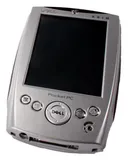
Dell product sheet for the Axim X5 handheld, a Pocket PC 2002 PDA offered as a Performance Model and a Standard Model. It lists the processor, memory, display, battery, expansion slots, ports, built-in software and optional accessories of each.
- Device
- Handheld PDA running Microsoft Pocket PC 2002 Premium p. 1, 2
- Processor
- Performance Model: Intel X-Scale at 400MHz; Standard Model: 300MHz p. 2
- RAM
- Performance Model: 64MB SDRAM; Standard Model: 32MB SDRAM p. 2
- ROM
- Performance Model: 48MB; Standard Model: 32MB (Intel StrataFlash) p. 2
- Display
- 3.5 in transflective TFT color touch screen, 240 x 320, 65,536 colors (QVGA) p. 2
- Battery
- Removable lithium-ion, 1440mAh standard or 3400mAh optional; coin cell bridge battery keeps data during a swap p. 2
- Expansion slots
- One Type II CompactFlash slot and one Secure Digital slot p. 2
- Ports
- Infrared, DC power in, cradle/sync, stereo headphone p. 2
- Synchronization
- Performance Model: USB cradle with battery charge slot; Standard Model: USB sync cable p. 2
- Size and weight
- 196g; 81.5mm wide, 18mm high, 128mm deep p. 2
- AC adapter
- 100/240 VAC p. 2
- Audio
- 16-bit stereo, built-in microphone and speaker, stereo headphone jack p. 2
- Controls
- 5-way navigation button, scroll dial, Calendar, Contacts, Inbox and Home buttons, voice record button p. 2
- Accessories
- 3400mAh battery, USB cradle, USB travel sync cable, TrueMobile 1180 wireless LAN CF card, Bluetooth CF card, foldable and snap-on keyboards, 64MB or 128MB SD and CF cards p. 2
What this sheet walks you through
- Doing a soft or hard reset p. 2
- Releasing and swapping the main battery p. 2
- Adding Wi-Fi or Bluetooth with a CompactFlash card p. 1
- Software built into the device p. 2
Good to know
- Only the Performance Model ships with the USB cradle; the Standard Model ships with a USB sync cable. p. 1
- Power can go straight into the handheld or through the cradle. p. 2
- The sheet says specifications may change without notice. p. 2
Questions this sheet answers
What processor is in the Dell Axim X5?
An Intel X-Scale, at 400MHz in the Performance Model and 300MHz in the Standard Model. p. 2
How much memory does the Axim X5 have?
The Performance Model has 64MB SDRAM and 48MB ROM; the Standard Model has 32MB SDRAM and 32MB ROM. p. 2
What battery does the Dell Axim X5 use?
A removable lithium-ion battery: 1440mAh standard, or an optional 3400mAh high capacity battery. p. 2
How do I hard reset a Dell Axim X5?
Press the reset button with the stylus while holding down the backlit power button; the reset button alone gives a soft reset. p. 2
What operating system does the Axim X5 run?
Microsoft Pocket PC 2002 Premium. p. 2
The file
Size and text
Every page · 2
Read it here
Each page as it is printed, and its words beside it, so a phone can search and copy them.
Page1of 2
Open in the PDF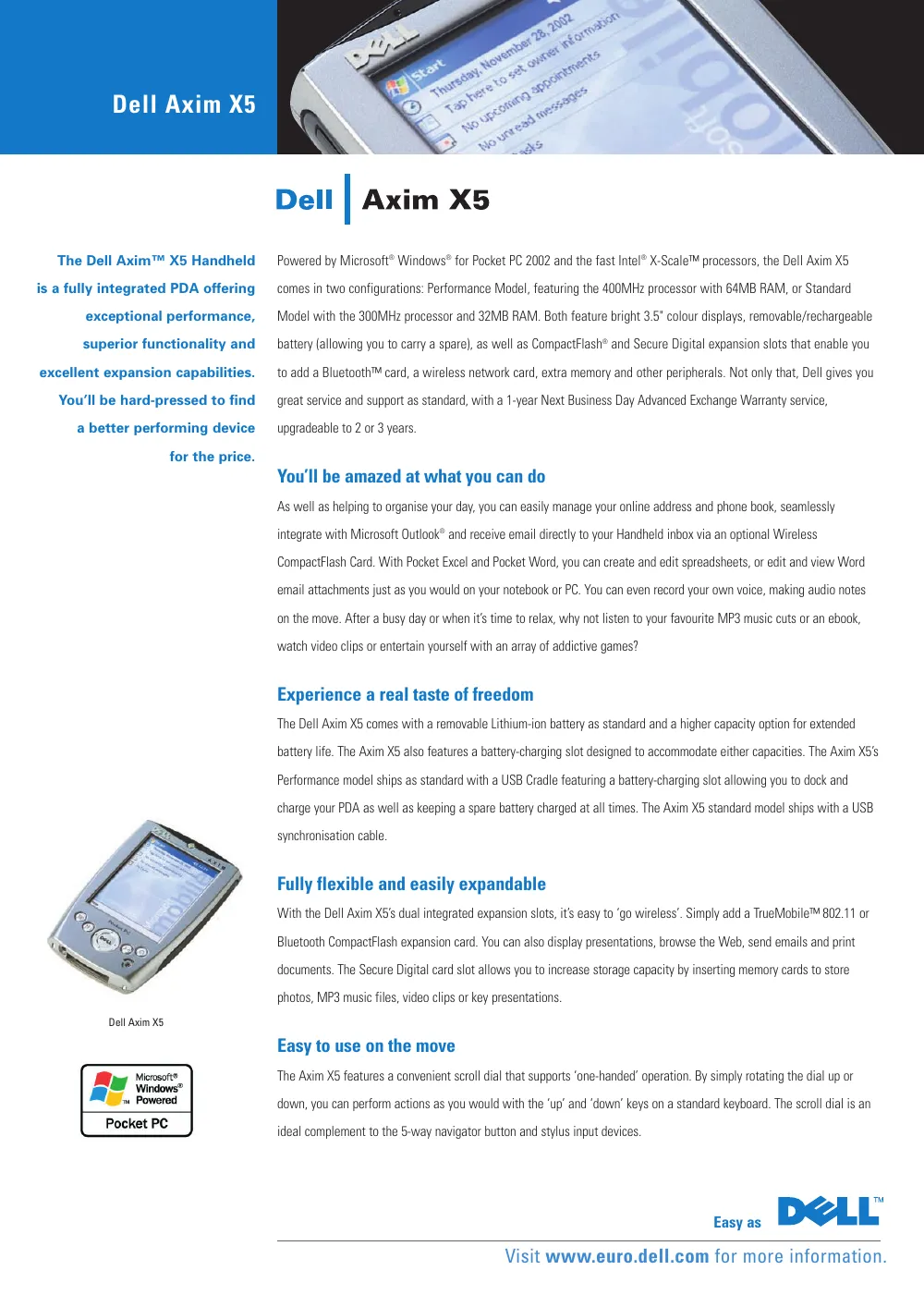
The text of page 1, from the PDF itself
Dell Axim X5
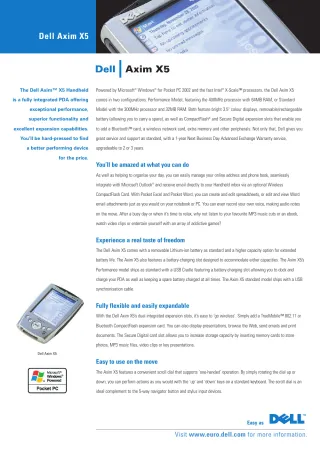
The Dell Axim™ X5 Handheld
Powered by Microsoft® Windows® for Pocket PC 2002 and the fast Intel® X-Scale™ processors, the Dell Axim X5
is a fully integrated PDA offering
comes in two configurations: Performance Model, featuring the 400MHz processor with 64MB RAM, or Standard
exceptional performance,
Model with the 300MHz processor and 32MB RAM. Both feature bright 3.5" colour displays, removable/rechargeable
superior functionality and
battery (allowing you to carry a spare), as well as CompactFlash® and Secure Digital expansion slots that enable you
excellent expansion capabilities.
to add a Bluetooth™ card, a wireless network card, extra memory and other peripherals. Not only that, Dell gives you
You’ll be hard-pressed to find a better performing device
great service and support as standard, with a 1-year Next Business Day Advanced Exchange Warranty service, upgradeable to 2 or 3 years.
for the price.
You’ll be amazed at what you can do As well as helping to organise your day, you can easily manage your online address and phone book, seamlessly integrate with Microsoft Outlook® and receive email directly to your Handheld inbox via an optional Wireless CompactFlash Card. With Pocket Excel and Pocket Word, you can create and edit spreadsheets, or edit and view Word email attachments just as you would on your notebook or PC. You can even record your own voice, making audio notes on the move. After a busy day or when it’s time to relax, why not listen to your favourite MP3 music cuts or an ebook, watch video clips or entertain yourself with an array of addictive games?
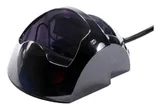
Experience a real taste of freedom The Dell Axim X5 comes with a removable Lithium-ion battery as standard and a higher capacity option for extended battery life. The Axim X5 also features a battery-charging slot designed to accommodate either capacities. The Axim X5’s Performance model ships as standard with a USB Cradle featuring a battery-charging slot allowing you to dock and charge your PDA as well as keeping a spare battery charged at all times. The Axim X5 standard model ships with a USB synchronisation cable.
Fully flexible and easily expandable With the Dell Axim X5’s dual integrated expansion slots, it’s easy to ‘go wireless’. Simply add a TrueMobile™ 802.11 or Bluetooth CompactFlash expansion card. You can also display presentations, browse the Web, send emails and print documents. The Secure Digital card slot allows you to increase storage capacity by inserting memory cards to store photos, MP3 music files, video clips or key presentations. Dell Axim X5
Easy to use on the move The Axim X5 features a convenient scroll dial that supports ‘one-handed’ operation. By simply rotating the dial up or down, you can perform actions as you would with the ‘up’ and ‘down’ keys on a standard keyboard. The scroll dial is an ideal complement to the 5-way navigator button and stylus input devices.
Easy as
Visit www.euro.dell.com for more information.
Page2of 2
Open in the PDF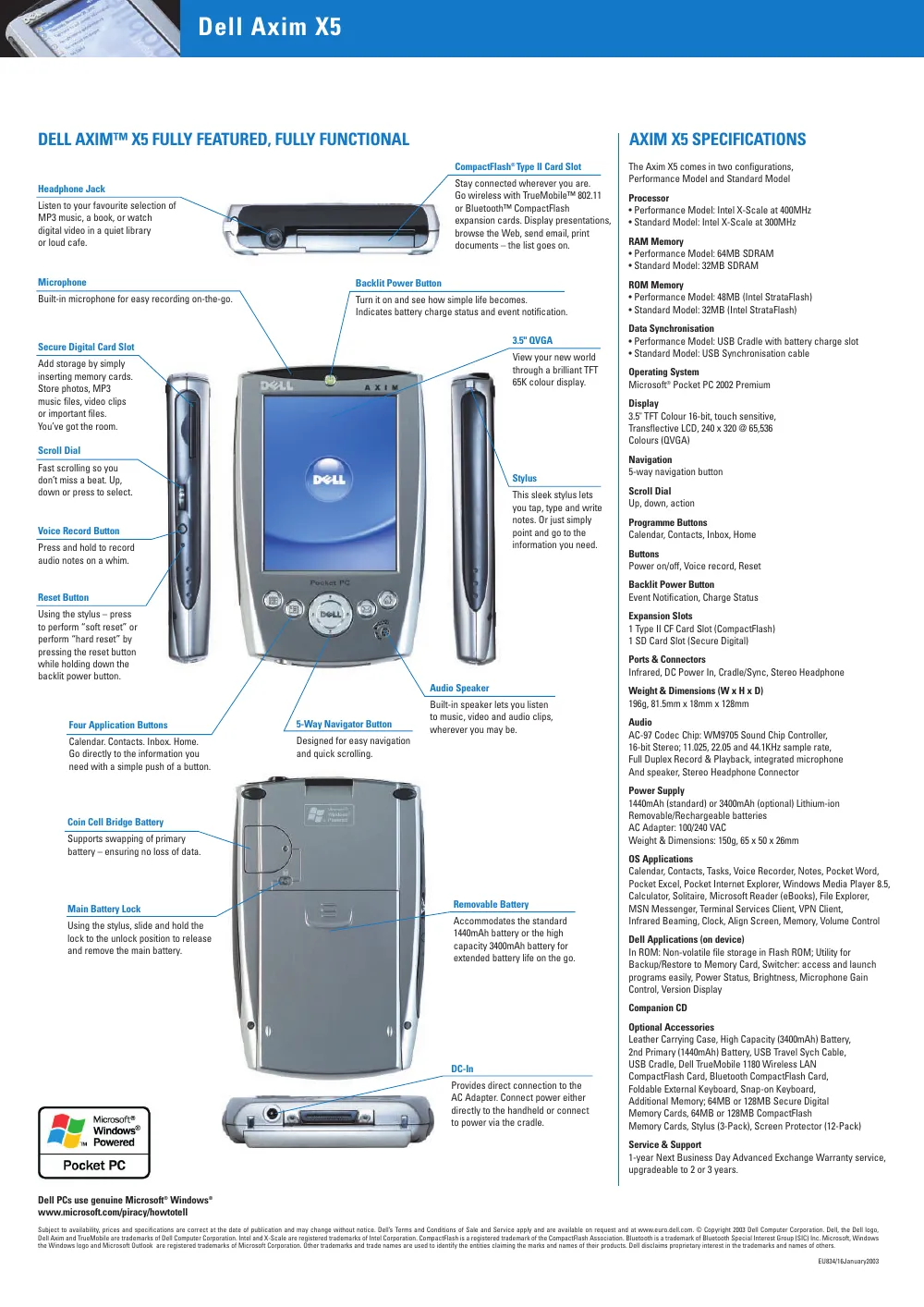
The text of page 2, from the PDF itself
Dell Axim X5
DELL AXIM™ X5 FULLY FEATURED, FULLY FUNCTIONAL
AXIM X5 SPECIFICATIONS CompactFlash Type II Card Slot ®
Stay connected wherever you are. Go wireless with TrueMobile™ 802.11 or Bluetooth™ CompactFlash expansion cards. Display presentations, browse the Web, send email, print documents – the list goes on.
Headphone Jack Listen to your favourite selection of MP3 music, a book, or watch digital video in a quiet library or loud cafe.
Microphone
Backlit Power Button
Built-in microphone for easy recording on-the-go.
Turn it on and see how simple life becomes. Indicates battery charge status and event notification. 3.5" QVGA
Secure Digital Card Slot
View your new world through a brilliant TFT 65K colour display.
Add storage by simply inserting memory cards. Store photos, MP3 music files, video clips or important files. You’ve got the room.
The Axim X5 comes in two configurations, Performance Model and Standard Model Processor
- Performance Model: Intel X-Scale at 400MHz
- Standard Model: Intel X-Scale at 300MHz RAM Memory
- Performance Model: 64MB SDRAM
- Standard Model: 32MB SDRAM ROM Memory
- Performance Model: 48MB (Intel StrataFlash)
- Standard Model: 32MB (Intel StrataFlash) Data Synchronisation
- Performance Model: USB Cradle with battery charge slot
- Standard Model: USB Synchronisation cable Operating System Microsoft® Pocket PC 2002 Premium Display 3.5" TFT Colour 16-bit, touch sensitive, Transflective LCD, 240 x 320 @ 65,536 Colours (QVGA)
Scroll Dial Fast scrolling so you don’t miss a beat. Up, down or press to select.
Stylus This sleek stylus lets you tap, type and write notes. Or just simply point and go to the information you need.
Voice Record Button Press and hold to record audio notes on a whim.
Navigation 5-way navigation button Scroll Dial Up, down, action Programme Buttons Calendar, Contacts, Inbox, Home Buttons Power on/off, Voice record, Reset Backlit Power Button Event Notification, Charge Status
Reset Button Using the stylus – press to perform “soft reset” or perform “hard reset” by pressing the reset button while holding down the backlit power button.
Expansion Slots 1 Type II CF Card Slot (CompactFlash) 1 SD Card Slot (Secure Digital) Ports & Connectors Infrared, DC Power In, Cradle/Sync, Stereo Headphone Audio Speaker
Four Application Buttons
5-Way Navigator Button
Calendar. Contacts. Inbox. Home. Go directly to the information you need with a simple push of a button.
Designed for easy navigation and quick scrolling.
Built-in speaker lets you listen to music, video and audio clips, wherever you may be.
Weight & Dimensions (W x H x D) 196g, 81.5mm x 18mm x 128mm Audio AC-97 Codec Chip: WM9705 Sound Chip Controller, 16-bit Stereo; 11.025, 22.05 and 44.1KHz sample rate, Full Duplex Record & Playback, integrated microphone And speaker, Stereo Headphone Connector Power Supply 1440mAh (standard) or 3400mAh (optional) Lithium-ion Removable/Rechargeable batteries AC Adapter: 100/240 VAC Weight & Dimensions: 150g, 65 x 50 x 26mm
Coin Cell Bridge Battery Supports swapping of primary battery – ensuring no loss of data.
Main Battery Lock
Removable Battery
Using the stylus, slide and hold the lock to the unlock position to release and remove the main battery.
Accommodates the standard 1440mAh battery or the high capacity 3400mAh battery for extended battery life on the go.
OS Applications Calendar, Contacts, Tasks, Voice Recorder, Notes, Pocket Word, Pocket Excel, Pocket Internet Explorer, Windows Media Player 8.5, Calculator, Solitaire, Microsoft Reader (eBooks), File Explorer, MSN Messenger, Terminal Services Client, VPN Client, Infrared Beaming, Clock, Align Screen, Memory, Volume Control Dell Applications (on device) In ROM: Non-volatile file storage in Flash ROM; Utility for Backup/Restore to Memory Card, Switcher: access and launch programs easily, Power Status, Brightness, Microphone Gain Control, Version Display Companion CD
DC-In Provides direct connection to the AC Adapter. Connect power either directly to the handheld or connect to power via the cradle.
Optional Accessories Leather Carrying Case, High Capacity (3400mAh) Battery, 2nd Primary (1440mAh) Battery, USB Travel Sych Cable, USB Cradle, Dell TrueMobile 1180 Wireless LAN CompactFlash Card, Bluetooth CompactFlash Card, Foldable External Keyboard, Snap-on Keyboard, Additional Memory; 64MB or 128MB Secure Digital Memory Cards, 64MB or 128MB CompactFlash Memory Cards, Stylus (3-Pack), Screen Protector (12-Pack) Service & Support 1-year Next Business Day Advanced Exchange Warranty service, upgradeable to 2 or 3 years.
Dell PCs use genuine Microsoft® Windows® www.microsoft.com/piracy/howtotell Subject to availability, prices and specifications are correct at the date of publication and may change without notice. Dell’s Terms and Conditions of Sale and Service apply and are available on request and at www.euro.dell.com. © Copyright 2003 Dell Computer Corporation. Dell, the Dell logo, Dell Axim and TrueMobile are trademarks of Dell Computer Corporation. Intel and X-Scale are registered trademarks of Intel Corporation. CompactFlash is a registered trademark of the CompactFlash Association. Bluetooth is a trademark of Bluetooth Special Interest Group (SIC) Inc. Microsoft, Windows the Windows logo and Microsoft Outlook are registered trademarks of Microsoft Corporation. Other trademarks and trade names are used to identify the entities claiming the marks and names of their products. Dell disclaims proprietary interest in the trademarks and names of others. EU834/16January2003