Manual · Datalogic
Datalogic Skorpio and Skorpio-GUN User's Manual
Manual117 pagesPDF 2.8 MB
User's manual for the Datalogic Skorpio and Skorpio-GUN rugged mobile computers on Windows CE and Windows Mobile.
Covers · 1 model
The models it covers
Summary
What is in it
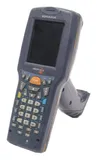
Datalogic's user's manual for the Skorpio rugged mobile computer and its pistol-grip Skorpio-GUN version. It covers safety and compliance, package contents, the Mini SD card, belt clip and straps, USB, RS232, modem, Ethernet, Bluetooth and WLAN connections, startup, keys and reset, data capture setup, the control panel, ActiveSync and other Windows connections, firmware update, battery charging and replacement, technical data, reading diagrams and test codes.
Its parts
- References
- Safety Regulations
- General View
- Introduction
- Connections
- Use and Functioning
- Maintenance
- Technical Features
- Test Codes
From the manual
Key facts from this manual
Some pages are scans or cannot be read; this says only what the readable text supports. Each line names its page in the PDF.
User's manual (software version 4.00, 12/2009) for the Datalogic Skorpio rugged mobile computer and the pistol grip Skorpio-GUN, in Windows CE 5.0 and Windows Mobile 6.1 models. It covers package contents, accessories with part numbers, USB, RS232, modem, Ethernet, Bluetooth and WLAN connections, startup and status indicators, battery charging and technical data.
- Device
- Rugged mobile computer for retail work on store shelves and in the stock room, with green spot good-read feedback on the code p. 21
- Processor and memory
- Intel X-Scale PXA-270 @ 520 MHz; 128 MB RAM; 512 MB flash; Mini Secure Digital slot p. 21, 104
- Operating system
- Windows CE 5.0 Professional or Windows Mobile 6.1 Professional, depending on model p. 31, 105
- Display
- 65K color TFT LCD, 2.8”, 320 x 240 (QVGA), LED backlight, touch screen p. 104
- Keyboard
- 38 rubber keys (alphanumeric models) or 28 rubber keys (numeric models) p. 104
- Wireless
- Options: IEEE 802.11b/g WLAN; Bluetooth IEEE 802.15, Class 2, Version 1.2, range 10 m p. 23, 37, 104
- Battery
- Skorpio: 94ACC1309 Li-Ion 2100 mAh@3.7 V; Skorpio-GUN: 94ACC1329 Li-Ion 3300 mAh@3.7 V p. 30
- Power supply
- Class 2 or LPS unit rated 5 V DC, minimum 2 A, into the Mini USB connector; PG5-20 MiniUSB AC/DC power supply 94ACC1312 p. 7, 30
- Cradles
- 94A151117 Single Cradle Desk (USB, RS232); 94A151118 Single Cradle Ethernet (USB, Ethernet); 94A151119 Single Cradle Modem (RS232, modem); 94A151112 Ethernet Multi Cradle; 94A151091 Skorpio/F-Color Multiple Cradle (RS232 only) p. 30
- Charger
- 94A151114 Multi-Battery Pack Charger (4 slots); 94ACC4595 FPS18 power supply for the Single Cradle Desk and MBC8600 charger p. 30
- Cables
- 94A051016 CAB-421 USB A-B Mini Straight; 94A051017 CAB-381 USB A-B Straight; 94A051024 USB Standard A to Mini A; 94A054000 9-pin serial cable for cradles p. 30, 34
- Scanner
- Laser, VLD 630 to 680 nm; reads UPC A, UPC E, EAN 8, EAN 13, Code 39, Code 39 Full ASCII, Code 32, Interleaved 2 of 5, Industrial 2 of 5, Matrix 2 of 5, Code 128, EAN 128, Codabar, MSI, Plessey, Code 93, Code 11 p. 105
- Size and weight
- Skorpio: 19.6 x 7.7 x 3.3 cm / 7.7 x 3.0 x 1.3 in, 310 - 360 g / 10.9 - 12.7 oz with battery; Skorpio-GUN: 19.6 x 7.7 x 15.8 cm / 7.7 x 3.0 x 6.2 in, about 560 g / 19.7 oz p. 105
- Environment
- IP64; ESD 4 KV contact, 8 KV air discharge; battery charging at 0° to +45 °C (+32° to +113 °F) p. 96, 105
What this manual walks you through
- Package contents for the Skorpio and Skorpio-GUN p. 23
- Connecting to a host computer by USB cable or cradle p. 32, 33
- Connecting a USB keyboard or memory p. 33, 34
- RS232, modem and Ethernet connections through the cradles p. 34, 35, 36
- Turning on Bluetooth and connecting to a WLAN p. 37, 38, 39
- Starting up and the power-off timeout p. 42, 43
- Reading the LEDs and taskbar status icons p. 56, 57
- Firmware update on Windows CE p. 94
- Charging the battery pack p. 95, 96
- Technical data p. 104, 105
Good to know
- New battery packs are not charged; charge them first. p. 24
- Use only a Datalogic Mobile-approved power supply and cables. p. 30
- USB keyboards and memories must draw less than 100mA. p. 33
- On Windows Mobile units, check COM1 Enable in System Configuration before plugging in the RS232 cable. p. 35
- Charge batteries only between 0° and +45 °C. p. 96
Questions this manual answers
How long does the Skorpio battery take to charge?
At most 4 hours for a fully run-down pack charged in the mobile computer. The right LED is red while charging and green when done. p. 95, 96
What does a blinking LED on the Skorpio mean?
On battery power, a red blinking right LED means the battery is running down; an orange blinking LED means a charging error. p. 56
How do I turn on Bluetooth on the Skorpio?
Bluetooth is off by default. Power it on in the Wireless Communications applet, then run the Discovery procedure. p. 37
What battery does the Datalogic Skorpio use?
The Skorpio uses the 94ACC1309 Li-Ion pack, 2100 mAh@3.7 V; the Skorpio-GUN uses the 94ACC1329 pack, 3300 mAh@3.7 V. p. 30
Contents
Chapters and sections
Each line opens the PDF at its page.
20 more lines, from page 46 on
The whole text · 16 parts
Read the manual here as text
Its text as extracted from the PDF, unedited, in parts; each page opens the PDF at that page.
- CONTENTS1-4
- Pages 5 to 175-17
- GENERAL VIEW18-20
- INTRODUCTION21-31
- CONNECTIONS32-41
- USE AND FUNCTIONING, pages 42 to 5042-50
- USE AND FUNCTIONING, pages 51 to 5951-59
- USE AND FUNCTIONING, pages 60 to 6860-68
- USE AND FUNCTIONING, pages 69 to 7769-77
- USE AND FUNCTIONING, pages 78 to 8678-86
- USE AND FUNCTIONING, pages 87 to 9487-94
- MAINTENANCE95-103
- TECHNICAL FEATURES104-107
- TEST CODES108-110
- Pages 111 to 114111-114
- DECLARATION OF CONFORMITY115-117
The file