Manual · Cognitive
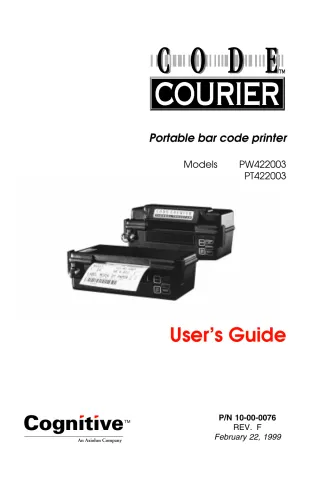
Code Courier Portable Bar Code Printer User's Guide (Models PW422003, PT422003)
Manual28 pagesPDF 404 KB
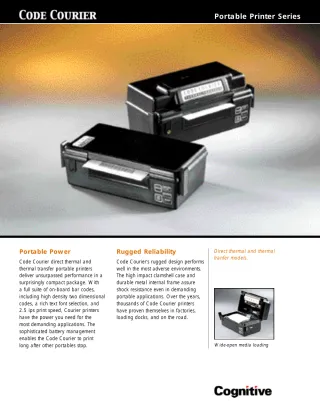
User's guide for the Cognitive Code Courier portable bar code printer, models PW422003 (direct thermal) and PT422003 (thermal transfer).
Covers · 1 model
The models it covers
Summary
What is in it
The user's guide for the Code Courier portable bar code label printer from Cognitive, in the PW422003 direct thermal and PT422003 thermal transfer models. It gives full printer specifications, supplied and optional accessories, the controls, indicators and beep codes, the RS232 serial port pinouts and parameters, and setup steps for the battery, charging, loading labels or tags and installing ribbon. It does not contain programming information; Windows drivers are supplied for printing labels.
From the manual
Key facts from this manual
Each line names its page in the PDF.
The User's Guide (P/N 10-00-0076 Rev. F, February 1999) for the Cognitive Code Courier portable bar code printer, models PW422003 and PT422003. It gives the specifications, accessories with part numbers, serial port wiring, setup, battery charging, label and ribbon loading, power management, troubleshooting and the supplied Windows software.
- Device
- Portable bar code label printer: PW422003 direct thermal, PT422003 thermal transfer p. 1, 4
- Interface
- RS232 serial on RJ45 (DB9 on some custom printers); DTE, RTS/CTS or XON/XOFF; 600 to 57600 baud; default 9600 baud, no parity, 8 data bits, 1 stop bit p. 8
- Power
- Internal 14.4 VDC nicad battery; fork lift models need external 24 to 36 VDC p. 4
- Battery
- 14.4 VDC, 850 mAh, P/N 90-12-0011; 0.64 lbs.; typically retains a charge for 6 months p. 4, 5
- Battery chargers
- P/N 71-12-0051 for 110 VAC service, P/N 90-12-0070-01 for 220 VAC service; output 18 VDC 500 mA p. 4, 22
- Charge time
- 2 to 6 hours; charging stops automatically after six hours p. 10
- Print speed and pitch
- 1, 1.5 or 2.5 IPS and 203 or 101 DPI, programmable p. 4
- Media
- 2.4" to 4.25" wide; max print length 6"; rolls about 2" outside diameter p. 4, 10
- Indexing
- PW422003: black bar or gap; PT422003: black bar in direct thermal mode, black bar or gap in thermal transfer mode p. 4
- Cables
- DB9 to DB9 P/N 90-88-0079, DB9 to DB25 P/N 90-88-0078, RJ45 to RJ45 P/N 61-00-0026; adapters RJ45 to DB25f 90-12-0017, DB25m 90-12-0018, DB9f 90-12-0016 p. 5
- Accessories
- Fork lift mount kit 98-12-0000, all weather holster 71-12-0032, carrying strap 71-12-0050, carrying case 90-12-0031, carrying handle 71-12-0003, SC5000 five slot charger p. 5
- Bar codes
- UPCA/E/E1, ADD2/5, EAN8/13/128, Code39, I2OF5, Code128A/B/C, CODABAR, Plessey, MSI, MSI1, PDF417, MaxiCode p. 4
- Environment
- Operating -20 to 50 C, 5-85% non-condensing RH; storage -25 to 60 C p. 4
- Size and weight
- PW422003: 8.4" H x 4.75" W x 2.75" D, 3.0 lbs.; PT422003: 8.4" H x 4.75" W x 4" D, 3.3 lbs. (with battery, without media) p. 4
What this manual walks you through
- Wiring the DB9 and RJ45 serial connectors and setting port parameters p. 8
- Opening the printer and installing the battery p. 9
- Charging the battery p. 10
- Installing thermal transfer ribbon in the PT422003 p. 12
- Selecting the print mode and index method p. 12, 13
- Printing a self-test label p. 13
- Timed power shutoff, low battery shutoff and automatic speed control p. 15
- Troubleshooting checklist and common problems p. 19, 20, 21, 22, 23
- Installing the Intellidriver and LabelMagic software p. 25
- Recommended Cognitive label, receipt and ribbon media p. 26
Good to know
- The PT422003 cannot use gap indexing in direct thermal mode. p. 13
- A self-test label leaves the printer in hex dump mode; turn it off and on to print labels again. p. 13
- The printer needs a null modem cable or adapter when connected to a personal computer; the listed accessory cables are null modem. p. 8
- The battery ships discharged and uninstalled. p. 9
- Label designs that turn on more than 80% of the printhead elements at once substantially reduce labels per charge. p. 22
Questions this manual answers
What battery does the Code Courier printer use?
What are the default serial settings of the Code Courier?
9600 baud, no parity, 8 data bits, 1 stop bit. p. 8
Why does my Code Courier beep seven times and shut off?
The battery is exhausted; recharge it or replace it with a fully charged one. p. 20
How do I print a self-test label on a Code Courier?
With the printer off, hold FEED and turn it on; afterward turn it off and on again to leave hex dump mode. p. 13
What software comes with the Code Courier printer?
The Cognitive Intellidriver Windows printer drivers and LabelMagic label layout software, for Windows 95, NT, Windows for Workgroups and 3.1/3.11. p. 25
The whole text · 3 parts
Read the manual here as text
Its text as extracted from the PDF, unedited, in parts; each page opens the PDF at that page.
The file