Manual · Citizen
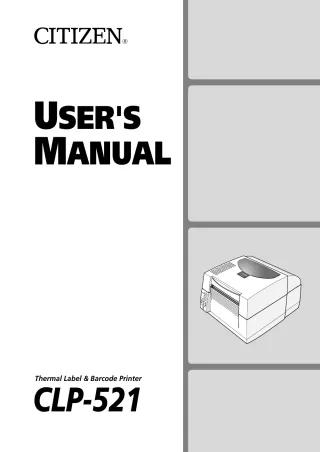
User's Manual, Thermal Label & Barcode Printer CLP-521
Manual54 pagesPDF 1.8 MB
User's manual for the Citizen CLP-521 thermal label and barcode printer: setup, media loading, menu settings, adjustments and troubleshooting.
Covers · 1 model
The models it covers
Summary
What is in it
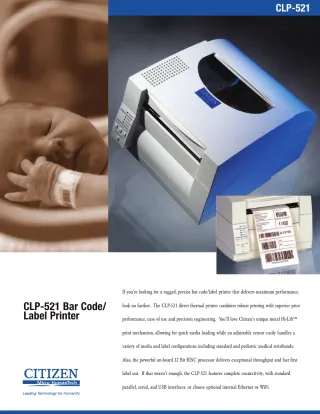
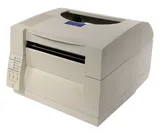
The user's manual for the Citizen CLP-521 compact thermal label and barcode printer. After safety and compliance notes it covers unpacking, part names, power and computer connection, driver installation, power on and off, LED functions, media sizes and loading, the HEX dump, self print and VuePrint menu setting modes, sensor, media thickness and width adjustments, cleaning and troubleshooting. Appendices give specifications, the serial, parallel and USB interfaces, and replacing the interface board.
Its parts
- Before Operation
- Setup
- Printer Operation
- Printer Adjustments
- Troubleshooting
From the manual
Key facts from this manual
Each line names its page in the PDF.
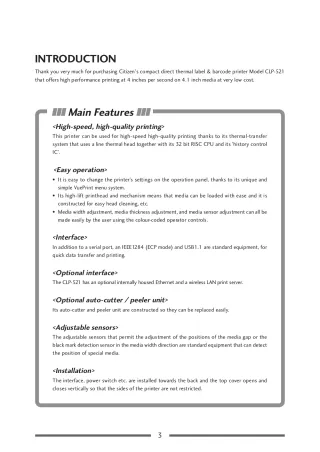
User's manual for the Citizen CLP-521 thermal label and barcode printer. It covers unpacking, connecting, loading media, the panel keys and LED alarms, the menu and test modes, sensor adjustment, cleaning and troubleshooting. The appendixes give the specifications, interface pinouts and how to swap the interface board.
- Device
- Thermal label and barcode printer with a 32Bit RISC CPU p. 1, 43
- Interfaces
- RS232C serial, IEEE1284 parallel and USB1.1 standard; internal Ethernet or wireless LAN optional p. 17
- Resolution
- 203 dots/inch (8 dots/mm); head of 864 dots, 832 effective p. 42
- Print speed
- 4, 3 or 2 inches per second p. 42
- Memory
- FLASH ROM 2Mbyte, SDRAM 8MByte p. 43
- Power
- 120V, 2.5A, 60Hz (U.S.A., Canada); 220V-240V, 1.2A, 50/60Hz version for Europe p. 43
- Print area
- Max. print width 104 mm (4.1 inch); max. print length 812.8 mm (32 inch) p. 42
- Media
- Roll or fanfold, 19.5 mm to 118.0 mm wide; rolls up to 127mm outside diameter on 25.4 to 76mm cores p. 42
- Media sensors
- Transparent sensor for gaps, notches and media out; reflective sensor for black marks p. 43
- Control language
- Conforms to the Datamax programming language p. 43
- Bar codes
- 1D codes including Code 3 of 9, UPC-A, EAN-13, Code 128 and UCC/EAN128; 2D UPS Maxi Code, PDF-417, Data Matrix, QR Code p. 42
- Options
- Auto-cutter unit, peeler unit, Ethernet and wireless LAN interface boards p. 44
- Operating conditions
- 0 to 40°C, humidity 30 to 80%, no condensation p. 44
- Size and weight
- Approx. 231 (W) x 289 (D) x 186 (H) mm; approx. 3.5 kg (7.7 lb.) p. 44
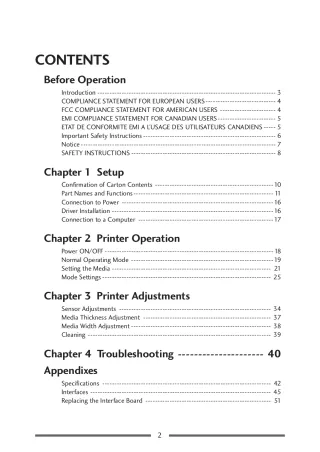
What this manual walks you through
- Unpacking the printer and checking the carton contents p. 10
- Connecting power and a computer p. 16, 17
- Using the panel keys and reading the LED alarm indications p. 19, 20
- Choosing media sizes and the transparent or reflective sensor p. 21
- Starting hex dump, self print and menu setup modes p. 25, 26, 27
- Printing a self test to set media width and thickness p. 26
- Adjusting the media sensors p. 34
- Cleaning the printhead and platen p. 39
- Troubleshooting power, blank printing and print quality problems p. 40, 41
- Replacing the interface board p. 51, 52
Good to know
- Fitting the optional Ethernet or wireless LAN port removes the parallel port. p. 17
- Clean only with ethyl alcohol; other solvents can dissolve plastic parts and destroy the printhead and platen. p. 39
- Do not switch off while the printer saves a menu value. p. 27
- Use an AC outlet that accepts a three-pronged plug. p. 16
- Never use a metal object to remove a label stuck inside the printer. p. 40
Questions this manual answers
What interfaces does the Citizen CLP-521 have?
RS232C serial, IEEE1284 parallel and USB1.1 as standard; an internal Ethernet or wireless LAN port is optional and replaces the parallel port. p. 17
How do I print a self test on the CLP-521?
Turn on the power while holding the FEED key, then release it when the PRINT LED starts to flash. p. 25, 26
How do I get into the CLP-521 menu settings?
Turn on the power while pressing the MODE/REPEAT key; media must be loaded to use the menu. p. 27
What media widths does the CLP-521 take?
From 19.5 mm (0.77 inch) to 118.0 mm (4.65 inch). p. 42
Which printer language does the CLP-521 use?
It conforms to the Datamax programming language. p. 43
Contents
Chapters and sections
Each line opens the PDF at its page.
The whole text · 6 parts
Read the manual here as text
Its text as extracted from the PDF, unedited, in parts; each page opens the PDF at that page.
The file