Manual · CipherLab
8500 Series Mobile Computer Reference Manual (8500/8570/8580/8590)
Manual107 pagesPDF 4.0 MB
Reference manual for the CipherLab 8500 Series mobile computers (8500, 8570, 8580, 8590): setup, wireless, System Menu and specs.
Covers · 1 model
The models it covers
Summary
What is in it
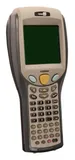
The reference manual for the CipherLab 8500 Series mobile computers, models 8500, 8570, 8580 and 8590. It covers the battery, memory, 24-key and 44-key keypads, touch screen, data capture with barcode and RFID, the communications cradle, and IrDA, Bluetooth, 802.11b/g and GSM/GPRS connections. It then explains the software architecture, every System Menu setting and test, the Program Manager and kernel, specifications, the download utilities and troubleshooting.
Its parts
- Introduction
- Using 8500 Mobile Computer
- Learning Software Architecture
- System Menu
- Program Manager & Kernel
- Specifications
- Download Utilities
- Troubleshooting
From the manual
Key facts from this manual
Some pages are scans or cannot be read; this says only what the readable text supports. Each line names its page in the PDF.
The CipherLab 8500 Series Mobile Computer Reference Manual, version 2.11, covering the 8500, 8570, 8580 and 8590, which differ in their wireless options. It explains the battery, memory, keypad, scan engines and RFID reader, the cradles and wireless links, and gives the specifications and a troubleshooting guide.
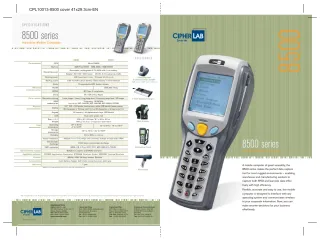
- CPU
- 32-bit Toshiba CMOS type, 40 MHz p. 99
- Memory
- 2 MB flash program memory; 2 MB SRAM data memory, upgradeable with a 4 MB or 8 MB memory card p. 22, 99
- Battery
- Rechargeable Li-ion 3.7 V, 4000 mAh, about four hours to charge; backup 3.0 V, 7 mAh lithium button cell keeps data at least 7 days p. 19, 99
- Display
- 3" FSTN graphic LCD, 160 x 160 pixels, programmable LED backlight; touch screen with stylus and signature capture; 26 x 19 or 20 x 9 characters p. 99
- Keypad
- 24 or 44 rubber keys, programmable LED backlight p. 99
- Readers
- CCD (linear imager), standard laser, long range laser, extra long range laser or 2D imager; 13.56 MHz RFID reader for ISO 15693, Icode, ISO 14443A and ISO 14443B tags p. 32, 34, 99
- Working time
- Laser, one scan per 5 seconds, backlight on: 400 hours in batch mode, 32 hours in Wi-Fi mode p. 99
- IR/IrDA
- Up to 115200 bps, contact to 30 cm line-of-sight; CipherLab protocol and IrDA 1.0 p. 40
- Size and weight
- 230 mm (L) x 91 mm (W) x 65 mm (H); approx. 600 g with laser and battery; rubber and ABS plastic p. 99
- Temperature
- Operating 8500: -20 °C to 60 °C; 8570/8580/8590: -10 °C to 60 °C; storage -30 °C to 70 °C p. 100
- Ruggedness
- 1.5 m, 5 drops per 6 sides; IP 64; ±15 kV air, ±8 kV direct discharge p. 100
- Accessories
- 4-slot Battery Charger; Charging & Communication, Modem (56 K), Ethernet (10/100 BASE-T) and Vehicle cradles; Travel Charger; Pistol Grip; Belt Holster; Protective Cover p. 100
- Software
- C and BASIC development; Application Generator (AG); CipherNet for VT100/220 and IBM 5250 emulation p. 17, 100
What this manual walks you through
- Installing the hand strap p. 13
- Installing the pistol grip p. 14
- Charging batteries in the 4-slot charger and reading its LEDs p. 15
- Inserting the main battery and the first charge p. 20, 21
- Enabling symbologies that are off by default p. 32, 33
- Setting up a cradle and its DIP switch for modem, RS-232 or LAN p. 35, 36, 37
- Reading the cradle status LEDs p. 38
- Connecting to another device over the IR port p. 40
- Troubleshooting power, charging, keypad and scanning problems p. 105, 106
- Troubleshooting data transfer over IR, Bluetooth, RS-232 and modem p. 106, 107
Good to know
- The chargers will not charge the battery above 40°C; room temperature (18°C to 25°C) is recommended. p. 15
- Data in SRAM is lost when both the main and backup batteries run down; upload data before storing the unit. p. 22
- One barcode engine can sit with the RFID reader, but 1D and 2D engines cannot both be installed. p. 32
- A battery of an incorrect type risks explosion; use only CipherLab batteries and chargers. p. 4
- When sending data by WLAN or Bluetooth, keep at least 20 cm between the unit and your body. p. 4
Questions this manual answers
What battery does the CipherLab 8500 use?
A rechargeable 3.7 V, 4000 mAh Li-ion battery pack, which takes about four hours to charge fully. p. 19
What is the difference between the CipherLab 8500, 8570, 8580 and 8590?
All have Bluetooth Class 2; the 8570 adds 802.11b/g, the 8580 adds GSM/GPRS and the 8590 has both. p. 19
Why won't my CipherLab 8500 charge?
Check the power cord between cradle or charger and outlet, clean the battery contacts, then charge again and watch the status. p. 105
Can the CipherLab 8500 have both a 2D scanner and RFID?
Yes; combinations such as 2D plus RFID are allowed, but 1D and 2D engines cannot be installed together. p. 32
How much memory does the CipherLab 8500 have?
2 MB flash and 2 MB SRAM; a memory card can bring it up to 10 MB. p. 22
Contents
Chapters and sections
Each line opens the PDF at its page.
- IMPORTANT NOTICES3
- RELEASE NOTES5
- INTRODUCTION11
- 1. USING 8500 MOBILE COMPUTER19
- 2. LEARNING SOFTWARE ARCHITECTURE45
- 3. SYSTEM MENU49
- 4. PROGRAM MANAGER & KERNEL89
7 more lines, from page 94 on
The whole text · 14 parts
Read the manual here as text
Its text as extracted from the PDF, unedited, in parts; each page opens the PDF at that page.
- IMPORTANT NOTICES1-4
- RELEASE NOTES5-10
- INTRODUCTION11-18
- 1. USING 8500 MOBILE COMPUTER, pages 19 to 2719-27
- 1. USING 8500 MOBILE COMPUTER, pages 28 to 3628-36
- 1. USING 8500 MOBILE COMPUTER, pages 37 to 4437-44
- 2. LEARNING SOFTWARE ARCHITECTURE45-48
- 3. SYSTEM MENU, pages 49 to 5849-58
- 3. SYSTEM MENU, pages 59 to 6859-68
- 3. SYSTEM MENU, pages 69 to 7869-78
- 3. SYSTEM MENU, pages 79 to 8879-88
- 4. PROGRAM MANAGER & KERNEL89-98
- Pages 99 to 10499-104
- TROUBLESHOOTING105-107
The file