Manual · Axis
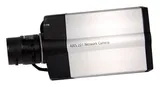
AXIS 221 Network Camera User's Manual
Manual64 pagesPDF 2.5 MB
User's manual for the AXIS 221 network camera: access, video streams, settings, events, connectors and specifications.
Covers · 1 model
The models it covers
Summary
What is in it
Axis's user's manual for the AXIS 221 Network Camera, written for administrators and users and applicable to software release 4.45. It explains accessing the camera from a browser, Motion JPEG and MPEG-4 video streams, image and overlay settings, live view configuration, events and motion detection, system options such as security and network settings, the unit connectors, troubleshooting and firmware recovery, replacing the lens, and technical specifications.
Its parts
- Product Features
- Accessing the Camera
- Video Streams
- Setup Tools
- Video and Image Settings
- Live View Config
- Event Configuration
- System Options
- Unit Connectors
- Troubleshooting
- Replacing the lens
- Technical Specifications
From the manual
Key facts from this manual
Each line names its page in the PDF.
User's manual for the AXIS 221 Network Camera, a day and night camera with a varifocal DC-iris lens and Power over Ethernet. It explains browser access, video streams, event and system settings, the I/O, power and RS-232 connectors, firmware upgrades and recovery, troubleshooting, lens replacement and the technical specifications.
- Device
- Day and night network camera with ARTPEC-2 compression chip, DC-iris, metal casing and infrared filter p. 5
- Image sensor
- 1/3" Sony Wfine progressive scan RGB CCD p. 56
- Lens
- Pentax TS3V310ED, F1.0 varifocal 3.0 to 8.0 mm, DC-iris, focus 0.3 m to infinity, CS mount; horizontal view 35° to 93° p. 56
- Frame rate
- Motion JPEG up to 45 fps at 640x480 (60 fps at 480x360 or lower); MPEG-4 up to 30 fps at 640x480 (60 fps at 320x240 or lower) p. 56
- Video compression
- Motion JPEG and MPEG-4 Part 2 (profiles ASP and SP); 16 resolutions from 640 x 480 to 160 x 120 via API p. 56
- Power
- 7-24 V DC (max 5.5 W), 10-24 V AC (max 7.5 VA), Power over Ethernet (IEEE 802.3af) Class 2, or the supplied PS-K adapter p. 48, 57
- Network
- RJ-45 Ethernet, 10BaseT/100BaseTX speed detected automatically; also carries PoE p. 7
- I/O terminal
- 10-pin: two photo-coupled inputs (max 18VDC), one solid state relay output (max 50VDC or 35VAC at 100mA), half-duplex RS-485, GND and auxiliary DC p. 46, 47
- RS-232 port
- Single 9-pin D-SUB, max 115 kbit/s, half-duplex p. 7
- Processor and memory
- ETRAX 100LX CPU, ARTPEC-2 chip, 32 MB RAM, 8 MB flash, battery backed real-time clock p. 57
- Viewers
- Up to 20 simultaneous viewers with Motion JPEG and MPEG-4 unicast; unlimited with multicast MPEG-4 p. 5, 56
- Operating conditions
- 0 to 50 ºC; humidity 20 to 80% RH, non-condensing p. 57
- Size and weight
- 49 x 88 x 186 mm (HxWxD); 550 g excluding power supply p. 58
- Included accessories
- Installation Guide, CD with user's manual, installation and management tools, demo software, mounting and connector kits, camera stand, 9 V DC power supply, decoder licenses p. 58
What this manual walks you through
- Accessing the camera from a browser and setting the root password p. 8, 9
- Focusing the lens with the DC-Iris disabled p. 9
- Resetting to factory defaults with the Control button p. 45
- Wiring the I/O terminal connector p. 46, 47
- Connecting power by adapter, PoE or the power connector block p. 48
- RS-232 connector pinout p. 49
- Checking and upgrading the firmware p. 50
- Recovering from a failed firmware upgrade p. 51
- Troubleshooting network, video and LED problems p. 52, 53, 54
- Replacing the lens p. 55
Good to know
- Connecting AC to the inputs or outputs damages the unit. p. 46
- Use only the supplied PS-K power adapter on the adapter connector. p. 6
- A C-type lens needs an adapter; CS-type lenses fit directly. p. 55
- If a firmware upgrade seems to have failed, wait at least 5 to 10 minutes before restarting it. p. 50
- Each MPEG-4 viewer needs its own MPEG-4 decoder license; one is included. p. 5
Questions this manual answers
How do I factory reset an AXIS 221 camera?
Disconnect power (or the network cable with PoE), hold the Control button while reconnecting power until the Status light turns amber, then release. When it turns green the reset is done. p. 45
What IP address does the AXIS 221 have after a reset?
192.168.0.90, if no DHCP server is in use. p. 45
What does a flashing red Status LED mean on the AXIS 221?
A failed or interrupted firmware upgrade; the manual gives an emergency recovery procedure to reload the firmware. p. 51, 54
I lost the AXIS 221 root password. What now?
The camera must be reset to the factory default settings. p. 9
What lenses fit the AXIS 221?
It has a CS mount, so any standard CS lens fits directly; a C lens needs an adapter. p. 55
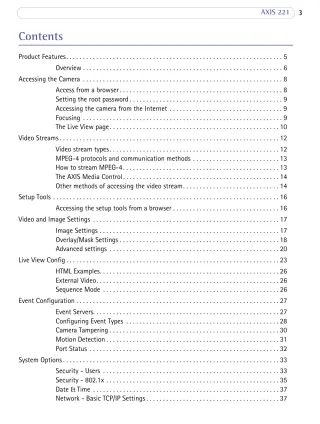
Contents
Chapters and sections
Each line opens the PDF at its page.
The whole text · 12 parts
Read the manual here as text
Its text as extracted from the PDF, unedited, in parts; each page opens the PDF at that page.
The file