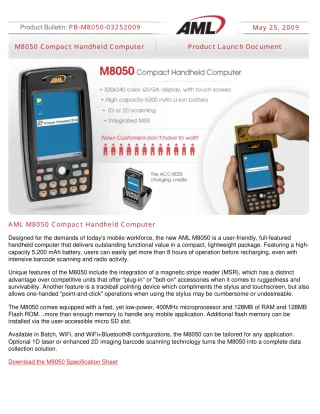
Spec sheet · AML
M8050 Compact Handheld Computer Product Launch Document
Spec sheet6 pagesPDF 341 KB
Product bulletin with specifications for the AML M8050 compact handheld computer with integrated magnetic stripe reader.
Covers · 1 model
The models it covers
Summary
What is in it
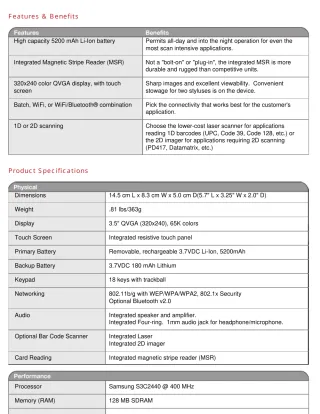
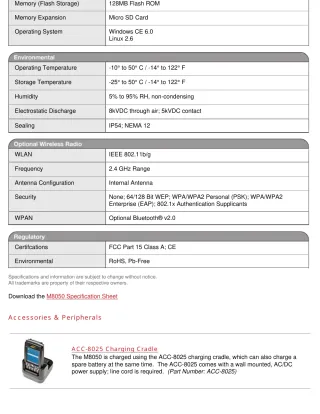
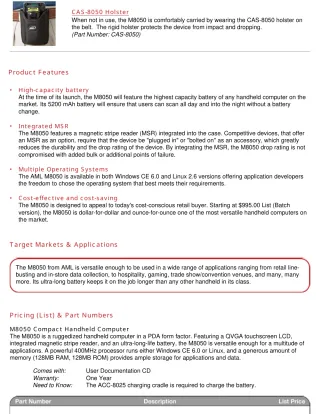
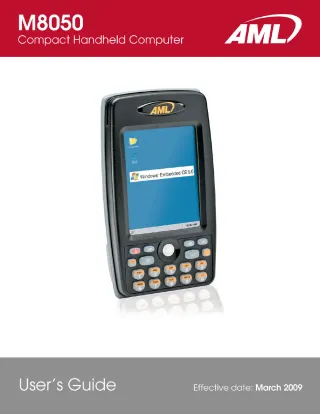
AML's product launch bulletin for the M8050 Compact Handheld Computer, a ruggedized handheld in a PDA form factor with an integrated magnetic stripe reader, trackball and QVGA touch screen. It lists features and benefits, full product specifications (size, display, battery, processor, memory, operating systems, networking, environment), the ACC-8025 charging cradle and CAS-8050 holster accessories, target markets, and the part numbers for the batch, WiFi and WiFi+Bluetooth versions.
From the sheet · read page by page
Key facts from this sheet
Each line names its page in the PDF.
AML product bulletin PB-M8050-03252009, a product launch document dated May 25, 2009, for the M8050 Compact Handheld Computer. It gives the specifications, the Batch, WiFi and WiFi plus Bluetooth configurations with their part numbers for Windows CE 6.0 and Linux, and the charging cradle, battery and holster.
- Device
- Ruggedized handheld computer in a PDA form factor, with touchscreen, trackball and integrated magnetic stripe reader p. 4
- Configurations
- Batch, 802.11g, or 802.11g plus Bluetooth; no scanner, laser or 2D imager; Windows CE 6.0 or Linux p. 1, 5
- Operating system
- Windows CE 6.0 or Linux 2.6 p. 3
- Processor, memory
- Samsung S3C2440 at 400 MHz; 128 MB SDRAM; 128MB Flash ROM; Micro SD card slot p. 2, 3
- Display
- 3.5" QVGA (320x240), 65K colors, integrated resistive touch panel p. 2
- Keypad
- 18 keys with trackball p. 2
- Battery
- Removable, rechargeable 3.7VDC Li-Ion, 5200mAh (part 1810-0006); backup battery 3.7VDC 180 mAh Lithium p. 2, 6
- Scanner
- Optional integrated laser for 1D barcodes or integrated 2D imager p. 2
- Card reader
- Integrated magnetic stripe reader (MSR) p. 2
- Radio
- 802.11b/g, 2.4 GHz, internal antenna; WEP, WPA/WPA2 Personal and Enterprise, 802.1x; optional Bluetooth v2.0 p. 2, 3
- Size and weight
- 14.5 cm L x 8.3 cm W x 5.0 cm D (5.7" x 3.25" x 2.0"); .81 lbs/363g p. 2
- Environment
- Humidity 5% to 95% RH non-condensing; ESD 8kVDC air, 5kVDC contact; sealing IP54, NEMA 12 p. 3
- Charging cradle
- Charges the M8050 and a spare battery at the same time; wall-mounted AC/DC power supply, line cord required p. 3
- Holster
- CAS-8050 rigid belt holster p. 4, 6
What this sheet walks you through
- Choosing a configuration by radio, scanner and operating system p. 5
- Choosing between the laser scanner and the 2D imager p. 2
- Charging the battery and a spare in the cradle p. 3
- Carrying the unit in the holster p. 4
Good to know
- The battery is charged only through the charging cradle. p. 4
- The cradle's power supply needs a line cord. p. 3
Questions this sheet answers
How long does the AML M8050 battery last?
The 5,200 mAh battery gives more than 8 hours of operation before recharging, even with intensive scanning and radio activity. p. 1
What operating system does the M8050 run?
It comes in Windows CE 6.0 and Linux 2.6 versions. p. 4
What barcodes can the M8050 read?
The laser scanner option reads 1D barcodes such as UPC, Code 39 and Code 128; the 2D imager option is for 2D codes such as PD417 and Datamatrix. p. 2
What is the battery part number for the M8050?
1810-0006, a 5200 mAh Li-Ion battery. p. 6
Does the M8050 have a magnetic stripe reader?
Yes. The MSR is integrated into the case rather than added as a plug-in accessory. p. 4
The whole text · 1 part
Read the sheet here as text
Its text as extracted from the PDF, unedited, in parts; each page opens the PDF at that page.
The file