Manual · Telxon
Primeros pasos con el Telxon PTC-960SL-III
Manual2 páginasPDF 441 KB
Las dos páginas están más abajo, cada una con su texto.
Archivado con · 1 modelo
También archivado con estos modelos en el sitio anterior
Del manual · leído página por página
Datos clave de este manual
Cada línea indica su página en el PDF.
Una guía de primeros pasos de dos hojas (72-52929-01, revisión A, junio de 2001) de la computadora de mano Symbol PTC-960SL-III. Trata los paquetes de baterías y cómo cargarlos, sacarlos e instalarlos, además del desembalaje, la conexión de cables, el escaneo, las condiciones de operación y el almacenamiento.
- Paquetes de baterías
- Ion de litio de 1,300 mAh o níquel-cadmio de 500 mAh pág. 1
- Tiempo de carga
- 8 horas (ion de litio); de 5 a 6 horas (níquel-cadmio) pág. 1
- Módulo de alimentación
- 12 V CC, 200 mA, conectado al conector micro DB-15 de la PTC y a un tomacorriente de CA de 110 voltios pág. 1
- Ubicación de la batería
- Conjunto de tapa del extremo y paquete de baterías en el mango, que se libera con un botón a cada lado pág. 1
- Otros cargadores
- El paquete también se puede cargar en una base de comunicación o en un cargador universal de baterías pág. 1
- Carga durante el almacenamiento
- Cargue el paquete de baterías cada dos meses mientras la PTC está guardada pág. 2
- Dispositivo
- Computadora de mano PTC-960SL-III alimentada por batería, con escáner láser interno y radio opcional de espectro ensanchado por secuencia directa o por salto de frecuencia pág. 1
- Conector
- Micro DB-15 para los cables y el módulo de alimentación pág. 1
- Temperatura de operación
- De –4° F (–20° C) a 122° F (50° C); versión de temperatura extendida de –22° a 70° F (–30° a 21° C) pág. 2
- Temperatura de almacenamiento
- No por debajo de –40° F (–40° C) ni por encima de 167° F (75° C) pág. 2
- Resistencia a caídas
- 4 pies (1.2 m) sobre concreto pág. 1
- Transferencia de datos
- Radio interna, base de comunicación opcional o cable a un host, una impresora o un accesorio pág. 1
Lo que este manual le explica
- Cargar el paquete de baterías con el módulo de alimentación pág. 1
- Sacar e instalar el conjunto de tapa del extremo y paquete de baterías pág. 1, 2
- Desembalar y revisar el contenido de la caja pág. 1
- Conectar la antena de la radio pág. 1
- Comprobar que la PTC arranca correctamente pág. 1
- Conectar cables y accesorios pág. 1
- Escanear etiquetas de códigos de barras con el escáner láser interno pág. 1
- Limpiar y guardar la PTC pág. 2
Conviene saber
- Un paquete de baterías que se deja sin atender en un congelador durante más de 1 hora se congela y parece descargado; caliéntelo al menos a 65° F (18° C) antes de recargarlo. pág. 2
- Un paquete de ion de litio tarda más en cargarse si no se recarga a temperatura ambiente. pág. 1
- Para cargar fuera de los EE. UU. o Canadá se necesita un módulo de alimentación hecho para el voltaje de CA de ese país. pág. 1
- No encienda la PTC ni transmita sin la antena colocada; de lo contrario, la radio puede dañarse. pág. 1
- Nunca incinere el paquete de ion de litio ni el de níquel-cadmio; envíelo a un centro autorizado de desecho de baterías para su reciclaje. pág. 2
Preguntas que responde este manual
¿Cuánto tarda en cargarse una batería de la PTC-960SL-III?
Unas 8 horas el paquete de ion de litio y de 5 a 6 horas el paquete de níquel-cadmio. pág. 1
¿Qué batería usa la PTC-960SL-III?
Un paquete de baterías de ion de litio de 1,300 mAh o de níquel-cadmio de 500 mAh, integrado en la tapa del extremo del mango. pág. 1
¿Cómo saco la batería de una PTC-960SL-III?
Apague la PTC, presione los botones de liberación de ambos lados de la tapa del extremo del mango y saque la tapa y el paquete. pág. 1
¿Por qué la batería de mi PTC-960SL-III parece descargada después de estar en un congelador?
Un paquete que se deja sin atender en un congelador durante más de una hora se congela; deje que se caliente al menos a 65° F (18° C) antes de recargarlo. pág. 2
¿Qué fuente de alimentación carga la PTC-960SL-III?
Un módulo de alimentación de 12 V CC y 200 mA que se conecta al conector micro DB-15 de la PTC y a un tomacorriente de 110 voltios. pág. 1
El archivo
Tamaño y texto
Todas las páginas · 2
Léalo aquí
Cada página tal como está impresa, y su texto al lado, para que en un teléfono se pueda buscar y copiar.
Página1de 2
Abrir en el PDF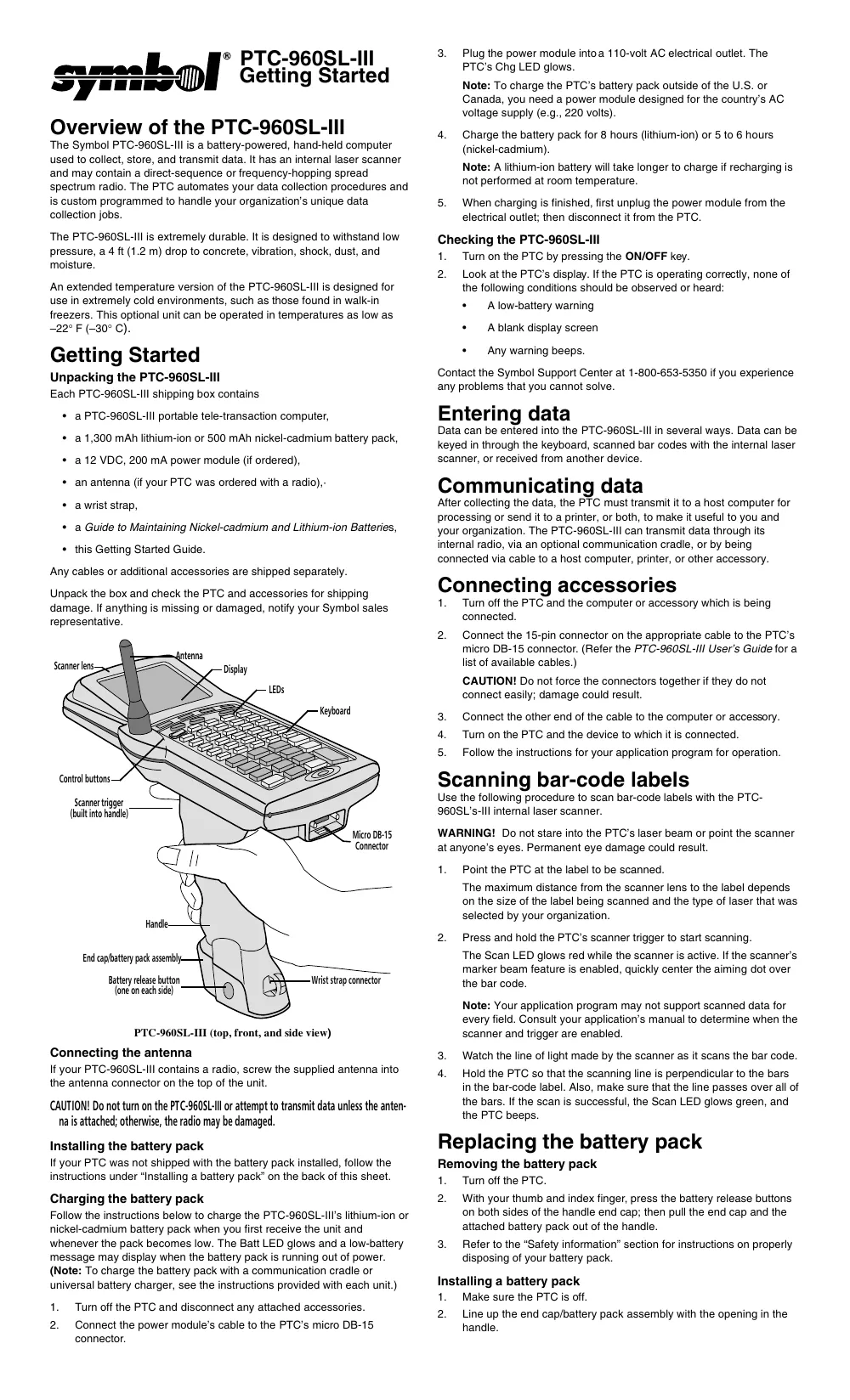
El texto de la página 1, del propio PDF
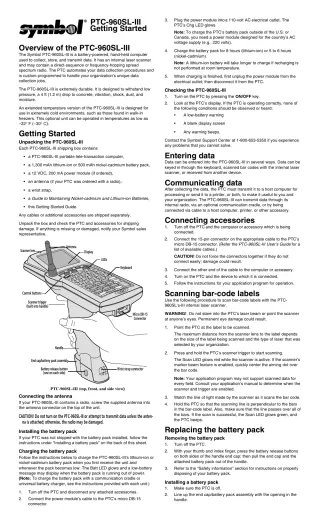
PTC-960SL-III Getting Started Overview of the PTC-960SL-III The Symbol PTC-960SL-III is a battery-powered, hand-held computer used to collect, store, and transmit data. It has an internal laser scanner and may contain a direct-sequence or frequency-hopping spread spectrum radio. The PTC automates your data collection procedures and is custom programmed to handle your organization’s unique data collection jobs. The PTC-960SL-III is extremely durable. It is designed to withstand low pressure, a 4 ft (1.2 m) drop to concrete, vibration, shock, dust, and moisture.
3.
Plug the power module into a 110-volt AC electrical outlet. The PTC’s Chg LED glows. Note: To charge the PTC’s battery pack outside of the U.S. or Canada, you need a power module designed for the country’s AC voltage supply (e.g., 220 volts).
4.
Charge the battery pack for 8 hours (lithium-ion) or 5 to 6 hours (nickel-cadmium). Note: A lithium-ion battery will take longer to charge if recharging is not performed at room temperature.
5.
When charging is finished, first unplug the power module from the electrical outlet; then disconnect it from the PTC.
Checking the PTC-960SL-III 1.
Turn on the PTC by pressing the ON/OFF key.
2.
Look at the PTC’s display. If the PTC is operating correctly, none of the following conditions should be observed or heard:
An extended temperature version of the PTC-960SL-III is designed for use in extremely cold environments, such as those found in walk-in freezers. This optional unit can be operated in temperatures as low as –22° F (–30° C).
Getting Started•A low-battery warning•A blank display screen•Any warning beeps.
Contact the Symbol Support Center at 1-800-653-5350 if you experience any problems that you cannot solve.
Unpacking the PTC-960SL-III Each PTC-960SL-III shipping box contains
Entering data
- a PTC-960SL-III portable tele-transaction computer,
- a 1,300 mAh lithium-ion or 500 mAh nickel-cadmium battery pack,
- a 12 VDC, 200 mA power module (if ordered),
Data can be entered into the PTC-960SL-III in several ways. Data can be keyed in through the keyboard, scanned bar codes with the internal laser scanner, or received from another device.
- an antenna (if your PTC was ordered with a radio),·
Communicating data
- a wrist strap,
After collecting the data, the PTC must transmit it to a host computer for processing or send it to a printer, or both, to make it useful to you and your organization. The PTC-960SL-III can transmit data through its internal radio, via an optional communication cradle, or by being connected via cable to a host computer, printer, or other accessory.
- a Guide to Maintaining Nickel-cadmium and Lithium-ion Batteries,
- this Getting Started Guide. Any cables or additional accessories are shipped separately. Unpack the box and check the PTC and accessories for shipping damage. If anything is missing or damaged, notify your Symbol sales representative.
Connecting accessories 1.
Turn off the PTC and the computer or accessory which is being connected.
2.
Connect the 15-pin connector on the appropriate cable to the PTC’s micro DB-15 connector. (Refer the PTC-960SL-III User’s Guide for a list of available cables.)
AntennaScanner lensDisplay
CAUTION! Do not force the connectors together if they do not connect easily; damage could result.
LEDs Keyboard
3.
Connect the other end of the cable to the computer or accessory.
4.
Turn on the PTC and the device to which it is connected.
5.
Follow the instructions for your application program for operation.
Scanning bar-code labels
Control buttons
Use the following procedure to scan bar-code labels with the PTC960SL’s-III internal laser scanner.
Scanner trigger (built into handle) Micro DB-15 Connector
WARNING! Do not stare into the PTC’s laser beam or point the scanner at anyone’s eyes. Permanent eye damage could result. 1.
The maximum distance from the scanner lens to the label depends on the size of the label being scanned and the type of laser that was selected by your organization.
Handle 2.
Press and hold the PTC’s scanner trigger to start scanning. The Scan LED glows red while the scanner is active. If the scanner’s marker beam feature is enabled, quickly center the aiming dot over the bar code.
End cap/battery pack assembly Battery release button (one on each side)
Point the PTC at the label to be scanned.
Wrist strap connector
Note: Your application program may not support scanned data for every field. Consult your application’s manual to determine when the scanner and trigger are enabled.
PTC-960SL-III (top, front, and side view)
Connecting the antenna
3.
Watch the line of light made by the scanner as it scans the bar code.
If your PTC-960SL-III contains a radio, screw the supplied antenna into the antenna connector on the top of the unit.
4.
Hold the PTC so that the scanning line is perpendicular to the bars in the bar-code label. Also, make sure that the line passes over all of the bars. If the scan is successful, the Scan LED glows green, and the PTC beeps.
CAUTION! Do not turn on the PTC-960SL-III or attempt to transmit data unless the antenna is attached; otherwise, the radio may be damaged. Installing the battery pack
Replacing the battery pack
If your PTC was not shipped with the battery pack installed, follow the instructions under “Installing a battery pack” on the back of this sheet.
Removing the battery pack 1.
Turn off the PTC.
Charging the battery pack
2.
With your thumb and index finger, press the battery release buttons on both sides of the handle end cap; then pull the end cap and the attached battery pack out of the handle.
3.
Refer to the “Safety information” section for instructions on properly disposing of your battery pack.
Follow the instructions below to charge the PTC-960SL-III’s lithium-ion or nickel-cadmium battery pack when you first receive the unit and whenever the pack becomes low. The Batt LED glows and a low-battery message may display when the battery pack is running out of power. (Note: To charge the battery pack with a communication cradle or universal battery charger, see the instructions provided with each unit.) 1.
Turn off the PTC and disconnect any attached accessories.
2.
Connect the power module’s cable to the PTC’s micro DB-15 connector.
Installing a battery pack 1.
Make sure the PTC is off.
2.
Line up the end cap/battery pack assembly with the opening in the handle.
Página2de 2
Abrir en el PDF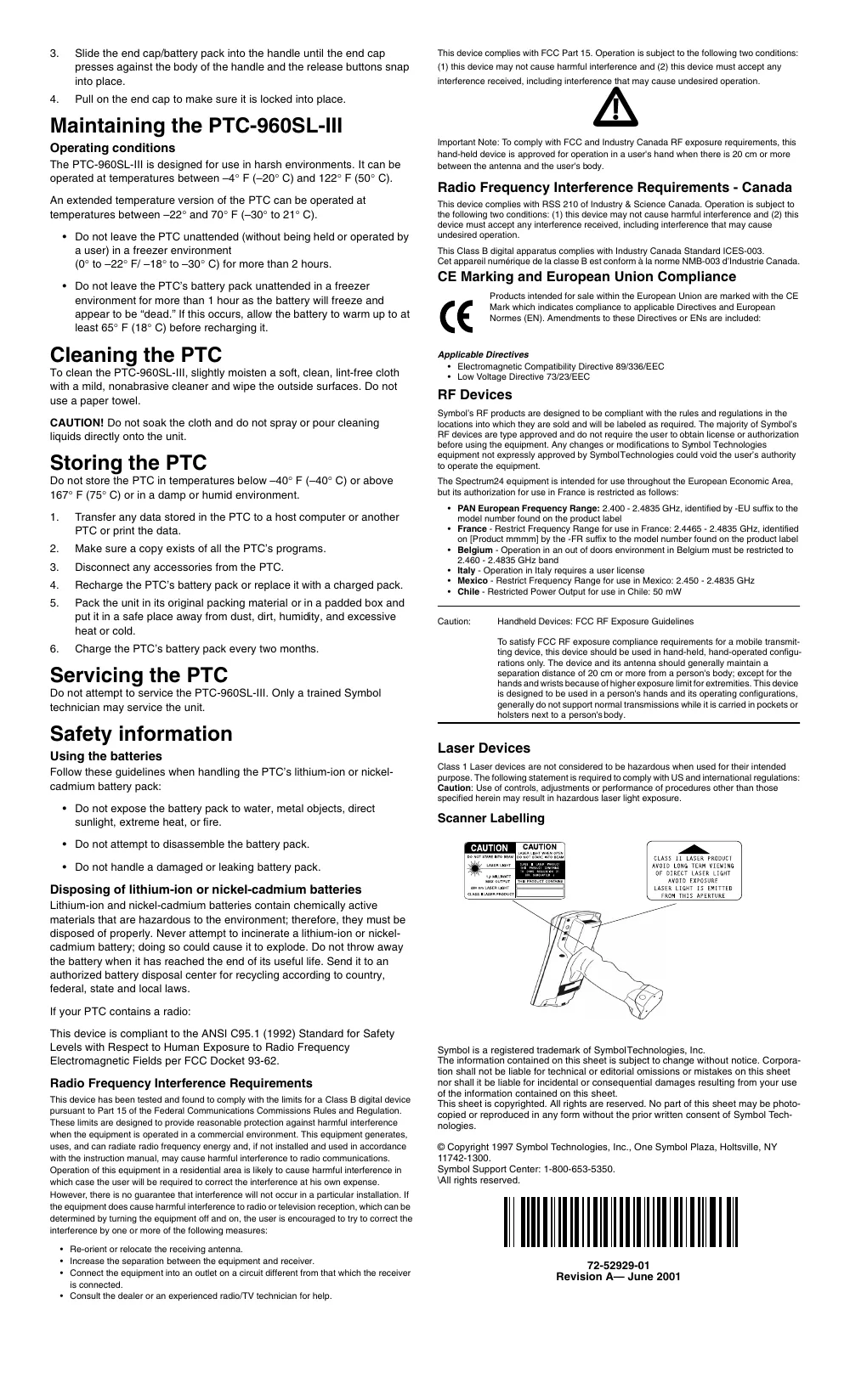
El texto de la página 2, del propio PDF
3.
4.
Slide the end cap/battery pack into the handle until the end cap presses against the body of the handle and the release buttons snap into place.
This device complies with FCC Part 15. Operation is subject to the following two conditions: (1) this device may not cause harmful interference and (2) this device must accept any interference received, including interference that may cause undesired operation.
Pull on the end cap to make sure it is locked into place.
Maintaining the PTC-960SL-III Operating conditions The PTC-960SL-III is designed for use in harsh environments. It can be operated at temperatures between –4° F (–20° C) and 122° F (50° C). An extended temperature version of the PTC can be operated at temperatures between –22° and 70° F (–30° to 21° C).
- Do not leave the PTC unattended (without being held or operated by a user) in a freezer environment (0° to –22° F/ –18° to –30° C) for more than 2 hours.
- Do not leave the PTC’s battery pack unattended in a freezer environment for more than 1 hour as the battery will freeze and appear to be “dead.” If this occurs, allow the battery to warm up to at least 65° F (18° C) before recharging it.
Cleaning the PTC To clean the PTC-960SL-III, slightly moisten a soft, clean, lint-free cloth with a mild, nonabrasive cleaner and wipe the outside surfaces. Do not use a paper towel.
Important Note: To comply with FCC and Industry Canada RF exposure requirements, this hand-held device is approved for operation in a user's hand when there is 20 cm or more between the antenna and the user's body.
Radio Frequency Interference Requirements - Canada This device complies with RSS 210 of Industry & Science Canada. Operation is subject to the following two conditions: (1) this device may not cause harmful interference and (2) this device must accept any interference received, including interference that may cause undesired operation. This Class B digital apparatus complies with Industry Canada Standard ICES-003. Cet appareil numérique de la classe B est conform à la norme NMB-003 d’Industrie Canada.
CE Marking and European Union Compliance Products intended for sale within the European Union are marked with the CE Mark which indicates compliance to applicable Directives and European Normes (EN). Amendments to these Directives or ENs are included:
Applicable Directives
- Electromagnetic Compatibility Directive 89/336/EEC
- Low Voltage Directive 73/23/EEC
RF Devices
Storing the PTC
Symbol’s RF products are designed to be compliant with the rules and regulations in the locations into which they are sold and will be labeled as required. The majority of Symbol’s RF devices are type approved and do not require the user to obtain license or authorization before using the equipment. Any changes or modifications to Symbol Technologies equipment not expressly approved by Symbol Technologies could void the user’s authority to operate the equipment.
Do not store the PTC in temperatures below –40° F (–40° C) or above 167° F (75° C) or in a damp or humid environment.
The Spectrum24 equipment is intended for use throughout the European Economic Area, but its authorization for use in France is restricted as follows:
CAUTION! Do not soak the cloth and do not spray or pour cleaning liquids directly onto the unit.
1.
Transfer any data stored in the PTC to a host computer or another PTC or print the data.
2.
Make sure a copy exists of all the PTC’s programs.
3.
Disconnect any accessories from the PTC.
4.
Recharge the PTC’s battery pack or replace it with a charged pack.
5.
Pack the unit in its original packing material or in a padded box and put it in a safe place away from dust, dirt, humidity, and excessive heat or cold.
6.
Charge the PTC’s battery pack every two months.
Servicing the PTC Do not attempt to service the PTC-960SL-III. Only a trained Symbol technician may service the unit.
Safety information Using the batteries Follow these guidelines when handling the PTC’s lithium-ion or nickelcadmium battery pack:
- Do not expose the battery pack to water, metal objects, direct sunlight, extreme heat, or fire.
- PAN European Frequency Range: 2.400 - 2.4835 GHz, identified by -EU suffix to the model number found on the product label
- France - Restrict Frequency Range for use in France: 2.4465 - 2.4835 GHz, identified on [Product mmmm] by the -FR suffix to the model number found on the product label
- Belgium - Operation in an out of doors environment in Belgium must be restricted to 2.460 - 2.4835 GHz band
- Italy - Operation in Italy requires a user license
- Mexico - Restrict Frequency Range for use in Mexico: 2.450 - 2.4835 GHz
- Chile - Restricted Power Output for use in Chile: 50 mW Caution:
Handheld Devices: FCC RF Exposure Guidelines To satisfy FCC RF exposure compliance requirements for a mobile transmitting device, this device should be used in hand-held, hand-operated configurations only. The device and its antenna should generally maintain a separation distance of 20 cm or more from a person's body; except for the hands and wrists because of higher exposure limit for extremities. This device is designed to be used in a person's hands and its operating configurations, generally do not support normal transmissions while it is carried in pockets or holsters next to a person's body.
Laser Devices Class 1 Laser devices are not considered to be hazardous when used for their intended purpose. The following statement is required to comply with US and international regulations: Caution: Use of controls, adjustments or performance of procedures other than those specified herein may result in hazardous laser light exposure.
Scanner Labelling
- Do not attempt to disassemble the battery pack.
- Do not handle a damaged or leaking battery pack.
Disposing of lithium-ion or nickel-cadmium batteries Lithium-ion and nickel-cadmium batteries contain chemically active materials that are hazardous to the environment; therefore, they must be disposed of properly. Never attempt to incinerate a lithium-ion or nickelcadmium battery; doing so could cause it to explode. Do not throw away the battery when it has reached the end of its useful life. Send it to an authorized battery disposal center for recycling according to country, federal, state and local laws. If your PTC contains a radio: This device is compliant to the ANSI C95.1 (1992) Standard for Safety Levels with Respect to Human Exposure to Radio Frequency Electromagnetic Fields per FCC Docket 93-62.
Radio Frequency Interference Requirements This device has been tested and found to comply with the limits for a Class B digital device pursuant to Part 15 of the Federal Communications Commissions Rules and Regulation. These limits are designed to provide reasonable protection against harmful interference when the equipment is operated in a commercial environment. This equipment generates, uses, and can radiate radio frequency energy and, if not installed and used in accordance with the instruction manual, may cause harmful interference to radio communications. Operation of this equipment in a residential area is likely to cause harmful interference in which case the user will be required to correct the interference at his own expense. However, there is no guarantee that interference will not occur in a particular installation. If the equipment does cause harmful interference to radio or television reception, which can be determined by turning the equipment off and on, the user is encouraged to try to correct the interference by one or more of the following measures:
- Re-orient or relocate the receiving antenna.
- Increase the separation between the equipment and receiver.
- Connect the equipment into an outlet on a circuit different from that which the receiver is connected.
- Consult the dealer or an experienced radio/TV technician for help.
Symbol is a registered trademark of Symbol Technologies, Inc. The information contained on this sheet is subject to change without notice. Corporation shall not be liable for technical or editorial omissions or mistakes on this sheet nor shall it be liable for incidental or consequential damages resulting from your use of the information contained on this sheet. This sheet is copyrighted. All rights are reserved. No part of this sheet may be photocopied or reproduced in any form without the prior written consent of Symbol Technologies. © Copyright 1997 Symbol Technologies, Inc., One Symbol Plaza, Holtsville, NY 11742-1300. Symbol Support Center: 1-800-653-5350. \All rights reserved.
72-52929-01 Revision A - June 2001