


Manual · Intermec
Cargador Intermec Z2400
Manual2 páginasPDF 50 KB
Las dos páginas están más abajo, cada una con su texto.
Archivado con · 7 modelos
También archivado con estos modelos en el sitio anterior
 Intermec 2420Terminal portátil de recolección de datos por lotes desde$1,095.0033 en existencia
 Intermec 2425Terminal portátil inalámbrica de recolección de datos desde$995.00271 en existencia
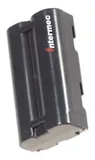 Intermec 073152Batería para terminal portátil desde$80.0099 en existencia
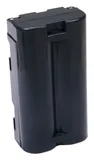 Batería para Intermec 2420/2425/2435/5020/5023Batería para terminal portátil desde$52.5099 en existencia
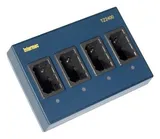 Intermec TZ2400Cargador de baterías desde$395.0011 en existencia
 Intermec 2435Terminal portátil inalámbrica de recolección de datos, de 2.4 GHz Llame para consultar la disponibilidad Batería 068537 para 2420/2425/2435/5020/5023Batería para terminal portátil Llame para consultar la disponibilidad
Del manual · leído página por página
Datos clave de este manual
Cada línea indica su página en el PDF.
La hoja de instrucciones de dos páginas (n.º de pieza 069994-004) del cargador Intermec Trakker Antares Z2400 para 4 paquetes de baterías, que carga paquetes de ion de litio para las terminales de mano Trakker Antares 242X y 243X y la 502X Data Collection PC. Da las especificaciones del cargador, los números de pieza de la fuente de alimentación y del cable de alimentación, cómo colocar las baterías, qué significan los LED de estado y una solución de problemas básica.
- Dispositivo
- Carga hasta cuatro paquetes de baterías a la vez para las terminales Trakker Antares 242X y 243X y la 502X Data Collection PC pág. 1
- Tiempo de carga
- Por lo general de 3.5 a 4.25 horas, según el estado de la batería pág. 2
- Fuente de alimentación
- Fuente de alimentación externa de rango automático, n.º de pieza 065236, se pide por separado pág. 1
- Voltaje máximo
- 8.2V +/- 125mV para 063278 o 068868; 8.4V +/- 125mV para 068537 pág. 1
- Entrada
- 12V 1.7A pág. 1
- Cable de CA, Norteamérica
- N.º de pieza 586105 (los cables se piden por separado) pág. 1
- Cables de CA, otros
- Europa 586267; Reino Unido 586266; Dinamarca y Groenlandia 586283; Italia y Chile 586282; Suiza 586276; Pacífico Sur 586281; China 071918 pág. 1
- LED de estado
- Dos por ranura: amarillo, cargando; verde, batería cargada o sobrecalentada; amarillo intermitente, interrupción, tiempo agotado o batería fría pág. 2
- Temperatura de operación
- 0ºC a 40ºC (32ºF a 104ºF), humedad de 0 a 95% sin condensación pág. 1
- Temperatura de almacenamiento
- -20ºC a 50ºC (-4ºF a 122ºF) pág. 1
- Dimensiones
- Aprox. 51 x 102 x 178 mm (2 x 4 x 7 pulg.) pág. 1
- Peso
- Aprox. 394.1g (13.79 oz) sin fuente de alimentación pág. 1
Lo que este manual le explica
- Elegir una ubicación para el cargador pág. 1
- Conectar la fuente de alimentación externa y el cable de CA pág. 1
- Colocar y retirar un paquete de baterías pág. 2
- Leer los LED de estado pág. 2
- Limpiar los contactos, la lente y la etiqueta de la batería pág. 2
- Solucionar problemas de un cargador que no carga pág. 2
Conviene saber
- Use en este cargador solo paquetes de ion de litio con etiqueta Intermec 063278, 068537 o 068868. pág. 2
- No exponga el cargador a la lluvia ni a la humedad. pág. 1
- El cargador no tiene piezas que el usuario pueda reparar y no se debe desarmar. pág. 2
- Mantenga los objetos metálicos lejos de los contactos del cargador. pág. 2
- El cargador se calienta durante el uso, lo que la hoja considera normal. pág. 2
Preguntas que responde este manual
¿Qué baterías son compatibles con el cargador Intermec Z2400?
Paquetes de ion de litio con etiqueta Intermec y n.º de pieza 063278, 068537 o 068868, hasta cuatro a la vez en cualquier combinación. pág. 2
¿Qué fuente de alimentación necesita el cargador Intermec Z2400?
Una fuente de alimentación externa de rango automático, n.º de pieza 065236, más un cable de CA del país; los dos se piden por separado. pág. 1
¿Qué significa una luz amarilla intermitente en el cargador Z2400?
Una interrupción de la carga, un tiempo agotado o una batería fría. pág. 2
¿Cuánto tarda en cargarse una batería de la Trakker Antares 242X?
En el cargador Z2400 una batería por lo general se carga por completo en 3.5 a 4.25 horas, según su estado. pág. 2
¿Por qué mi cargador Z2400 no carga?
Revise que esté conectado a un tomacorriente con energía y que los contactos del cargador, la lente de la ranura y las etiquetas de las baterías estén limpios. pág. 2
El archivo
Tamaño y texto
Todas las páginas · 2
Léalo aquí
Cada página tal como está impresa, y su texto al lado, para que en un teléfono se pueda buscar y copiar.
Página1de 2
Abrir en el PDF
El texto de la página 1, del propio PDF
Part No. 069994-004
Specifications
Z2400 4-Pack Battery Charger Instructions
Design and specifications are subject to change without notice.
Use the Trakker Antares® Z2400 battery charger to simultaneously charge up to four battery packs for the Trakker Antares 242X and 243X hand-held terminals or the 502X Data Collection PC™.
Product
Intermec Z2400 battery charger
Electrical requirements
- Input voltage
- Application
Intermec lithium-ion battery packs (Part No. 063278, 068537, or 068868)
Maximum voltage
Battery Part No. 063278 or 068868: 8,2V +/- 125mV Battery Part No. 068537: 8,4V +/- 125mV
Operating environment
Temperature: 0ºC to 40ºC (32ºF to 104ºF) Humidity: 0 to 95%, non-condensing
S 12V 1,7A
Storage environment
Temperature: -20ºC to 50ºC (-4ºF to 122ºF) Humidity: 0 to 95%, non-condensing
Dimensions
Approx. 51 x 102 x 178 mm (2 x 4 x 7 in)
Weight
Approx. 394.1g (13.79 oz) (without power supply)
This guide describes how to install and use the charger. Before using the charger, please read this guide thoroughly and retain it for future reference. For help managing battery power, see your Trakker Antares 242X terminal, Trakker Antares 243X terminal, or 502X Data Collection PC user’s manual.
Choosing a Location for the Battery Charger Warning To prevent fire or electric shock, do not expose the battery charger to rain or moisture. Avertissement Pour éviter des risques d’incendie ou de choc électrique, ne pas exposer le chargeur de la batterie à la pluie ou à l’humidité.
Ordering Power Cords for the Battery Charger The AC power cord is ordered separately. If you need to order an Intermec power cord, contact your Intermec sales representative. Country
Part Number
North and Central America
586105Europe586267Denmark and Greenland586283Italy and Chile586282
Liechtenstein and Switzerland
586276United Kingdom586266South Pacific586281China071918Part No. 069994-004
*069994-004* *069994-004*
Choose an appropriate location for the charger using these guidelines:
Locate a flat, stable, and clean surface that is within 1.5 m (5 ft) of an electrical source (AC outlet).
Provide access to the power supply jack on the battery charger and to the battery charger itself so you can easily load and unload batteries.
Connecting the External Power Supply Before you can use the battery charger, you need to connect an autoranging external power supply (Part No. 065236). Plug the external power supply connector into the power supply jack on the battery charger, and then connect the AC power cord to the power supply and to an AC outlet. Both the power supply and the AC power cord are ordered separately.
6001 36th Avenue West P.O. Box 4280 Everett, WA 98203-9280 © 2001 Intermec All Rights Reserved
Página2de 2
Abrir en el PDF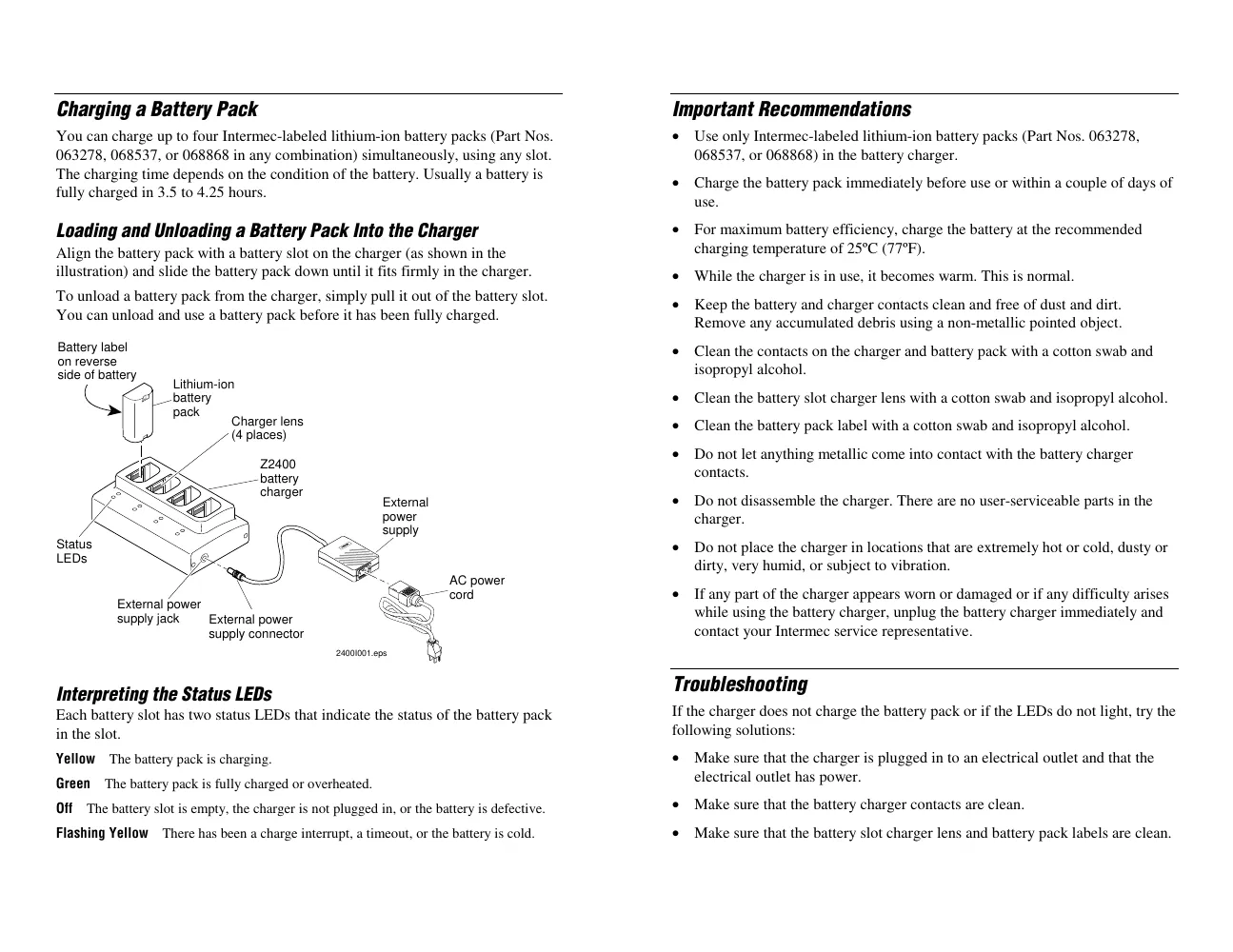
El texto de la página 2, del propio PDF
Charging a Battery Pack
Important Recommendations
You can charge up to four Intermec-labeled lithium-ion battery packs (Part Nos. 063278, 068537, or 068868 in any combination) simultaneously, using any slot. The charging time depends on the condition of the battery. Usually a battery is fully charged in 3.5 to 4.25 hours.
- Use only Intermec-labeled lithium-ion battery packs (Part Nos. 063278, 068537, or 068868) in the battery charger.
Loading and Unloading a Battery Pack Into the Charger
- For maximum battery efficiency, charge the battery at the recommended charging temperature of 25ºC (77ºF).
Align the battery pack with a battery slot on the charger (as shown in the illustration) and slide the battery pack down until it fits firmly in the charger.
- Charge the battery pack immediately before use or within a couple of days of use.
- While the charger is in use, it becomes warm. This is normal.
To unload a battery pack from the charger, simply pull it out of the battery slot. You can unload and use a battery pack before it has been fully charged.
- Keep the battery and charger contacts clean and free of dust and dirt. Remove any accumulated debris using a non-metallic pointed object.
Battery label on reverse side of battery
- Clean the contacts on the charger and battery pack with a cotton swab and isopropyl alcohol. Lithium-ion battery pack Charger lens (4 places)
- Clean the battery slot charger lens with a cotton swab and isopropyl alcohol.
- Clean the battery pack label with a cotton swab and isopropyl alcohol.
- Do not let anything metallic come into contact with the battery charger contacts.
Z2400 battery charger
- Do not disassemble the charger. There are no user-serviceable parts in the charger.
External power supply
- Do not place the charger in locations that are extremely hot or cold, dusty or dirty, very humid, or subject to vibration.
Status LEDs AC power cord
External power supply jack External power supply connector
- If any part of the charger appears worn or damaged or if any difficulty arises while using the battery charger, unplug the battery charger immediately and contact your Intermec service representative.
2400I001.eps
Interpreting the Status LEDs
Troubleshooting
Each battery slot has two status LEDs that indicate the status of the battery pack in the slot.
If the charger does not charge the battery pack or if the LEDs do not light, try the following solutions:
Yellow
The battery pack is charging.
Green
The battery pack is fully charged or overheated.
- Make sure that the charger is plugged in to an electrical outlet and that the electrical outlet has power.
Off
The battery slot is empty, the charger is not plugged in, or the battery is defective.
Flashing Yellow
There has been a charge interrupt, a timeout, or the battery is cold.
- Make sure that the battery charger contacts are clean.
- Make sure that the battery slot charger lens and battery pack labels are clean.





